
Check the acquisition promise
Read the store headline, screenshots and description. What problem is the app promising to solve?
Study the storefront ↗
Sean-Thomas Hammon · iOS
Explore the ad evidence, study the storefront, and build your next acquisition hypothesis.
01 / Creative research
Read the store headline, screenshots and description. What problem is the app promising to solve?
Study the storefront ↗Explore apps with direct store-link matches. Compare their hooks and formats without assuming the same approach works here.
Browse observed advertisers ↗Store rankings and revenue estimates describe market context. They do not establish ad spend, conversions or ROAS.
Review the market context ↗02 / Storefront & product
Study the product story and store experience behind the acquisition funnel.



03 / Market context
Keep revenue, downloads and store rankings separate from advertising performance.
Yeah, the app needs some refinement, but I love the thinking behind Stash Anything. What sold me was simply “stashing” an entire Gemini conversation with a few taps or an IMDB link (in to a TV/Movies “stash” or “Watch Later” folder and then being able to move/use what I’ve stashed elsewhere (even in markdown). I’m still evaluating the use of other apps like Raindrop or even a clipboard manager because Stash could be a great place to triage all the stuff I “collect” during the day on any device. So far so good (but I have a lot of “stash testing” still to do.)
I really wish there was some sort of trial for the lifetime version. It’s hard to get a full feel for everything without one. Otherwise the app seems nice EDIT: oh my gosh! My sincere apologies!!! I somehow missed this, I’m visually impaired and wonder if that had something to do with it? I need lots of contrast but either way, you’re a doll and I’m SO SORRY!! Can you please elaborate on “it’s yours to keep if it’s the app for you?!” Something about going against subscription? I can contact you directly if you don’t mind leaving an email and then I’ll update my review again so all this is taken out! I’m SO SORRY AGAIN!! THANK YOU!
The app description says, “Designed for iPad. Not verified for macOS. The “What’s New” says, “Stash now available for macOS.” So which is it? I’ve been running it on iOS for a few days, and it works great there. I just downloaded it for macOS, but iCloud sync isn’t working. Just stays in “Syncing” status for 20+ minutes so - only have less than 10 items to sync so there’s not a ton of data to sync. iCloud sync within this app is broken or there’s a bug. I’ve been trying to get iPhone/iOS version to sync with this “MacOS” version. I changed some settings and toggled some setting on and off and now I’ve lost all my saved items in Stash. Several hours later, it’s still “syncing”. UPDATE: The latest update as of this writing (3 April 2026) seems to have fixed some iCloud sync issues. The iOS sync was never an issue but it seems quicker and more responsive now. I redownloaded the macOS version. The iCloud sync functionality has been improved, but it still seems stuck, slow, lagging, or not working. The sync status shows “Synced” but items in a Stash still show as “Downloading from iCloud”. Does macOS to iOS iCloud only work for Stash Pro? It’s not clear, from what I’ve read, if that’s yes or no.
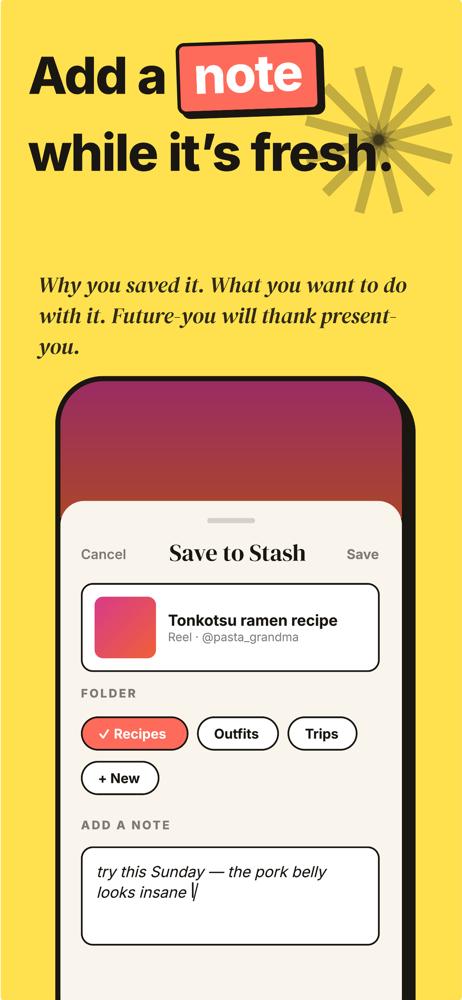
Your camera roll is 80% screenshots you'll never open again. Your bookmarks bar is a black hole. Your DMs are full of links you sent to yourself. You...
| Name | Price | Type |
|---|---|---|
| Stash Pro (Annual) | $7.99 | Yearly |
| Stash Pro Lifetime | $9.99 | One-time |


