App Profile: Seatsy: Seating Chart Planner

Android / Games / Puzzles
Seatsy: Seating Chart Planner
Installs:
Rating:
0.00
Total Reviews:
0
Top Countries:
GB, HR, MO
< $5k
/mo
< 5k
/mo
Reviews: What People Think About Seatsy: Seating Chart Planner
NHnPC
Rating: 3/5
The app has great potential. The seating, drag drop is great. Expanding the guest entry in the form of a spreadsheet, else linking to a spreadsheet that the user can add fields for information needed and using this spreadsheet for guest initials. I’m now doing an event for 325 attendees. Let the user add as many tables as needed, not just what fits on your grid, else allow the user to enter the room size and add tables accordingly. Contact me for more ideas of improvement.
About Seatsy: Seating Chart Planner
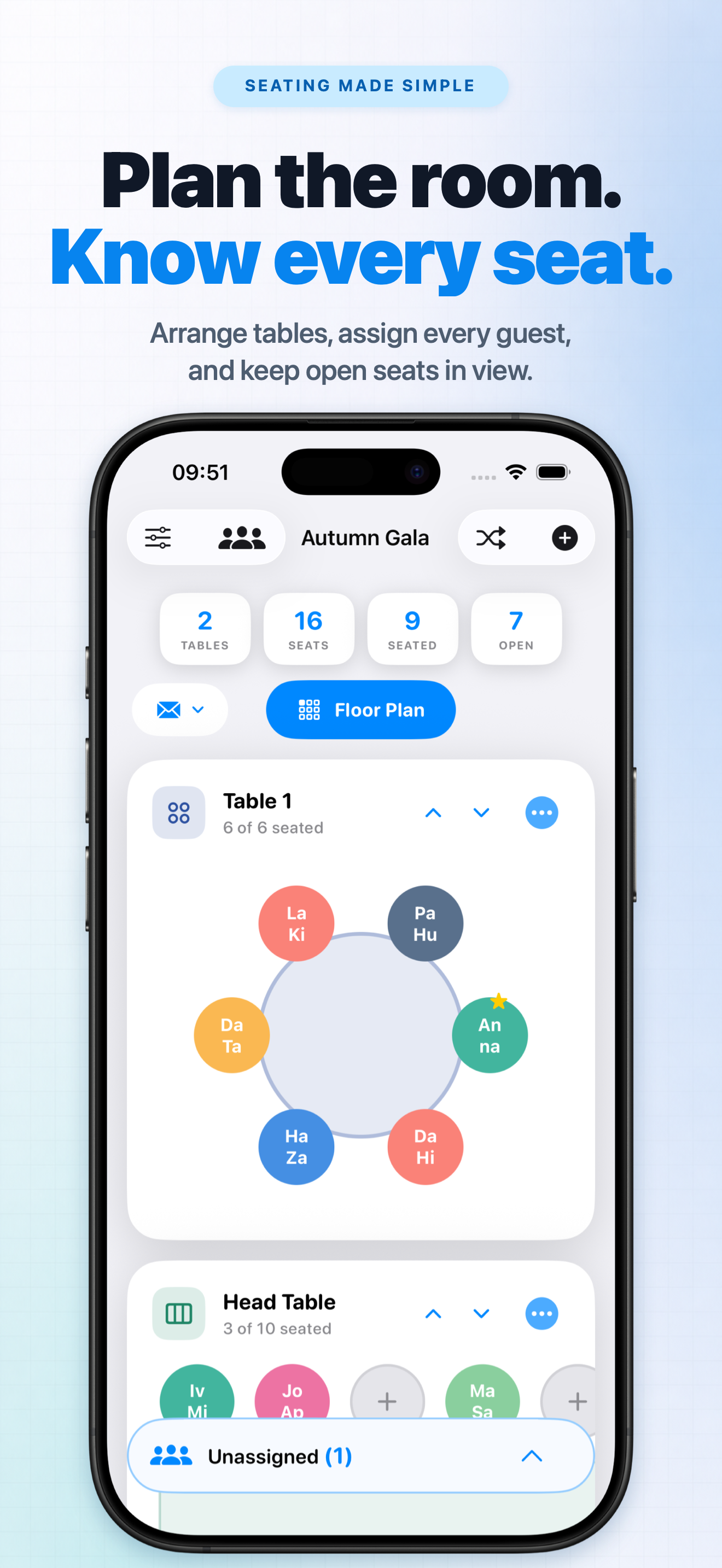
Design seating charts for events of any size - from intimate dinners to conferences with hundreds of guests. Seatsy combines an unlimited canvas workspace with powerful guest management tools: spreadsheet-style bulk editing, CSV/XLSX imports, drag-and-drop assignment, and a precise floor planner. No spreadsheets to juggle, no sign-ups required - everything works offline and saves automatically. Export your finished layouts as PNG images to share or print instantly.

UNLIMITED CANVAS & FLOOR PLAN
• Scale to any venue size with an endless workspace
• Drag & drop tables with snap-to-grid precision and magnetic alignment guides
• Zoom, rotate, and fine-tune spacing for pixel-perfect layouts
• Ready-made templates: round, rectangular, banquet, VIP, head, and cocktail tables

SPREADSHEET MODE & BULK IMPORT
• Edit multiple guests at once in a spreadsheet-style grid view
• Import CSV/TSV/XLSX files with smart column mapping (auto-saves your preferences)
• Paste data directly from clipboard-comma or semicolon delimiters supported
• Bulk assign guests to tables during import or manually

SMART GUEST MANAGEMENT
• Drag & drop guests onto seats; quickly assign, unassign, lock, or reserve
• Auto-generated initials for guest badges with optional manual override
• Add notes, VIP status, built-in tags (Family, Friends, Work, Dietary), or create custom tags
• Search and filter across all guest details
• In-app help guide with detailed documentation

INTELLIGENT ACTIONS
• Auto-Fill Open Seats to place unassigned guests instantly
• Shuffle assignments to try different arrangements
• Distribute VIPs evenly across tables

MULTI-EVENT WORKFLOW
• Create unlimited events, duplicate existing layouts, rename projects
• Everything saves on device - no cloud required, works fully offline
• Instant overview: see counts for tables, seats, seated and unassigned guests at a glance

GETTING STARTED
Create an event, add tables using templates, import or add guests manually, then drag them to seats. Open Floor Plan to arrange tables with precision tools. Perfect for weddings, receptions, banquets, conferences, corporate dinners, galas, parties, classrooms, and any event requiring organized seating.

Unlock all features. Manage anytime in Settings.
Terms of Use - https://pipsapps.com/terms.html
Privacy Policy - https://pipsapps.com/privacy.html
File size: 6817792
Launched countries: USAUCACNFRDEGBITJPKRDZAOARATAZBHBEBRBGCLCOCRHRCYCZDKDOECEGSVFIGHGRGTHKHUINIDIEILKZKEKWLBLTLUMOMYMTMXNLNZNGNOOMPKPAPEPHPLPTQAROSARSSGSKSIZAESLKSECHTWTHTNTRUAAEUYUZVEVNBOKHEELVNIPYGEIQLYMAMZMMYEBJBFCMCGCIJOLAMLSNTZUGZMZW
Minimum OS version: 18.0
Release Date: 1760594327000
Published by Vitalii Nesterenko
Website url:
Publisher country:
Copyright © 2025. Made with ♥ in London by AdScan.ai