
Check the acquisition promise
Read the store headline, screenshots and description. What problem is the app promising to solve?
Study the storefront ↗
Nivona Apparate GmbH · iOS
Explore the ad evidence, study the storefront, and build your next acquisition hypothesis.
01 / Creative research
Read the store headline, screenshots and description. What problem is the app promising to solve?
Study the storefront ↗Explore apps with direct store-link matches. Compare their hooks and formats without assuming the same approach works here.
Browse observed advertisers ↗Store rankings and revenue estimates describe market context. They do not establish ad spend, conversions or ROAS.
Review the market context ↗02 / Storefront & product
Study the product story and store experience behind the acquisition funnel.


03 / Market context
Keep revenue, downloads and store rankings separate from advertising performance.
Diese App ist schon mal viel besser als die vorherige. Da hat ja gar nichts funktioniert. Jetzt funktioniert sie bei meiner Nimona 8000. Ich kann auch Rezepte erstellen und dann ein paar Dinge einstellen. So sollte das sein. Wenn man jetzt noch die Reihenfolge der Favoriten ändern kann, dann wär das Ganze schon mal richtig gut und dann gibt’s auch vier oder fünf Sterne. Weiter so
Erst einmal vielen Dank für die neue App. Das Erscheinungsbild ist sehr frisch gegenüber der alten App. Mir fehlt aber das Icon/Einstellung für ein Latte Macchiato. Im Display von der Maschine ist diese vorhanden und wählbar. Wenn sie das korrigieren gibt es 5*****
Mein Kaffee wird in der App nicht angezeigt, obwohl in der Maschine eigene Rezepte gespeichert sind.
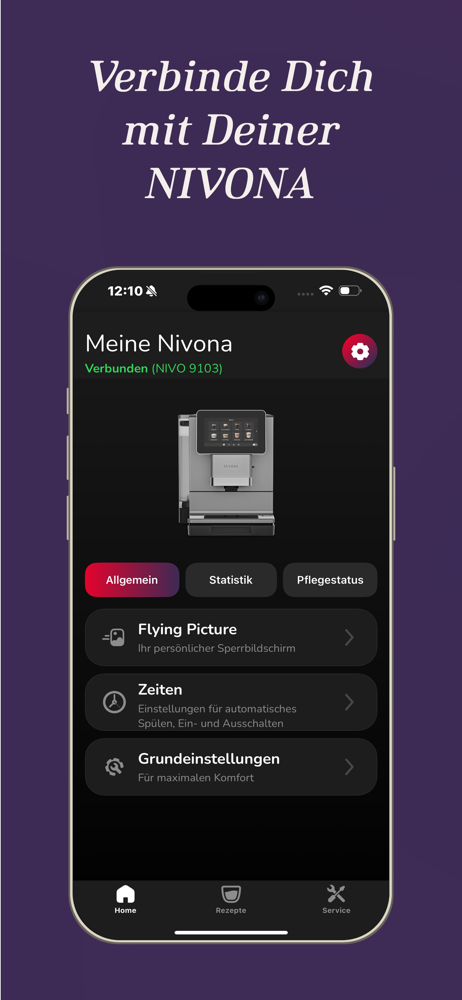
Soll Deine NIVONA betriebsbereit sein, sobald Dein Wecker klingelt? Oder Dich jeden Morgen mit einem Bild Deines Haustiers auf dem Bildschirm begrüßen...


