
Check the acquisition promise
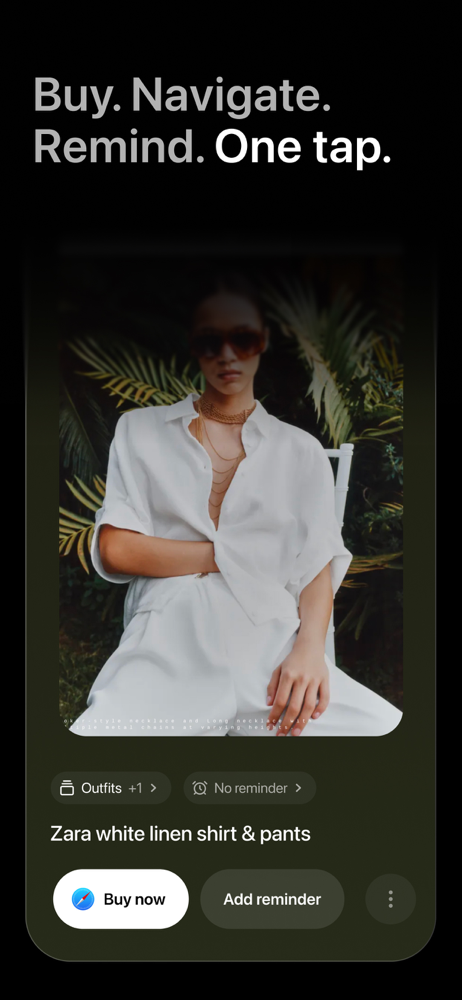
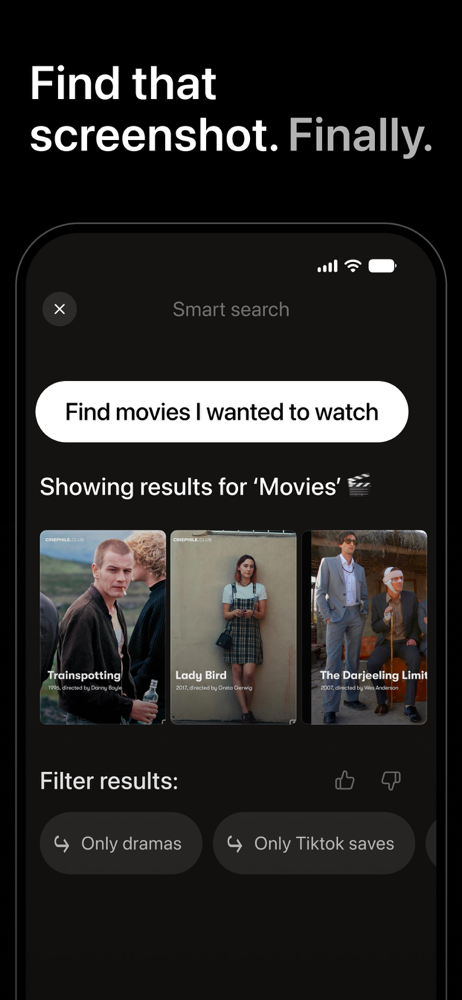
Read the store headline, screenshots and description. What problem is the app promising to solve?
Study the storefront ↗
Aza IQ, Inc. · iOS
Explore the ad evidence, study the storefront, and build your next acquisition hypothesis.
01 / Creative research
Read the store headline, screenshots and description. What problem is the app promising to solve?
Study the storefront ↗Explore apps with direct store-link matches. Compare their hooks and formats without assuming the same approach works here.
Browse observed advertisers ↗Store rankings and revenue estimates describe market context. They do not establish ad spend, conversions or ROAS.
Review the market context ↗02 / Storefront & product
Study the product story and store experience behind the acquisition funnel.



03 / Market context
Keep revenue, downloads and store rankings separate from advertising performance.
Captr and its website show the right idea, but the workflow is weak, and contacting the developer is an impossible loop, except for writing a review in the App Store. A) Workflow: 1) AI suggests titles, but there’s no action to accept the title as a picture group. Instead, you can choose a reminder for a single screenshot, or go to the web based on the screenshot’s source. I want to create albums of like-kind screenshots, from which choosing the actions on the album would be more beneficial. 2) I only see single-screenshot AI processing when I need batch grouping, where I can select an existing album/grouping or create a new one. B) Support: 1) The link from the App Store opens a website with great info and use cases that aren't delivered in the App; 2) The support site doesn't have a way to contact the developer for any given reason and loops back to the App Store, where I can only write a review. Is that how you want to be contacted? In my opinion, choosing a support category and a textbox description would be more useful for us than looping back to the App Store to post a review like the one I’m writing here. 3) Blog on the website is only from the developer. While it’s informational, there’s no capability to interact, and again, instead of posting an inquiry, we’re looped back to writing a review here. SUMMARY: This could easily be a 5-Star App, but it feels very young. Maybe the developer would consider using TestFlight to have Beta testers. If Captr uses TestFlight, I’d love to be one of the testers. I’m happy to update this review and its rating as these concerns are addressed. To the Developer: Keep building, this app has the unique potential I've been looking for. Thanks.
I have over 20,000 screenshots and I used to think I would never be able to use them. They’re full of recipes, places to visit, things to do,!things to do with my kids and I can say after trying other apps for years and my phone screen organizer folders this is literally the best screenshot organizer ever I already feel more organized and I’m able to actually useall of the things I have set reminders, just so helpful!
I’ve been waiting years for someone to make something or organize my life this way. I take so many screenshots and they all end up lost or never getting done. This is a great way to keep on top of everything in one place, and it’s SO much better than going into my photo roll.
Captr — Screenshot Organizer Not another gallery you have to dig through Other screenshot apps sort things into a tidy gallery you still have to ope...


