App Profile: Habit Tracker – Grid
Android / Games / Puzzles
Habit Tracker – Grid
Installs:
Rating:
4.48
Total Reviews:
158
Top Countries:
US, PL, KR
< $5k
/mo
< 5k
/mo
Reviews: What People Think About Habit Tracker – Grid
tropicalmilk
Rating: 4/5
The app is slick and clean, but missing a couple features. I would love to be able to add data in for the previous day, since I usually forget by the end of the night (even with widgets!)
I also would love some sort of notification to remind me to submit my tracking. Also to customize the colors more
XaneMD
Rating: 5/5
UPDATE: Excellent app now that it works. Provides a great visual to keep me motivated to keep streaks alive and build my grid.
Previous review:
Every time I select the button on the main screen to create a shot, the app crashes, making it completely useless. This is despite deleting and redownloading the app or restarting my phone.
Cri8tiveSol
Rating: 5/5
Love the clean UI and fonts.
Just needs multiple reminders for each Habit. E.g.: “Drinking water” ( other than via Shortcuts ) should be reminded multiple times a day… but can’t. Looking forward to this improvement in the future. Keep it up! 👍🏼
About Habit Tracker – Grid
Meet Habit Tracker Grid, the simple-yet-powerful daily habit tracker designed to help you make progress and achieve your goals, one step at a time.
Simply put, it’s an app for creating and tracking habits.
Whether you want to build positive habits, like taking a daily walk, or break free from bad habits, Habit Tracker is your go-to companion. With its minimalistic design and intuitive interface, you'll find staying on track and keeping your life structured easier than ever.
Track, tap, and transform:
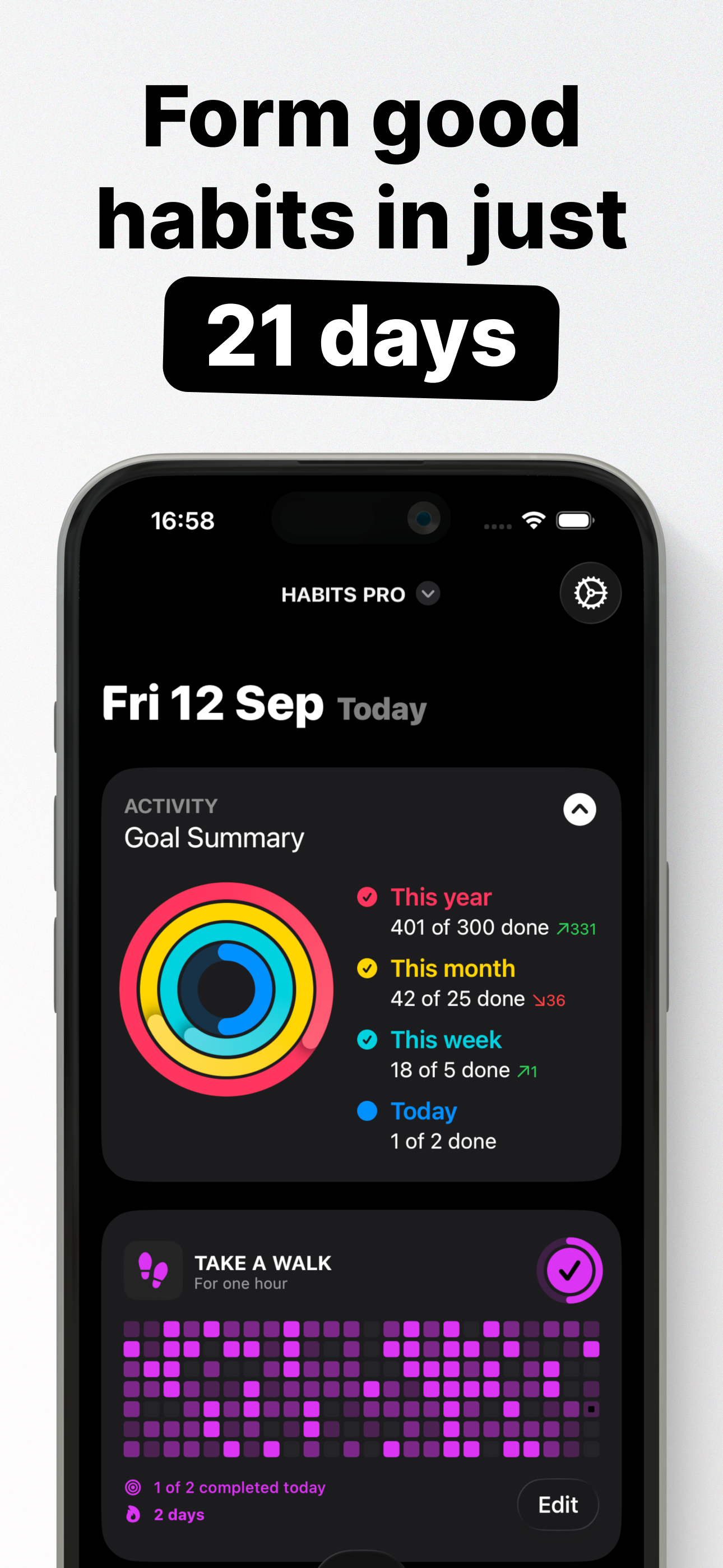
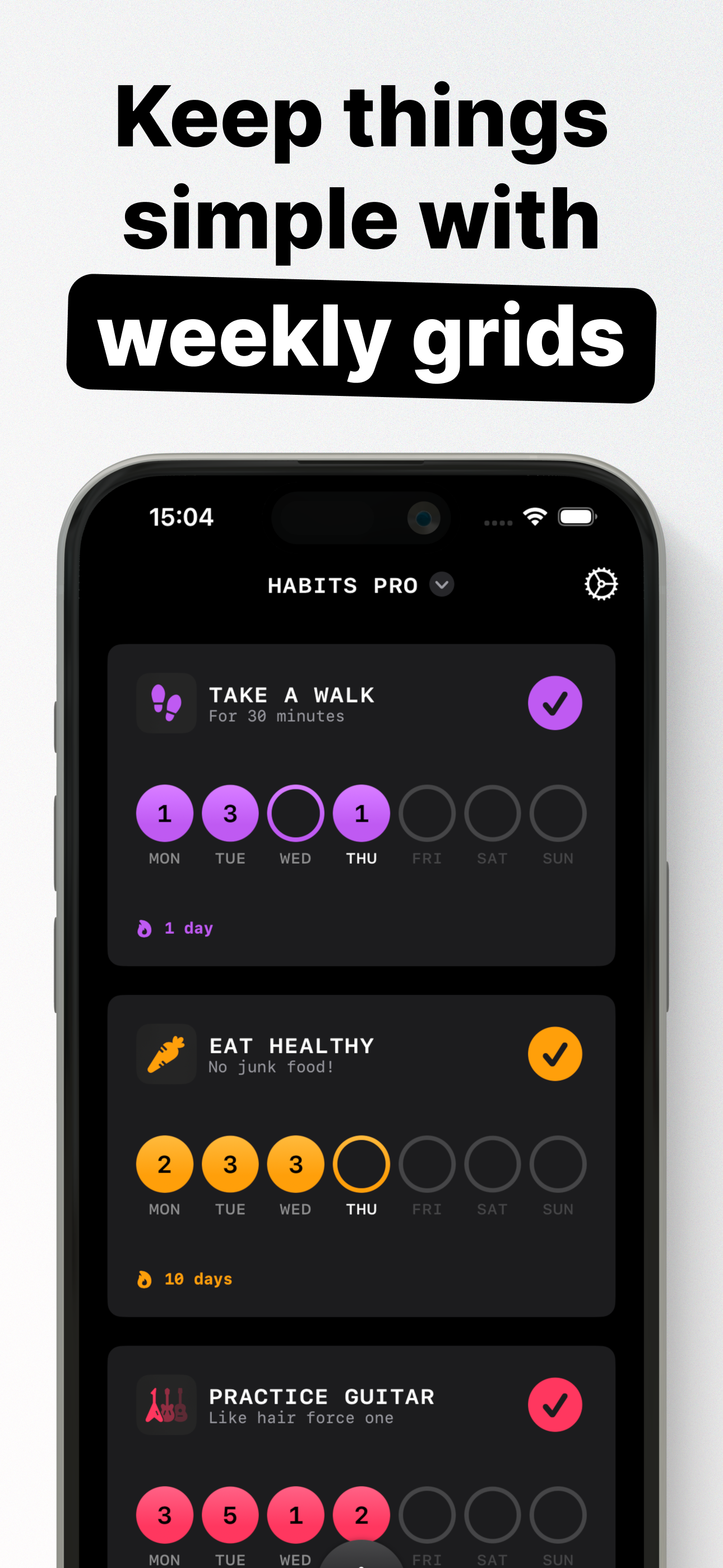
Log progress with just a tap and watch your habits come to life on beautiful, color-coded grids. Every achievement is visualized, motivating you to stay consistent, accountable, and keep moving forward.
Habit Tracker shows you how many days in a row you’ve kept your habit streak alive, giving you motivation to keep pushing and hit all your goals.
Flexible and versatile:
Habit Tracker is perfect for any habit you want to track, whether it’s getting in 20 minutes of exercise, eating your “five a day” fruit and veg, reading, or anything else. You can log multiple entries per day, giving you the flexibility to record every moment of progress.
Start your journey towards a better you. Try Habit Tracker today and make every day count!
---
TRACK DAILY HABITS
After creating new habits, track how often each habit is done, as many times per day as you need, and view your progress on colorful grids: The number of times a habit is performed on a given day is highlighted by the shade of the color — the more often a habit has been recorded, the bolder the color of the dot in the grid appears compared to the other dots.
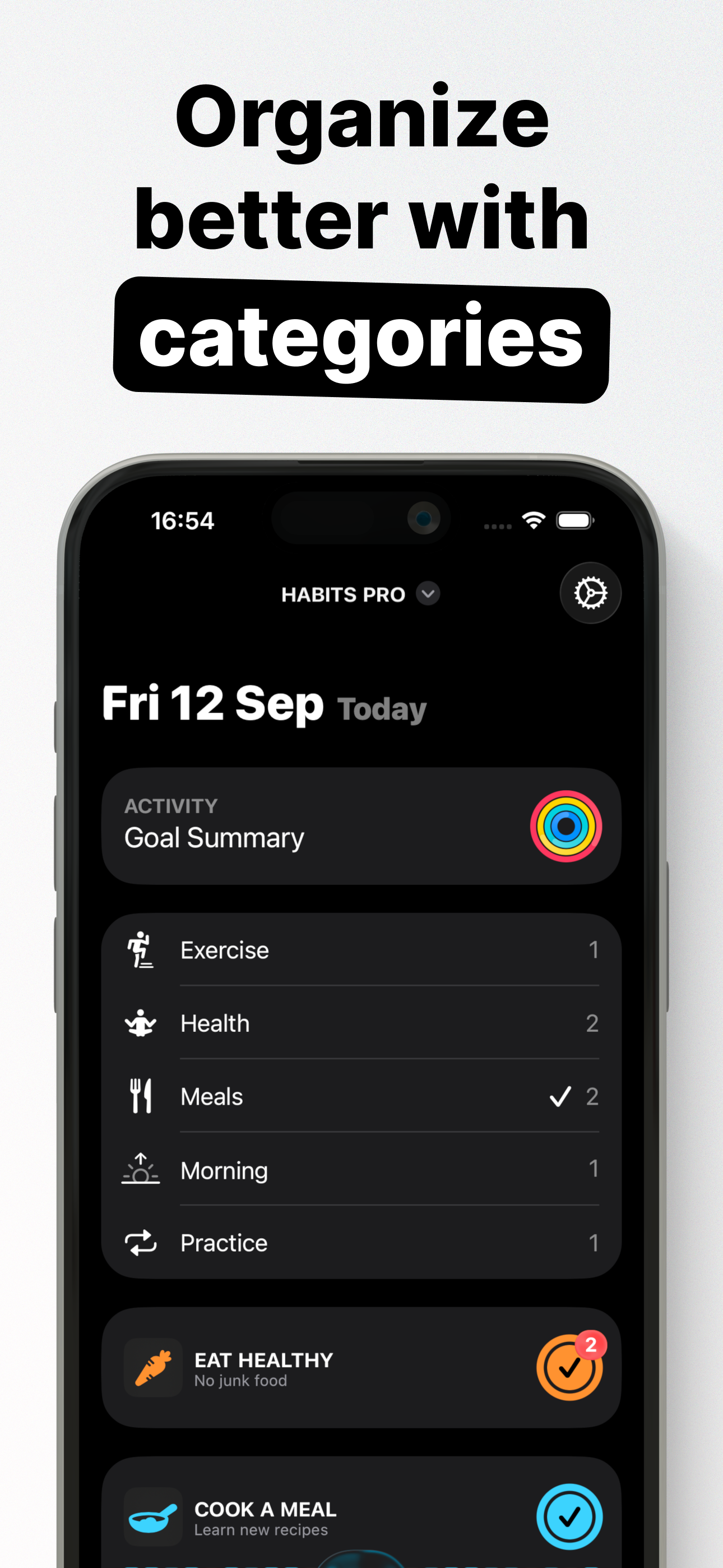
Each habit can be customized to your liking, including the title, description, icon, and color scheme.
Daily streaks and percentage goal progress can be displayed below the grids for extra motivation.
---
CHARTS
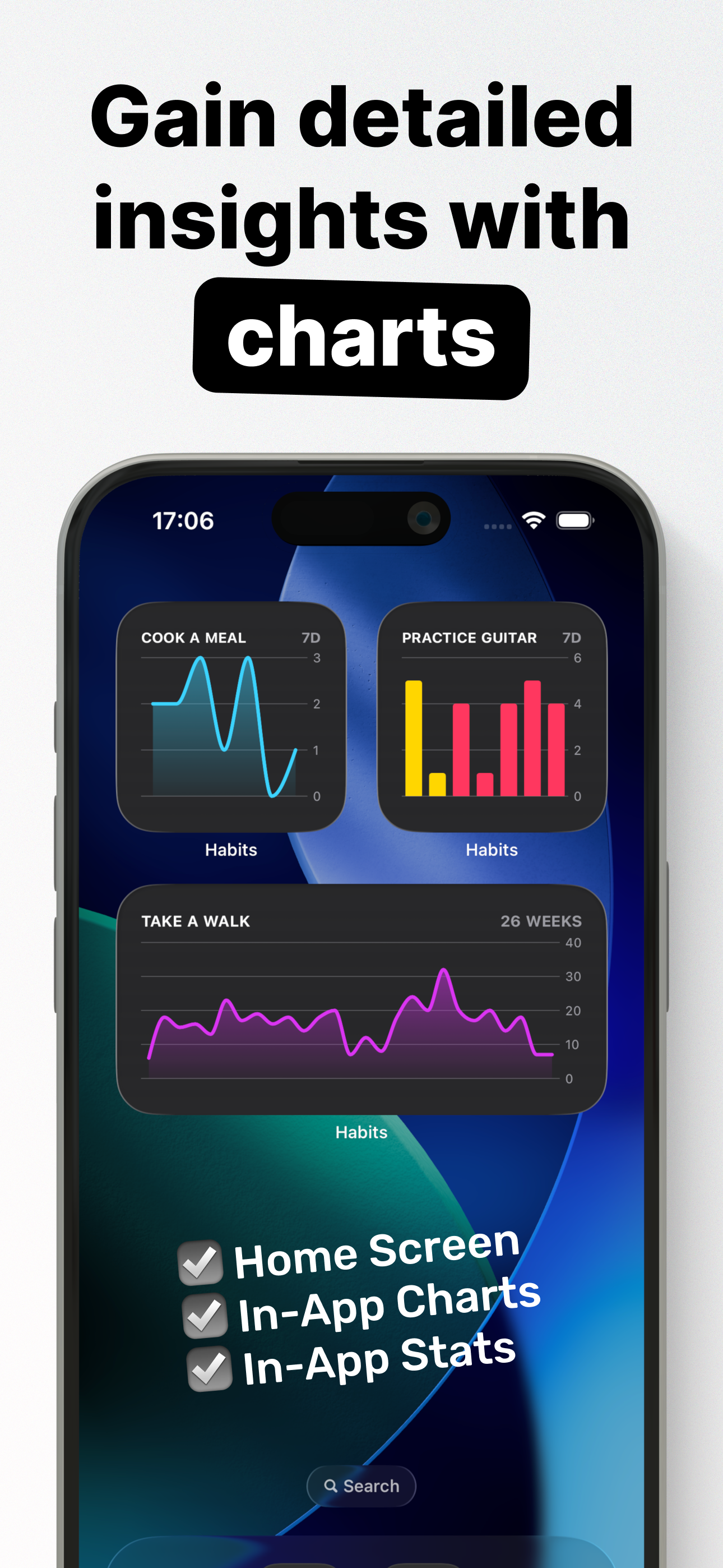
Level up and view detailed charts that provide info on habits over days, weeks, and months. Get breakdowns of habits logged on weekdays vs weekends, and see the exact number of habits logged each day alongside average values.
---
WIDGETS
Manage your favorite habits right from Control Center, Home Screen, and Lock Screen.
View charts and stats at a glance.
---
SIRI, SHORTCUTS, AND SPOTLIGHT
Perform actions like logging habits without even opening the app with Siri, for example, say "Hey Siri, add an entry with Habits."
Create custom shortcuts in the Shortcuts app and run them via Automations and Spotlight.
---
CLOUD BACKUP
Habit Tracker Grid uses iCloud sync to store your data in your personal iCloud account, so you’ll never lose your data if you lose or replace your iPhone. All your data stays private to you, always.
---
Some of the content discussed above requires an in-app purchase: The free version of Habit Tracker Grid allows you to view one habit in your list. Habits Pro is required to add more than one habit and use widgets.
Habit Tracker Grid contains no ads. Habits Pro is required for the additional features and capabilities mentioned above, which can be accessed by either an auto-renewing subscription or a one-time in-app purchase.
---
Payment will be charged to your Apple ID account at the confirmation of purchase. The subscription automatically renews unless it is canceled at least 24 hours before the end of the current period. Your account will be charged for renewal within 24 hours before the end of the current period. You can manage and cancel your subscriptions by going to your App Store account settings after purchase. Cancellation of the current active subscription period is not allowed.
---
Privacy Policy:
https://sites.google.com/view/lazycatapps/home/habits/privacy-policy
Terms of Use:
https://www.apple.com/legal/internet-services/itunes/dev/stdeula
Simply put, it’s an app for creating and tracking habits.
Whether you want to build positive habits, like taking a daily walk, or break free from bad habits, Habit Tracker is your go-to companion. With its minimalistic design and intuitive interface, you'll find staying on track and keeping your life structured easier than ever.
Track, tap, and transform:
Log progress with just a tap and watch your habits come to life on beautiful, color-coded grids. Every achievement is visualized, motivating you to stay consistent, accountable, and keep moving forward.
Habit Tracker shows you how many days in a row you’ve kept your habit streak alive, giving you motivation to keep pushing and hit all your goals.
Flexible and versatile:
Habit Tracker is perfect for any habit you want to track, whether it’s getting in 20 minutes of exercise, eating your “five a day” fruit and veg, reading, or anything else. You can log multiple entries per day, giving you the flexibility to record every moment of progress.
Start your journey towards a better you. Try Habit Tracker today and make every day count!
---
TRACK DAILY HABITS
After creating new habits, track how often each habit is done, as many times per day as you need, and view your progress on colorful grids: The number of times a habit is performed on a given day is highlighted by the shade of the color — the more often a habit has been recorded, the bolder the color of the dot in the grid appears compared to the other dots.
Each habit can be customized to your liking, including the title, description, icon, and color scheme.
Daily streaks and percentage goal progress can be displayed below the grids for extra motivation.
---
CHARTS
Level up and view detailed charts that provide info on habits over days, weeks, and months. Get breakdowns of habits logged on weekdays vs weekends, and see the exact number of habits logged each day alongside average values.
---
WIDGETS
Manage your favorite habits right from Control Center, Home Screen, and Lock Screen.
View charts and stats at a glance.
---
SIRI, SHORTCUTS, AND SPOTLIGHT
Perform actions like logging habits without even opening the app with Siri, for example, say "Hey Siri, add an entry with Habits."
Create custom shortcuts in the Shortcuts app and run them via Automations and Spotlight.
---
CLOUD BACKUP
Habit Tracker Grid uses iCloud sync to store your data in your personal iCloud account, so you’ll never lose your data if you lose or replace your iPhone. All your data stays private to you, always.
---
Some of the content discussed above requires an in-app purchase: The free version of Habit Tracker Grid allows you to view one habit in your list. Habits Pro is required to add more than one habit and use widgets.
Habit Tracker Grid contains no ads. Habits Pro is required for the additional features and capabilities mentioned above, which can be accessed by either an auto-renewing subscription or a one-time in-app purchase.
---
Payment will be charged to your Apple ID account at the confirmation of purchase. The subscription automatically renews unless it is canceled at least 24 hours before the end of the current period. Your account will be charged for renewal within 24 hours before the end of the current period. You can manage and cancel your subscriptions by going to your App Store account settings after purchase. Cancellation of the current active subscription period is not allowed.
---
Privacy Policy:
https://sites.google.com/view/lazycatapps/home/habits/privacy-policy
Terms of Use:
https://www.apple.com/legal/internet-services/itunes/dev/stdeula
File size: 49867776
Launched countries: USAUCACNFRDEGBITJPKRRUDZAOARATAZBHBBBYBEBMBRBGCLCOCRHRCYCZDKDOECEGSVFIGHGRGTHKHUINIDIEILKZKEKWLBLTLUMOMGMYMTMXNLNZNGNOOMPKPAPEPHPLPTQAROSARSSGSKSIZAESLKSECHTWTHTNTRUAAEUYUZVEVNBOKHEELVNIPYAFGEIQLYMAMZMMYEBJBFCMCGCIJOLAMLSNTZUGZMZW
Minimum OS version: 17.0
Release Date: 1726556400000
Published by David Steppenbeck
Website url: https://sites.google.com/view/lazycatapps/home/habits
Publisher country: