Check the acquisition promise
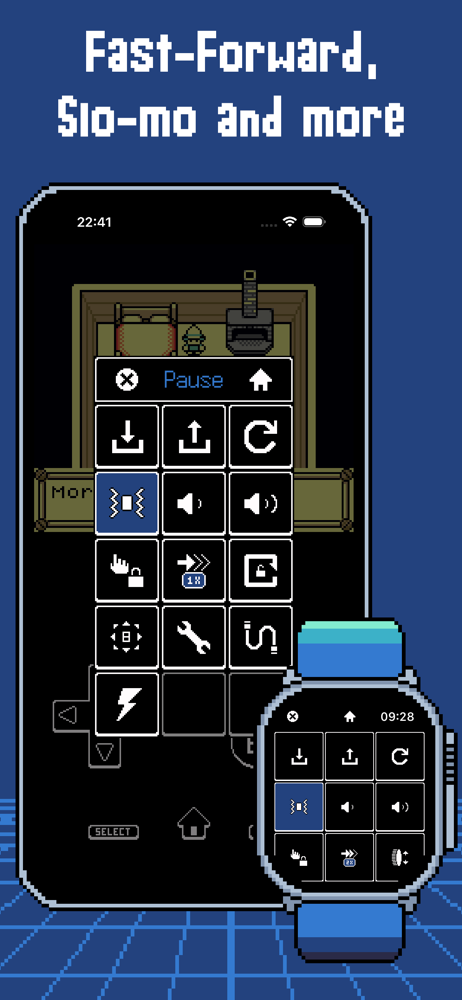
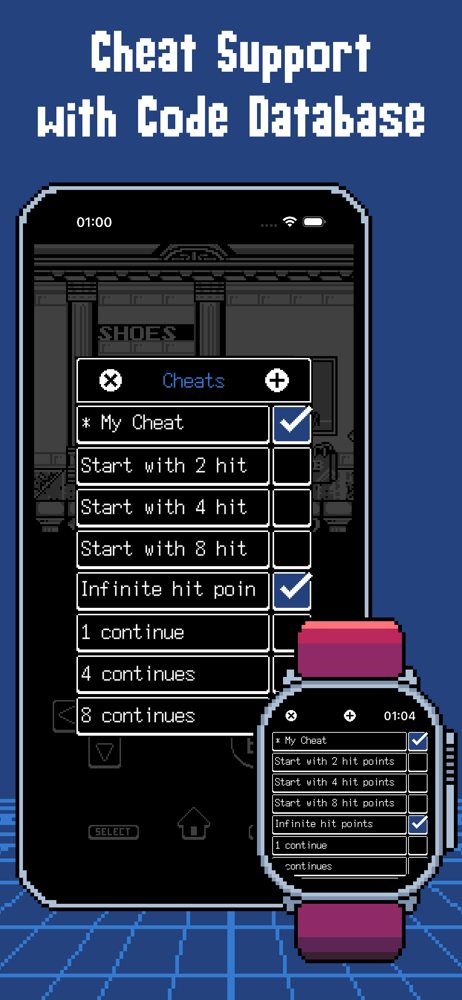
Read the store headline, screenshots and description. What problem is the app promising to solve?
Study the storefront ↗
Raffaele D'Amato · iOS
Explore the ad evidence, study the storefront, and build your next acquisition hypothesis.
01 / Creative research
Read the store headline, screenshots and description. What problem is the app promising to solve?
Study the storefront ↗Explore apps with direct store-link matches. Compare their hooks and formats without assuming the same approach works here.
Browse observed advertisers ↗Store rankings and revenue estimates describe market context. They do not establish ad spend, conversions or ROAS.
Review the market context ↗02 / Storefront & product
Study the product story and store experience behind the acquisition funnel.





03 / Market context
Keep revenue, downloads and store rankings separate from advertising performance.
ArcEmu works great and the controller support is effective. The link cable works, however, read the following which was also sent in an email to the ArcEmu support: ArcEmu doesn’t seem to function properly if you are under 13. The multiplayer link cable doesn’t function, saying “multiplayer unavailable” I am almost sure this is the issue because on one device which has age 14 it started working again after I signed out and back in to Game Center. However, on the other device there are no restrictions but it doesn’t work, most likely because it is under 13. Because of this, please add a “sign in as guest” or an ArcEmu account feature, or even better (if you do this this might be the best app ever) allow it to work by usb c cable, so you don’t even need internet like in the game boy days. Please fix this issue soon.
I’m incredibly impressed with how well I’m able to emulate gameboy and gameboy advanced games on my Apple Watch. It’s amazingly simple with this app to add roms from your phone and they play impressively well on such a small screen. You would be surprised how well you can view these games on such a small screen and fit in the controls as well. Some games that require a lot of quick button pressing and reaction time might not be best on the watch app but I highly suggest giving games which allow for more reaction time such as turn based strategy, and rpgs a try on this. For instance any of the Pokémon games would be great on this. The price is unbeatable for the ability to add vastly better games on your Apple Watch than any that exist on the App Store.
This is an insanely cool concept to be able to play game boy and game boy advance games on your watch. But to be usable, it needs a few improvements. I'd love it if you could swipe to hit two buttons, like pressing right for Mario and swiping up onto A to jump. Right now, a new tap is required for any distinct action. In addition, volume controls would be great. Edit: thanks for the reply! My suggestion with swiping is more so just to allow rollover between the right and A buttons, like how it is between the up and down dpad buttons now. Edit 2: Yes, overall I think it's intuitive to allow swiping button presses on any button. More freedom that way. The buttons are quite large so accidental swipes should be a minimum. That allows games like Mario to be played (the new crown button remap option works well there too).
ArcEmu brings retro game emulation to Apple Watch. It also works on iPhone, iPad, and Apple TV, delivering a seamless gaming experience across your Ap...