Check the acquisition promise
Read the store headline, screenshots and description. What problem is the app promising to solve?
Study the storefront ↗
Chris Karcher · iOS
Explore the ad evidence, study the storefront, and build your next acquisition hypothesis.
01 / Creative research
Read the store headline, screenshots and description. What problem is the app promising to solve?
Study the storefront ↗Explore apps with direct store-link matches. Compare their hooks and formats without assuming the same approach works here.
Browse observed advertisers ↗Store rankings and revenue estimates describe market context. They do not establish ad spend, conversions or ROAS.
Review the market context ↗02 / Storefront & product
Study the product story and store experience behind the acquisition funnel.



03 / Market context
Keep revenue, downloads and store rankings separate from advertising performance.
I don’t see nothing so spatial about this
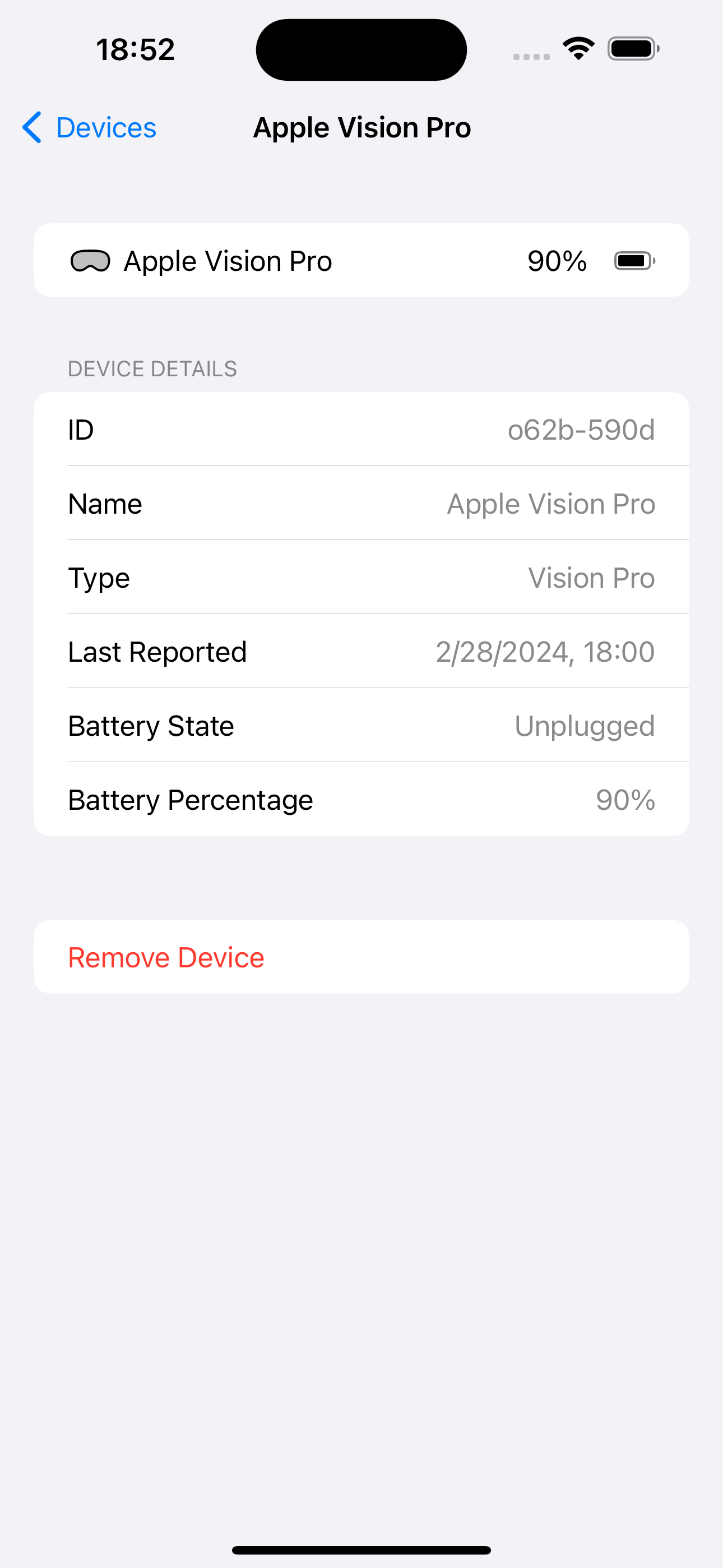
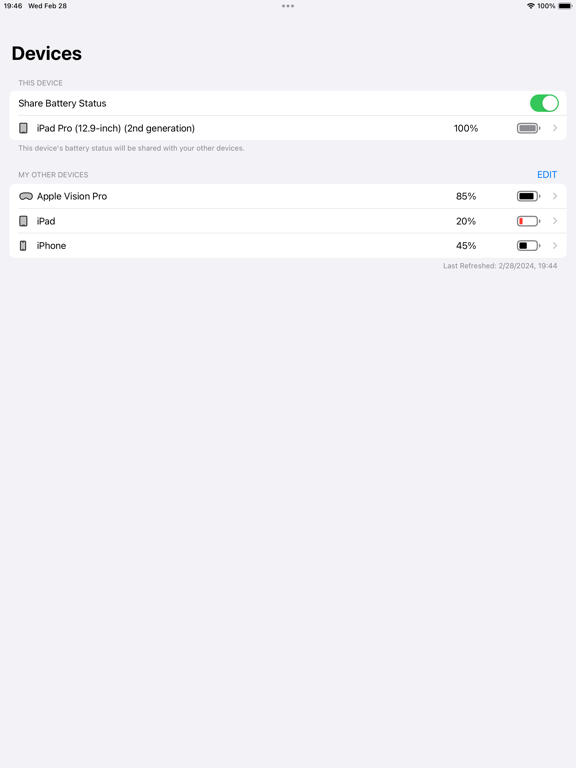
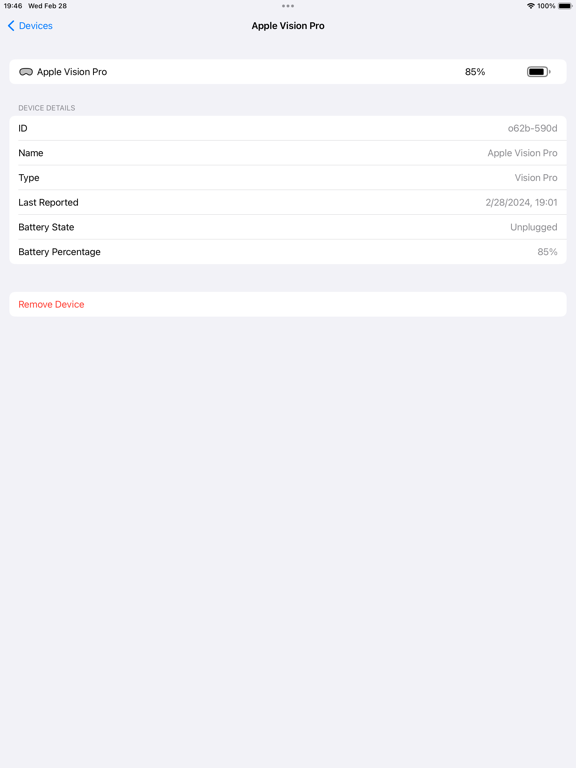
Nice app but may I suggest rethinking where you put the last updated dates? Looking from my iPad, you’ve got a date/time displayed immediately below the Vision Pro on the initial device list view which seems to imply how recent the status is but that of course isn’t true. That’s when the app was launched and last looked. Devices like the Vision Pro that aren’t available are or course out-of-date. There is that icon on the device entry to indicate that the status is old and you can click through to see when the device status was last updated but may I suggest that you put this date/time on the front view for each device? And I would move the date/time that the app last looked up or down into a corner, away from the device list. Lastly, I suggest changing or at least providing an option to display the date/time has “human readable” time elapsed (as it’s sometimes referred to). In other words, show “now”, “a few minutes ago”, “three hours ago”, “two days ago”, etc. instead. Much easier to interpret quickly than a full date/timestamp. Cheers!
Need ability to rename device (eg it’s just iPhone or IPad), on MacOS battery status is not shown
Remote Battery Monitor allows you to easily check the battery levels of your visionOS, iPadOS, and iOS devices from your other Apple devices. AVP own...