Check the acquisition promise
Read the store headline, screenshots and description. What problem is the app promising to solve?
Study the storefront ↗
Rick Meyers · iOS
Explore the ad evidence, study the storefront, and build your next acquisition hypothesis.
01 / Creative research
Read the store headline, screenshots and description. What problem is the app promising to solve?
Study the storefront ↗Explore apps with direct store-link matches. Compare their hooks and formats without assuming the same approach works here.
Browse observed advertisers ↗Store rankings and revenue estimates describe market context. They do not establish ad spend, conversions or ROAS.
Review the market context ↗02 / Storefront & product
Study the product story and store experience behind the acquisition funnel.
The store evidence
US store price
$3.99
US rating
4.8 / 5
US rating count
7,057
Current version
13.3
2025-07-25 · Developer notes
Fixed random audio Bible issues and improved access reliability!
Store metadata collected 2026-10-19 UTC · US storefront · Source record. Free may include in-app purchases. Public data does not update revenue estimates.



03 / Market context
Keep revenue, downloads and store rankings separate from advertising performance.
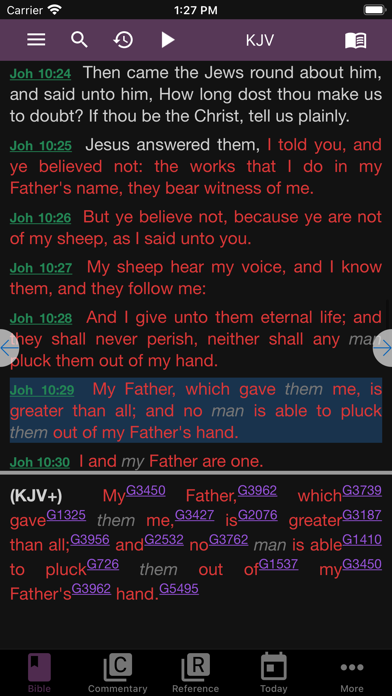
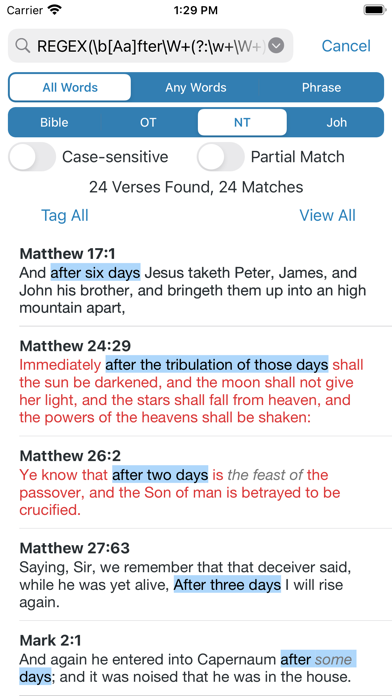
First, as a preface, I have used almost every other Bible reference app out there, some other apps have more features (logos for instance) but as far as all-around Bible apps, this one is hands down the best. What makes this bible app so great is the accessibility of everything. All of your options are right in front of you, it is extremely easy to learn and quickly navigate. One of the best features is the (free!) downloadable KJV+ bible. It incorporates all of the Strong’s numbers into the KJV, so that you can simply click the number and see the definition of that word in Strong’s, Thayer’s, or whatever other Lexicon you would like. It is only two clicks to switch to another translation for comparison purposes, it works perfectly fine without internet connection, has no loading times like the more popular apps, no ads and has a multitude of free downloadable Bible translations, (KJV+, ESV, Darby, LEB, etc.) as well as reference materials such as concordances and lexicons, and other beneficial literature. To have all of this on one app without it slowing down to load, or getting confusing to navigate is quite a feat. I would highly, highly recommend it to anyone who wants to have the tools to study your bible in-depth at arms reach all the time, whether in the city or in the middle of nowhere.
The commentaries (esp. Matthew Henry) are hard to follow and find the verse you are interested in. An enhancement would be to try to break the commentaries down somewhat to specific verses, where possible. The commentaries are basically a cut and paste of the authors work, so it’s no different than having the commentary book in front of you. A value-added feature of e-Sword would be to break down the commentaries a little more. Additionally, it would be nice if you highlight a verse in the daily reading material, that it would highlight the same verse in your default bible. Right now it doesn’t. So if you highlight several verses in your daily devotional reading material, they are not highlighted in your electronic “bible”. You have to do it twice. In fact, why not highlight the verse in all the Bible versions / translations you have loaded into e-Sword. I often switch between multiple bible versions / translations.
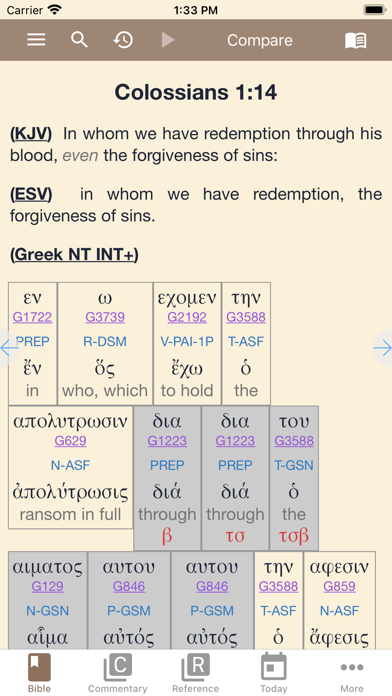
I’ve been studying the Word since I was young so I’ve come across many Bible tools, and I can confidently say this is my FAVORITE Bible app, hands down! I LOVE that the Greek/Hebrew references are clickable—right there next to each word, which makes it very easy to quickly look up an original meaning and then return to my reading. I do think navigating the other features takes a little getting used to, but once I figured it out, I was hooked. I love the Bible dictionary feature and downloaded one that works for me. I was even able to download my favorite commentary (David Guzik) which I was THRILLED about, so now I don’t have to leave the app to look that up. The compare feature (to compare translations) is cool. One thing that some may find as a downside is that you may have to pay for a translation that you like. (You basically are buying the e-Sword compatible version of that bible, then downloading it.) But I didn’t mind spending money on a Bible—I got NKJV and NLT and I feel it was well worth it which made my studying easier, so I can read them within e-Sword. But if you don’t want to spend money, there are a lot of free translations you can choose from. A great app!
e-Sword® — the world's most popular PC Bible study software is now available on the world's most advanced mobile operating system! e-Sword LT is the...