
Check the acquisition promise
Read the store headline, screenshots and description. What problem is the app promising to solve?
Study the storefront ↗
WingBoat.com · iOS
Explore the ad evidence, study the storefront, and build your next acquisition hypothesis.
01 / Creative research
Read the store headline, screenshots and description. What problem is the app promising to solve?
Study the storefront ↗Explore apps with direct store-link matches. Compare their hooks and formats without assuming the same approach works here.
Browse observed advertisers ↗Store rankings and revenue estimates describe market context. They do not establish ad spend, conversions or ROAS.
Review the market context ↗02 / Storefront & product
Study the product story and store experience behind the acquisition funnel.




03 / Market context
Keep revenue, downloads and store rankings separate from advertising performance.
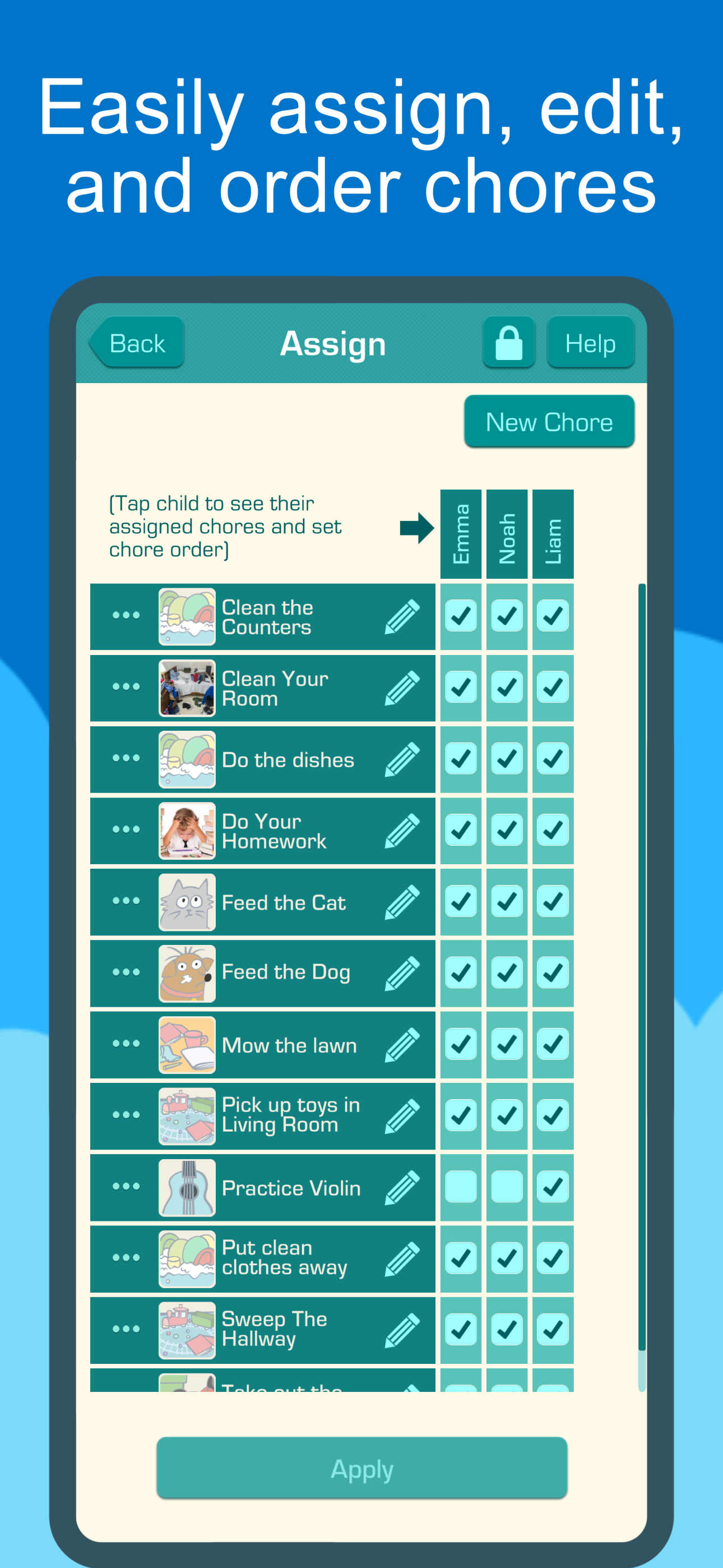
This took some work up front, but it was totally worth it! I built a spreadsheet with days of the week, chores, kids and myself. We looked at what needed to be done and how frequently and then divided the chores up according to age and ability. We also wanted to mix chores up so the same child wasn’t doing the same chore several days in a row. This allowed us the flexibility to select different days and with the quick fill to go in and reuse description for a different child on a different day. It took a few hours, but to me it was totally worth it. Our youngest two are just learning to read, but with the picture feature and the robot voice reading the description, they can figure out what chore they have to do without needing my help. I wish the reward amount stayed persistent with the chore in the quick fill, but that’s only a minor annoyance. So far, we’ve been doing it for a couple weeks and it’s almost an autopilot thing now. The kids are still excited about it. They see the chore money adding up. On payday they get their money or we transfer it to PiggyBot. That would be a nice add for this app—to be able to designate money to go to different purposes—meaning in PiggyBot I can designate a split in the payout, a certain percentage to savings, some to charity, and then play or purchase money. At any rate, I highly recommend the app. It clean, my kids love it (oldest 17 not so much until he sees the others getting paid for tracking) down to my four year old (who has finished his chores every day for 2 weeks).
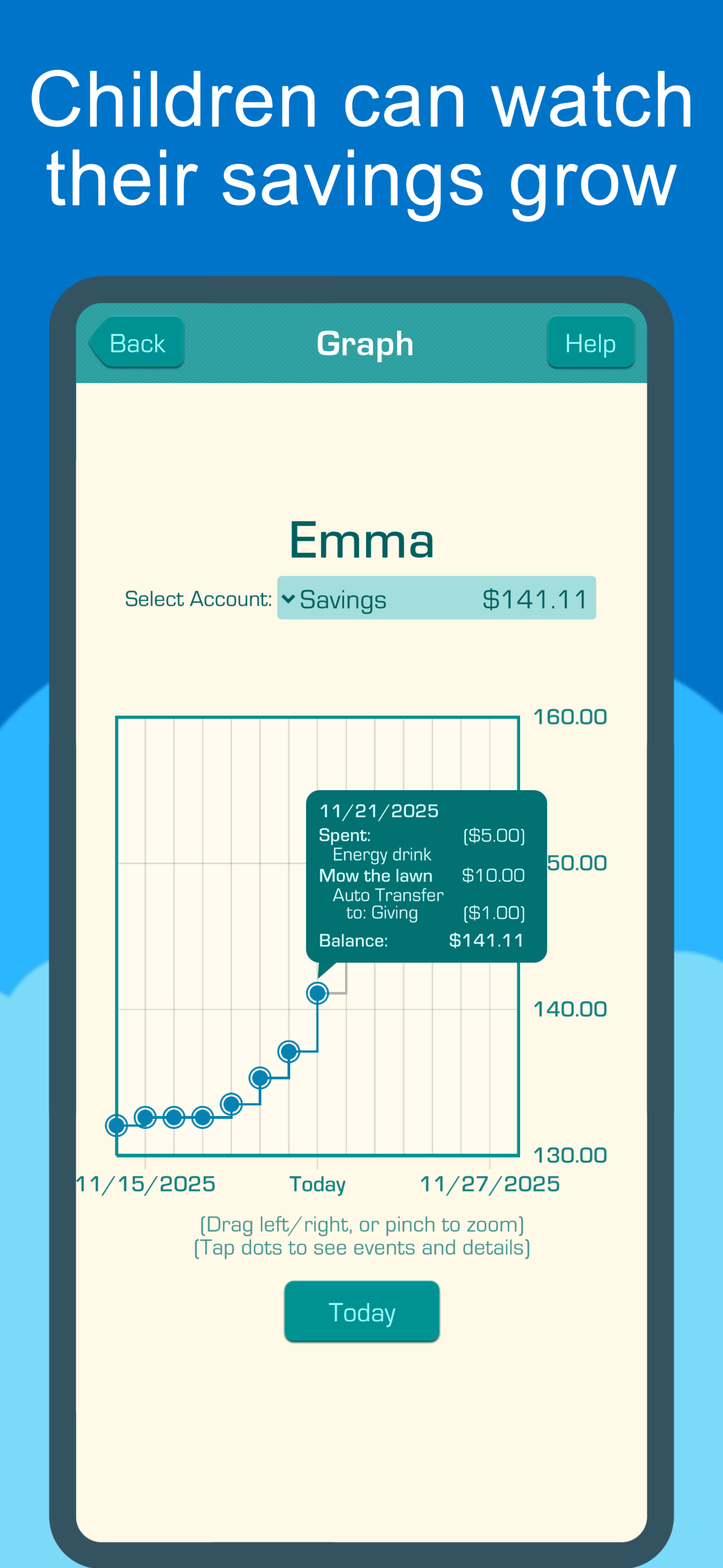
Yay!!! Not TOO gamified for my kids- but enough splash and graphics to keep them engaged. I didn’t need another gimmicky gamified app. Appeals to my ADHD preteen and 6 year old. The app gives you the ability to customize money/assignment of chores/as needed chores/proration of weekly allowance based on %of chores done vs no allowance of chores not done. I LOVE that you can automatically set it for percentages to allocated to whatever (or however many) accounts you make. Saving account is default until you add more categories. We have ours set up “savings: 30% spend: 60% Do Good & Be Kind: 10%” Keep the actual money in a bank account for them so they do have actual money and it’s not just in theory. In the bank account they can invest/learn financial crap etc. Hoping they grow up with better financial sense than me. I had to learn about all this stuff the HARD way. I don’t want my kids to learn the same way I did bc it sucked. Ha.
I originally thought that an allowance app needed to be complex and something I had to set up with a keyboard and mouse (either via browser or integrated app in mac/windows). I now know that those things aren’t required. Simple to setup. Assigning tasks is easy. Recurrence is automatic and allows for multiple days to complete tasks. We have chores that we only want done on weekends and others that are only done during the week. Easy with this app. Can also designate tasks as being up for grabs meaning that the first period to do it gets the loot. Yes, this is a paid feature, but seriously? Look at the annual cost. We have noticed a drastic increase in chore compliance and corresponding drop in parental stress level in terms of tasks getting done. Rather than have to transfer $$ to a spending card or into a checking account, this app simply keeps track of how much each person has earned. Then, when they want to buy something, you simply reduce the amount in their account. Also, if a kid does something over the top and you want to pay them more, you can simply deposit more in without having to create a chore. Worth every penny.
Chores & Allowance Bot is an easy and versatile way to keep track of your family chores, allowance, and savings goals. Features: • Manage all chores f...
| Name | Price | Type |
|---|---|---|
| Premium Monthly Plan | $9.99 | Monthly |
| Premium Semiannual Plan | $17.99 | Semi-Annual |
| Premium Annual Plan | $39.99 | Yearly |


