Check the acquisition promise
Read the store headline, screenshots and description. What problem is the app promising to solve?
Study the storefront ↗
Robert Seber · iOS
Explore the ad evidence, study the storefront, and build your next acquisition hypothesis.
01 / Creative research
Read the store headline, screenshots and description. What problem is the app promising to solve?
Study the storefront ↗Explore apps with direct store-link matches. Compare their hooks and formats without assuming the same approach works here.
Browse observed advertisers ↗Store rankings and revenue estimates describe market context. They do not establish ad spend, conversions or ROAS.
Review the market context ↗02 / Storefront & product
Study the product story and store experience behind the acquisition funnel.

03 / Market context
Keep revenue, downloads and store rankings separate from advertising performance.
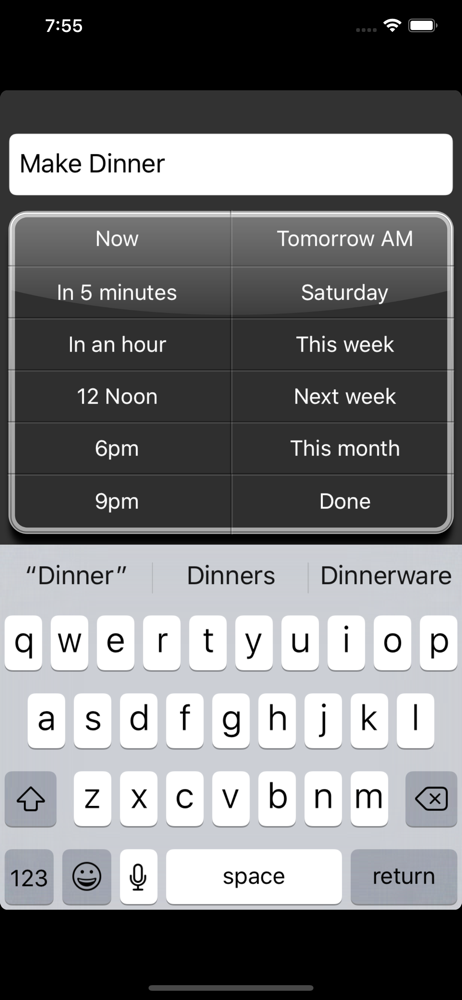
I've always been attracted to "today/tomorrow/later-style" apps as a way of managing the day's "inbox" of tasks -- pushing lower priority tasks off into the future. I probably have tried/used every app out there, in this genre. I like this app very much. Why? I'm quite impressed with this app for the following reasons: (1) the app's interface is clean and streamlined; (2) the "days in the future" selection and deferral process is fast and highly intuitive; (3) the app incorporates an automatic, intelligent "day picker" subroutine which defers tasks to a logical day in the future (you can easily override the decision, if you wish to); (4) the main screen's list of your tasks holds a lot of information at a glance and never feels cramped or claustrophobic upon viewing, i.e. you feel "on top of things"/not paranoid you're going to overlook something; and finally (5) as a general observation: IMO, this app's "task-delaying" system of managing one's ongoing task list feels natural and fluid for use in daily life. After trying a variety of novel planning apps, I can say this one is quite useful to own.
This app is cool. The only problem is that I can't change to a specific date by hitting "return". If I click on "this month", a date is assigned. It would be nice to be able to change that date to a better date for me!
I would love to use this app to schedule tasks and events for the upcoming week but can't figure out how to specify specific days of the week. The rest of the app is easy to navigate.
After entering your task’s description all you have to do is tap one button to set when the task is to be performed. View your current set of tasks o...