Check the acquisition promise
Read the store headline, screenshots and description. What problem is the app promising to solve?
Study the storefront ↗
Rick Meyers · iOS
Explore the ad evidence, study the storefront, and build your next acquisition hypothesis.
01 / Creative research
Read the store headline, screenshots and description. What problem is the app promising to solve?
Study the storefront ↗Explore apps with direct store-link matches. Compare their hooks and formats without assuming the same approach works here.
Browse observed advertisers ↗Store rankings and revenue estimates describe market context. They do not establish ad spend, conversions or ROAS.
Review the market context ↗02 / Storefront & product
Study the product story and store experience behind the acquisition funnel.


03 / Market context
Keep revenue, downloads and store rankings separate from advertising performance.
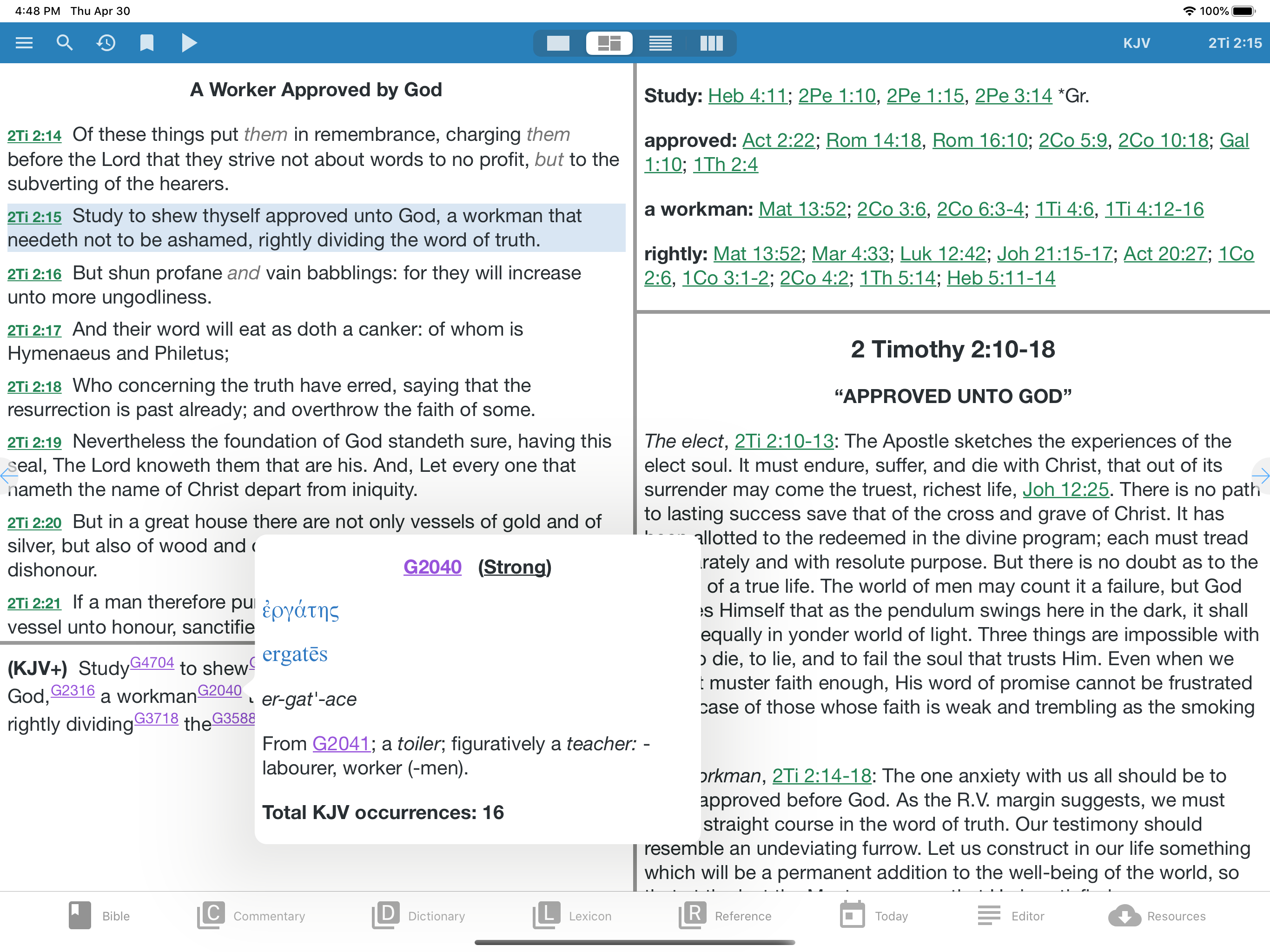
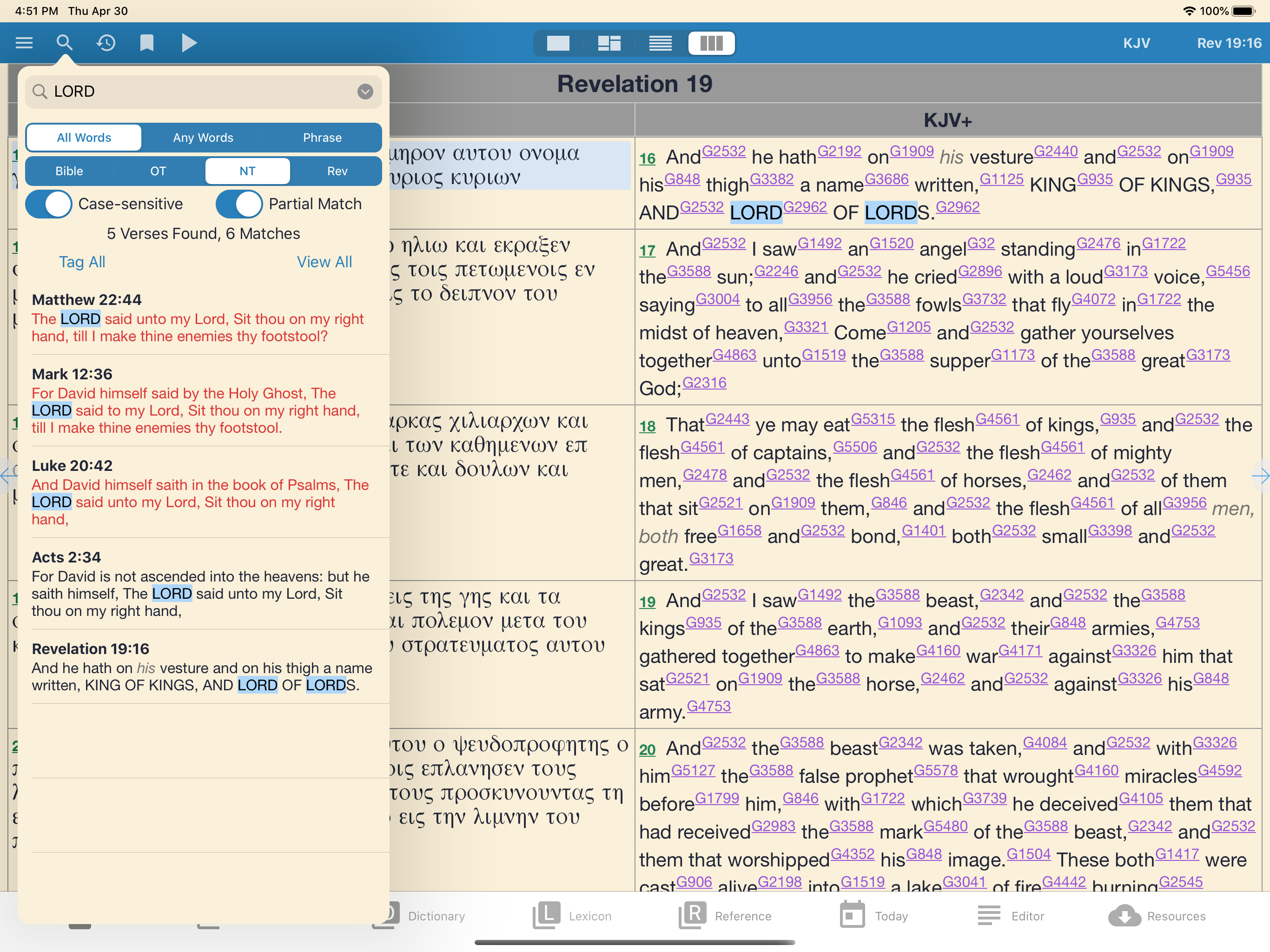
I have been using e-Sword for iPad on a first-generation iPad for a long time. It's so wonderful to have it with me while waiting somewhere or for someone, and generally having it at hand, always in my computer bag. I have also used it as my backup when teaching if the printers / Macs / networks or whatever is glitched. When I first installed it, I synchronized by downloading from web, all my modules, free and purchased, running on my iMac e-Sword for Windows, which at the time was running inside CrossOver (e-Sword X for Mac - another killer app- did not come out till about 2015). I used my keys to the software modules bought, plus all the free stuff that were available that I wanted. I have not added many new software packages in a long while, and I'm still a happy camper. Because I cannot bring the extensive notes I create in e-Sword for iPad Editor directly into my iMac, my work around is to copy my notes and then paste them into Pear Notes for iPad (another Killer app for both iPad and iMac). Then after I sync the iPad with my iMac using iTunes, I simply click a button on the iTunes iPad page, select the file from Pear Notes pane, and save it into a folder on my Mac. Sweet and simple, copy paste sync and saved. The latest example of using e-Sword for iPad, was last week when I was doing significant software maintenance routines on my wonderful 11-year-old iMac. Total iMac downtime was eight hours, time spent engaged and productive using e-Sword for iPad! If you love God's Word, are seeking peace in your heart, looking for God, or even attempting to prove the Bible is just historical literature and have an iPad, get e-Sword for iPad and go for it. This review made using Dragon Dictate for Mac, an amazing voice to text app.
This is a great app, let me be clear. This is a GREAT study tool and the resources as some of the best out there. The many features of the app are stellar and the ability to customize the interface, to a certain extent is really nice. There is just one, in my opinion, MAJOR issue the e-sword HD has and that is the ability to sync between devices. Since it started on the PC it has not “migrated” well into the Apple ecosystem as far as being “integrated” and sync able between devices like pretty much EVERY OTHER Bible software out there. I have yet to find any documentation on how to accomplish this with any kind of workaround. I read in several places that one needs to use something like iCloud or another online storage solution. That’s great, but there is no documentation on how to do this. The forums for e-sword are full of people who never got their questions answered and a couple of extremely rude individuals who are so full of themselves they should be banned from participating... So, if you are not needing to use the tool on multiple devices, this is great for you. If you want synching capabilities, go elsewhere. I had high hopes for this app, but it seems like I am going to need to go back to PocketBible since they have seamless synching capabilities with great customer service.
Sept 2017 - The night mode was fixed quickly. I am once again enjoying this app. Also, the search function has greatly improved. I am learning Vietnamese and it would not search using Vietnamese words. But now it does. And the search results are much easier to navigate than before. This app not only has most of the functionality I liked in the Windows program, but it is quickly taking on most of the functionality of the better iPad apps. Being willing to pay money for a good app also means getting an app that is not only ad free but is also being continually improved. Many thanks! Earlier- I still love this app and it's still my favorite Bible app. But the recent version messed up the night mode. It has a bright strip on the top and the bottom and the letters are way too bright. So until those are fixed I've had to change to another bible app for easier reading, as I read quite early in the morning. Otherwise it's a really good app and I regret having to change. First rating - I've used e-sword for years on my laptop. And was glad when it was available on iPad. I haven't used a lot of different bible apps. And this is the only paid bible app I've purchased. But I have been very happy with it. It feels familiar to the pc version but with the iPad format. It seems very stable and well built. It was worth the money to get a good investment.
e-Sword® — the world's most popular PC Bible study software is now available on the world's most advanced mobile operating system! e-Sword HD is feat...