Check the acquisition promise
Read the store headline, screenshots and description. What problem is the app promising to solve?
Study the storefront ↗
Matthias Arndt · iOS
Explore the ad evidence, study the storefront, and build your next acquisition hypothesis.
01 / Creative research
Read the store headline, screenshots and description. What problem is the app promising to solve?
Study the storefront ↗Explore apps with direct store-link matches. Compare their hooks and formats without assuming the same approach works here.
Browse observed advertisers ↗Store rankings and revenue estimates describe market context. They do not establish ad spend, conversions or ROAS.
Review the market context ↗02 / Storefront & product
Study the product story and store experience behind the acquisition funnel.



03 / Market context
Keep revenue, downloads and store rankings separate from advertising performance.
I’m a hobbyist but have used an embroidery machine since 2003. I have played with multiple applications to help manage and view my inventory of .pes files and nothing worked good until StitchBuddy. I love this app and how it ties into the file system. So existing files or newly downloaded files show up with a correct thumbnail before you add them to the app. Plus the ability to nest files into folder is amazing. Don’t get me wrong I also use the other options in the app such as merging and manipulation. For me letting someone look through my files using my iPhone and choosing what to embroider is priceless.
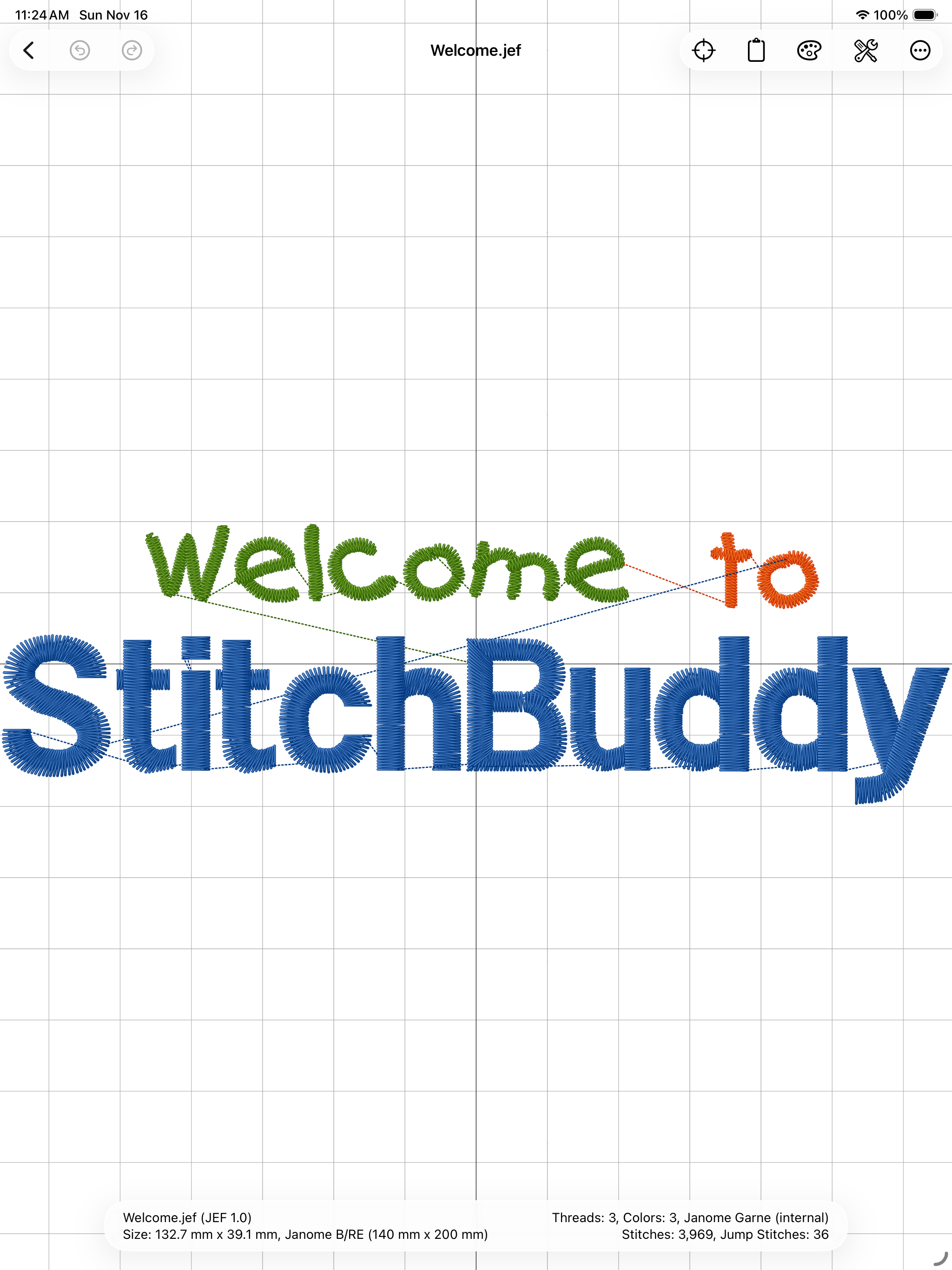
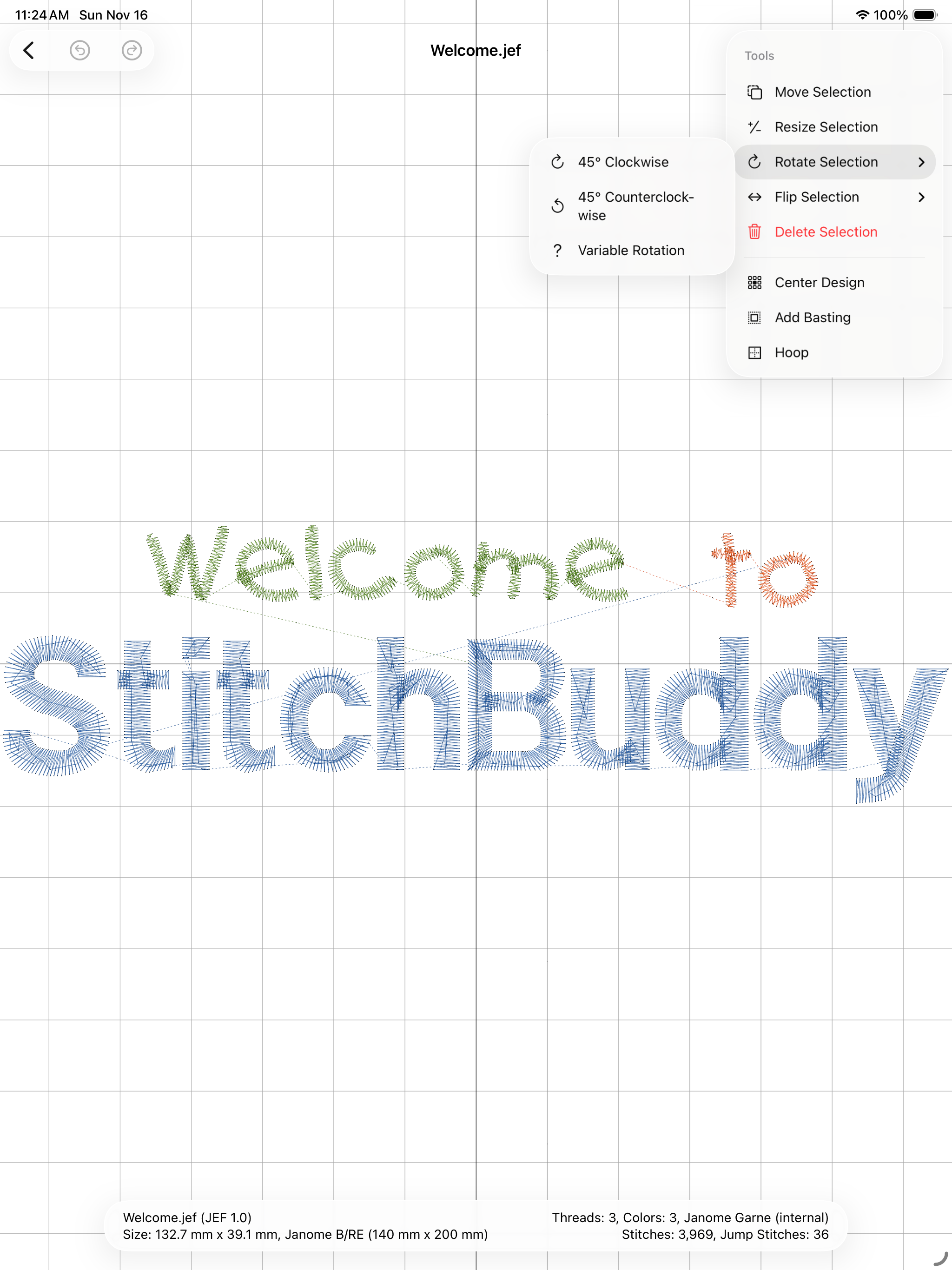
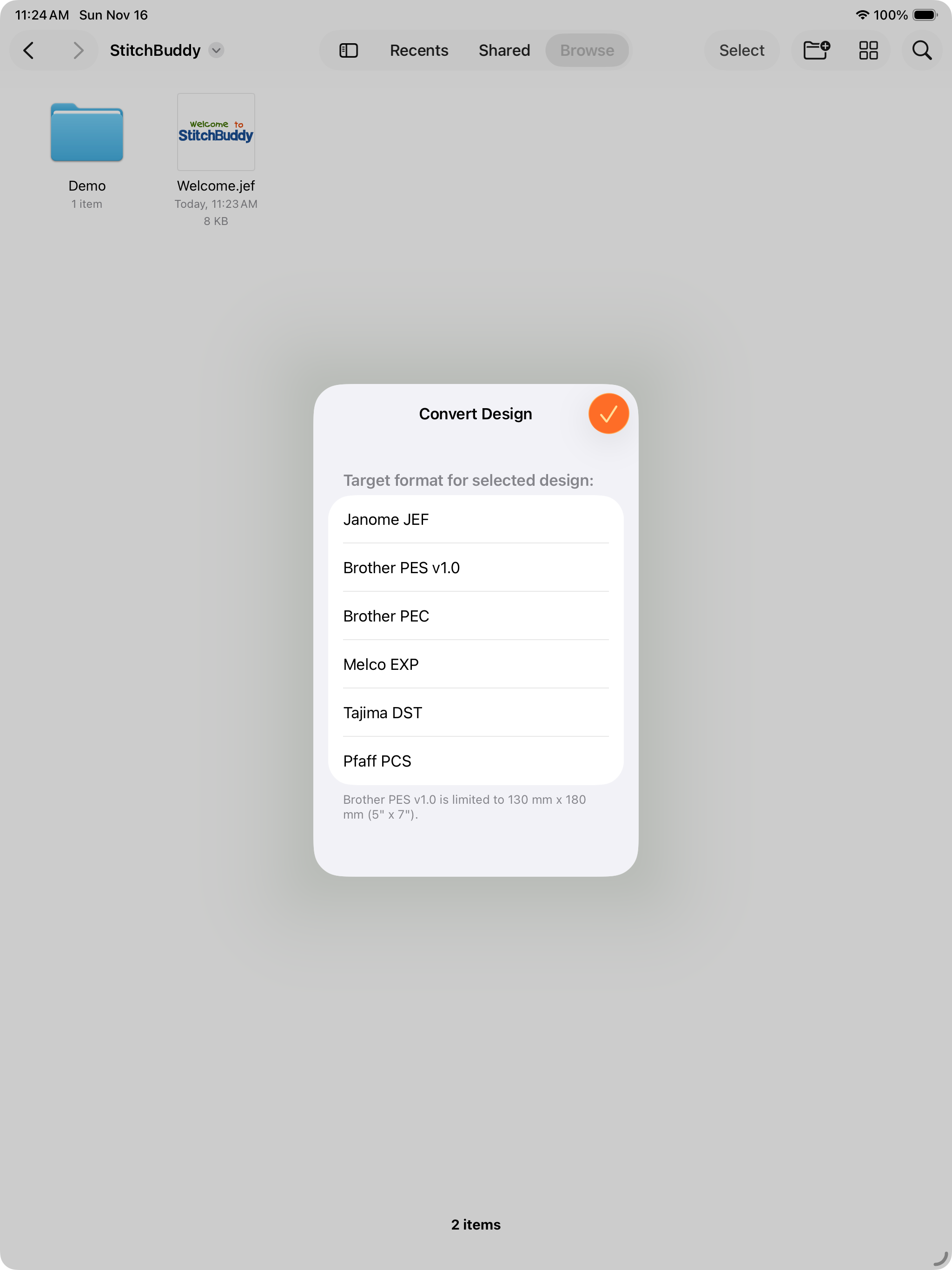
I am using StitchBuddy with an iPad Air for the first time. I am familiar with many other embroidery software programs. I watched the tutorials and help features available online for StitchBuddy too. I would like to transfer the modified design in StitchBuddy to a usb stick and I was trying to figure out how to do this with an Apple (lightning to USB)camera adapter. I was having trouble getting the iPad to recognize the USB flash drive I was using. I kept getting the “not enough power” error message for the flash drive I usually use. Since my primary goal is to get the design to my embroidery machine (Babylock-Ellageo and Ellegante2)I tried plugging in the USB port cord from my sewing machine directly into the camera adapter on my iPad. Low and behold, the iPad recognizes the USB cord from my machine in the “file system”. I also put all 3,000 of my designs on the iCloud Drive and synced it with the StitchBuddy app. Now I can see all my designs in picture format on the iCloud Drive rather than just seeing the file name and I can select and modify a design in StitchBuddy. After modifying the design I can save the modified design back to the iCloud Drive using the “move” or “copy” feature of StitchBuddy. Once the modified design is on the iCloud Drive I can easily move or copy it to the machine using the camera adapter and the usb cord to my machine and using the features of the File system on the iPad. In fact, you can move any design from the ICloud directly to the machine without StitchBuddy but the beauty of StitchBuddy is that you can view the design, all the color choices and the stitches within each color choice, size, rename, convert to the correct format and save in iCloud and transfer directly to the machine. So for $10 I can do most of the things I would do on more expensive software and it is more portable. I don’t have to transport my IMac when I travel and all of my designs can travel with me using the iCloud. If you are trying to replace a software that is no longer supported by the developer, this one worked for me. I am happy to help others figure this out too.
I love StitchBuddy and have it installed on all my Mac devices - iMac, iPad and even iPhone. The ease for which you can edit and create embroidery designs while lounging with your iPad is amazing! It keeps a thumbnail image of all your purchased files organized and easy to find when creating new monograms or whatever you embroider. It has a simple and intuitive way to edit files that saves as you go. To top it all off, StitchBuddy is reasonably priced compared to other embroidery software and has the ability to try it before you buy it (you can’t save regular sized files before purchasing). There isn’t much out there for Mac users, but StitchBuddy can be used on all your Mac devices!
Have your machine embroidery designs always at hand, wherever you are! Enjoy beautiful previews on your iPhone and iPad, manage and modify designs dow...
| Name | Price | Type |
|---|---|---|
| StitchBuddy Go | $19.99 | One-time |