

eDrawings
Dassault Systemes SolidWorks Corporationv34.2.0057
Revenue
$1.0K
Downloads
1.0K
Rating
2.5 ★
$1.0K
Revenue
1.0K
Downloads
2.5 ★
Rating
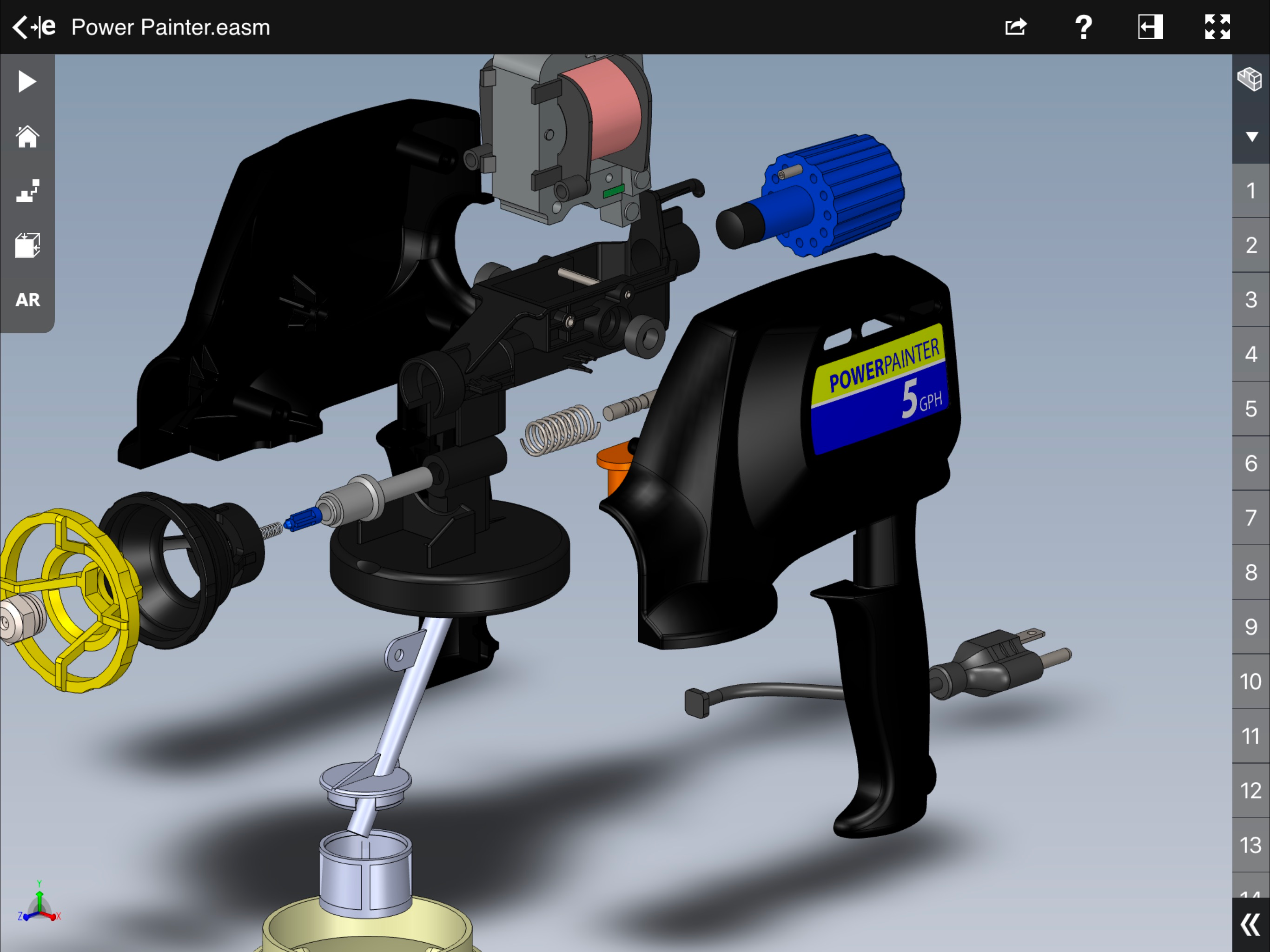
Screenshots


How Much Does eDrawings Make?
Monthly Revenue
$1.0K
Yearly Revenue
$12.0K
Per Download
$1.00
Platform Performance
🍎iOS
Revenue
$1.0K
Downloads
1.0K
Rating
2.5 ★(17)
Rating Distribution
2.5
★★☆☆☆
17 reviews
5
53%
4
12%
3
0%
2
6%
1
29%
Top Countries
🇺🇸 US🇬🇧 GB🇩🇪 DE
Reviews (2)▼
★★☆☆☆Powered by Android6/13/2024
Paid app, seriously?
Solidworks already costs a lot. Even the viewer charges as well. Seriously?
★★★★★Justin9283742/11/2022
Does what it says
Just needed a basic reader for schematics and cad drawings, and this seemed like the best option, especially as it’s not subscription based.
Available In (115 Countries)▼
🇺🇦 Ukraine🇺🇸 United States🇦🇺 Australia🇨🇦 Canada🇨🇳 China🇫🇷 France🇩🇪 Germany🇬🇧 United Kingdom🇮🇹 Italy🇯🇵 Japan🇰🇷 South Korea🇷🇺 Russia🇩🇿 DZ🇦🇴 AO🇦🇷 Argentina🇦🇹 Austria🇦🇿 AZ🇧🇧 BB🇧🇾 BY🇧🇪 Belgium🇧🇲 BM🇧🇷 Brazil🇧🇬 Bulgaria🇨🇱 Chile🇨🇴 Colombia🇨🇷 CR🇭🇷 Croatia🇨🇿 Czech Republic🇩🇰 Denmark🇩🇴 DO🇪🇨 EC🇪🇬 Egypt🇸🇻 SV🇫🇮 Finland🇬🇭 GH🇬🇷 Greece🇬🇹 GT🇭🇰 Hong Kong🇭🇺 Hungary🇮🇳 India🇮🇩 Indonesia🇮🇪 Ireland🇮🇱 Israel🇰🇿 KZ🇰🇪 Kenya🇰🇼 KW🇱🇧 LB🇱🇹 Lithuania🇱🇺 LU🇲🇴 MO🇲🇬 MG🇲🇾 Malaysia🇲🇽 Mexico🇳🇱 Netherlands🇳🇿 New Zealand🇳🇬 Nigeria🇳🇴 Norway🇴🇲 OM🇵🇰 Pakistan🇵🇦 PA🇵🇪 Peru🇵🇭 Philippines🇵🇱 Poland🇵🇹 Portugal🇶🇦 QA🇷🇴 Romania🇸🇦 Saudi Arabia🇸🇬 Singapore🇸🇰 Slovakia🇸🇮 Slovenia🇿🇦 South Africa🇪🇸 Spain🇱🇰 LK🇸🇪 Sweden🇨🇭 Switzerland🇹🇼 Taiwan🇹🇭 Thailand🇹🇳 TN🇹🇷 Turkey🇦🇪 UAE🇺🇾 UY🇺🇿 UZ🇻🇪 VE🇻🇳 Vietnam🇧🇴 BO🇰🇭 KH🇪🇪 Estonia🇱🇻 Latvia🇳🇮 NI🇵🇾 PY🇦🇫 AF🇬🇪 GE🇮🇶 IQ🇱🇾 LY🇲🇦 MA🇲🇿 MZ🇲🇲 MM🇾🇪 YE🇧🇭 BH🇨🇾 CY🇲🇹 MT🇷🇸 RS🇧🇯 BJ🇧🇫 BF🇨🇲 CM🇨🇬 CG🇨🇮 CI🇯🇴 JO🇱🇦 LA🇲🇱 ML🇸🇳 SN🇹🇿 TZ🇺🇬 UG🇿🇲 ZM🇿🇼 ZW
Supported Languages (1)▼
English
App Details▼
eDrawings® is the only CAD viewer on iPad, iPad mini, iPhone and iPod Touch that allows you to view native eDrawings files as well as native SolidWork...
Publisher
Dassault Systemes SolidWorks Corporation
US
