Check the acquisition promise
Read the store headline, screenshots and description. What problem is the app promising to solve?
Study the storefront ↗
RainAware LLC · iOS
Explore the ad evidence, study the storefront, and build your next acquisition hypothesis.
01 / Creative research
Read the store headline, screenshots and description. What problem is the app promising to solve?
Study the storefront ↗Explore apps with direct store-link matches. Compare their hooks and formats without assuming the same approach works here.
Browse observed advertisers ↗Store rankings and revenue estimates describe market context. They do not establish ad spend, conversions or ROAS.
Review the market context ↗02 / Storefront & product
Study the product story and store experience behind the acquisition funnel.


03 / Market context
Keep revenue, downloads and store rankings separate from advertising performance.
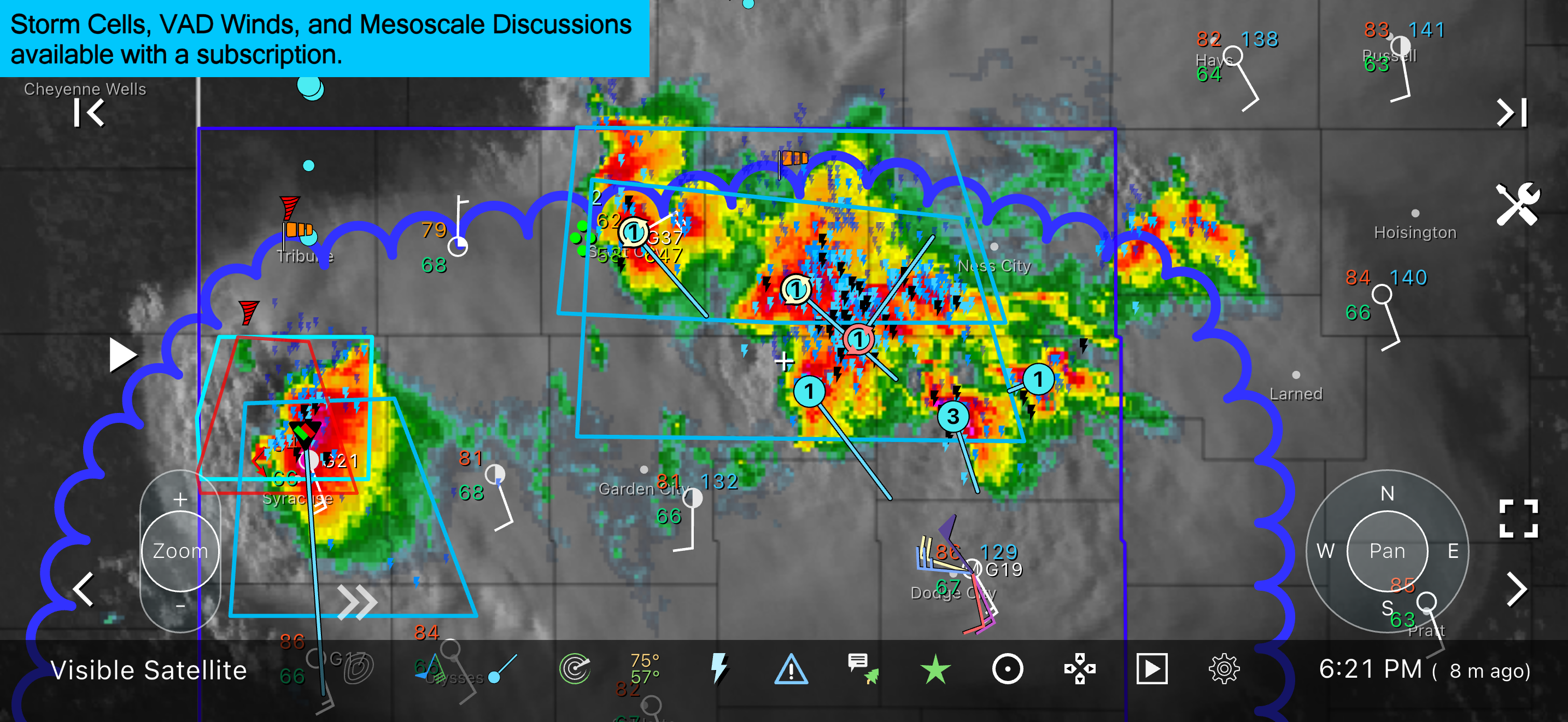
This app morphed from a straightforward and focused "when is it going to rain / stop raining" app to a hyper-flexible data-dense full featured weather app. I think a lot of people find themselves in a state of shock when they first open the new version. It is so data-dense and button-heavy as to be overwhelming at first. And the options! There are too many and they are often unclear until you become more familiar with the new design. I think the number of configurable options would be easier to digest with some UI tweaks. For example, opening to new screens instead of opening a plethora of drop-down menus. Also, a help button on each options page with details of every setting would be very helpful. Another little thing -- the settings screen (and many other screens) have three ways to dismiss it -- tap the down arrow in the upper left corner, tap the X button in the upper right corner or drag the screen down from the top. This is overkill and confusing! The forecast seems a bit general. For example, it says there is a 30% chance of rain on Wednesday, but no hints as to when the rain will appear or how much will fall. Note that this detail *is* available for the next 36 hours, but not beyond that. I am glad the developer set a "like it was before (kind of)" toggle. I tried it and decided I like the new version better, but it is a more gentle introduction to long-time users of the app. The more I play around with this, the more I like it. In summation, I think this app was designed by a mad weather scientist (and I mean that mostly as a compliment). I am confident the app will get better and easier to use -- it just needs some iterative love to make it shine.
Update: i received a response from the developer explaining how to make it look like the old way and I am grateful for that. It does make it more familiar so I am appreciative. I will up my rating but still think that sometimes change is for the sake of change (and with apps like other products it’s for the sake of competition). I don’t need (or want) the entire crew of “The Weather Channel “ in one app. I am also appreciative of the developer caring enough about their customers to respond and to do so rapidly. am so disappointed in the changes. It used to be so simple but explicit for what it was meant to be. Now everything is crowded and has so much data but no real view of rain probability. It’s now just like all the other apps that throw tons of info in to overload you. It was my go to app now it’s going to be deleted. What a Shame.
I live in Florida and really wanted this program to work. It is everything I wanted, except accurate. It is a full half-mile off from my IPhone compass location, which is extremely accurate. In Florida, a half-mile is the difference between getting drenched in a thunderous downpour and working on your tan. I have been drenched twice by relying on it. If they can fix that problem. I would give it a solid four stars. Update: After using this program for a couple years, all of my concerns about accuracy have been fixed. I doubt if you can find a better program for the essentials you need to plan around local weather changes. With family spread around the country, I can quickly zoom into their local weather as well.
Know exactly when rain will start and stop at your location. RainAware, the original hyperlocal rain app with RainClock, push alerts, live radar, sate...
| Name | Price | Type |
|---|---|---|
| RainAware Suite - Day Pass | $0.99 | One-time |
| RainAware Suite - Monthly | $6.99 | Monthly |
| RainAware Suite - Annual | $69.99 | Yearly |