App Profile: EPrint Free

Android / Games / Puzzles
ePrint Free
Installs:
Rating:
2.96
Total Reviews:
26
Top Countries:
US, JP, DE
< $5k
/mo
< 5k
/mo
Reviews: What People Think About ePrint Free
Darel E
Rating: 2/5
Having just installed your ePrint app (full paid for version) on my iPhone 8+ successfully, I tested without any problems printing from my phone to one of my WiFi capable printers (HP OfficeJet Pro 8100). That worked great! But, afterwards in attempting to create email account associations from within ePrint, this would not work no matter which one of my personal email accounts I tried. Every single one, every single time. I even verified each accounts user names and current passwords after two failed attempts per try! So IF ePrints wants anything more than 2 stars out of 5 from me, fix this/these issues, promptly!!!
Abc123ChickenDoodle
Rating: 2/5
It would be wonderful if this app actually worked, however the constant crashes, partially pages, and cancelled pages have me looking for a more dependable app.
Dratimagus
Rating: 5/5
I spent three hours looking for a way to print from my iPhone to the wifi network at a school I work at. I eventually ran into this app and it is perfect for printing straight from photos or docs on the phone. You can't even tell it's a trial version if you are only using it for normal printing. I recommend giving it a try and if you need the upgrade, buy the full version and support the creator ☺️
About ePrint Free
“ePrint” solves to print directory from iPad, iPhone or iPod touch.
“ePrint Free” is for trial application for “ePrint”.
Test “ePrint Free” with your printer first, and then get “ePrint” (Full version).
ePrint provides a lot of convenience!

*****
For ink-jet printer users:
Canon, brother, Samsung, Lexmark ink-jet printers are NOT available on ePrint/ ePrint Free.
*****

[Support Printers / PDL (Printer Description Language)]
Printers should be installed the following printer description languages.
Please check each printer manufacture web site to confirm what printer description language your printer has.

EPSON Inkjet Printer
- PDL: ESC/P-R (except for ESC/P raster)
EPSON Page Printer
- PDL: ESC/Page, ESC/Page-Color, ESC/Page-S (Color only)
HP Inkjet Printer
- PDL: PCL3GUI
HP Page Printer
- PDL: PCL (Except for HostBase model)
Canon Page Printer
- PDL: LIPS (Except for CAPT)
OKI Printers & Multifunction Printers
- PDL: PCL, PostScript
TOSHIBA MFP
- PDL: PCL,PS3
Canon, brother, Samsung, Lexmark or other manufacture’s Page Printer
Printers should be installed the following PDL.
- PCL
- PostScript
Canon, brother, Samsung, Lexmark or other manufacture’s Inkjet Printer
- NONE. (This application doesn’t work.)

[Tips for HP ink-jet printer user]
When "Failed to get printer control command" message appears, please set PDL to "PCL3GUI".
Also set "Port" is "Port9100", when register printer manually.

[Requirements]
Wi-Fi
Printer is connected on the network and printed through TCP/IP (LPR).
Printer should be available for SNMP.
Meet support printers conditions.

[Introduction]
If you have “ePrint” and required printers, you don’t need PC anymore.
You can print various contents such as contacts, photos, notes, Web pages or PDF files in your iPad, iPhone or iPod touch as you like.
Please test this “ePrint Free” with your printer first.
It supports 1 page and 1 format printing.

[Features]
1. Web page printing *1
- “ePrint” arranges linked PDF or image files before printing.
- You can save linked PDF or image files
- You can also specify print pages
2. Camera (24 formats)*2 (Borderless printing *1)
- Date stamp or time stamp function
3. Contacts (3 formats)*2
4. Albums. (24 formats) (Borderless printing support)*2
5. Note. (6 formats)*2
6. Photo calendar (5 formats)*2
7. Photo card (13 formats)*2
8. Clipboard *1
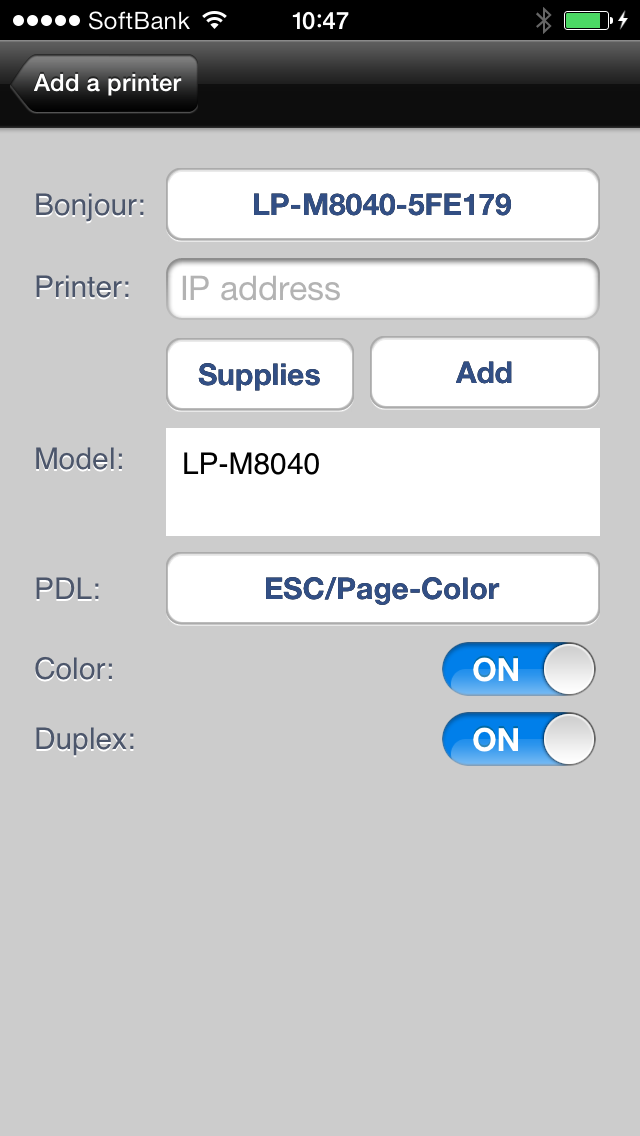
9. Add a printer. (Bonjour search / Enter IP address)
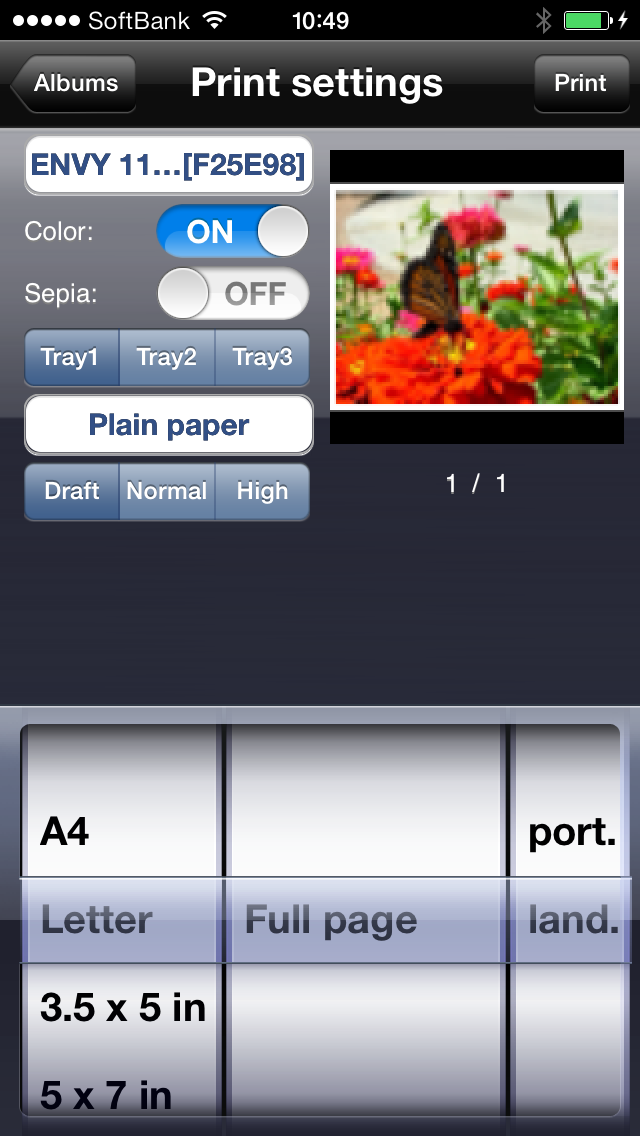
10. Print Settings
Color
Duplex (Limited printer models)
Sepia
Paper size
Orientation
Media type
Print image preview
11. Direct print for the Printer connected AirMac with USB *1
12. Print for the shared printer by Mac *1
13. Display consumable information (Limited printer models)
14. iDisk/ WebDAV *1
15. Back ground printing. (Since iOS4) *1
16. Support iPhone 4 Retina Display *1
17. Support files synchronized with iTunes (since iPhone OS 3.2 or iOS4) *1

*1: "ePrint" (Full version) only
*2: 1 format only available on “ePrint Free”

Produced by e-Workshop
File size: 16299008
Launched countries: USAUCACNFRDEGBITJPKRRUARATBEBRCLCOCRHRCZDKSVFIGRGTHKHUINIDIEILKWLBLUMYMXNLNZNOPKPAPEPHPLPTQAROSASGSKSIZAESLKSECHTWTHTRAEVEVN
Minimum OS version: 6.0
Release Date: 1235440004000
Published by Microtech Corp.
Website url: http://www.e-workshop-dev.com/PC_EN/home_e.html
Publisher country: Japan
Copyright © 2025. Made with ♥ in London by AdScan.ai