
Check the acquisition promise
Read the store headline, screenshots and description. What problem is the app promising to solve?
Study the storefront ↗
Oleksandr Hamlii · iOS
Explore the ad evidence, study the storefront, and build your next acquisition hypothesis.
01 / Creative research
Read the store headline, screenshots and description. What problem is the app promising to solve?
Study the storefront ↗Explore apps with direct store-link matches. Compare their hooks and formats without assuming the same approach works here.
Browse observed advertisers ↗Store rankings and revenue estimates describe market context. They do not establish ad spend, conversions or ROAS.
Review the market context ↗02 / Storefront & product
Study the product story and store experience behind the acquisition funnel.
The store evidence
US store price
$0.99
US rating
4.8 / 5
US rating count
180
Current version
1.7.0
2026-08-29 · Developer notes
- Implemented screen mirroring - Fixes & improvements
Store metadata collected 2026-10-07 UTC · US storefront · Source record. Free may include in-app purchases. Public data does not update revenue estimates.

03 / Market context
Keep revenue, downloads and store rankings separate from advertising performance.
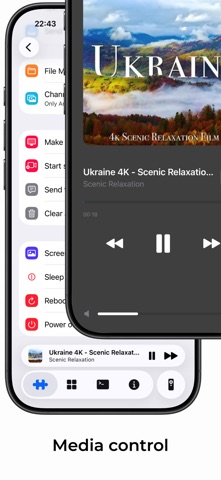
Everything works great, except for Live Activities. On my wife’s iPhone 11 running iOS 18.3.1, Live Activities functions perfectly—icons appear in black and white, and she can control media directly from the lock screen. However, on my iPhone 14 Pro Max running iOS 16.3.1, Live Activities behaves differently. Whether accessed from the Dynamic Island or lock screen, the buttons don’t work. Tapping any button or area of the Live Activity simply reopens the app instead of performing the intended action. Additionally, I’ve noticed that my icons appear black and red instead of black and white. Aside from this issue, everything else works flawlessly. Edit: it would also be nice touch to control the volume up/down with the phone’s hardware buttons when using the remote control.
This app developer definitely knows what he is doing! This app is so useful for many things if you are an iPhone user. The TV quick actions pro app for my remote control (app is also made by the same dev) is the best and most impressive app I have ever seen! Would like to see the developer make more apps!
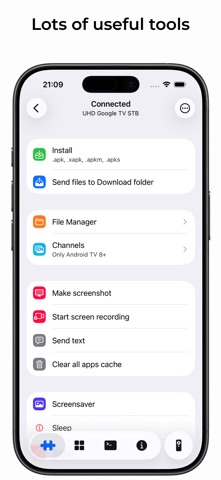
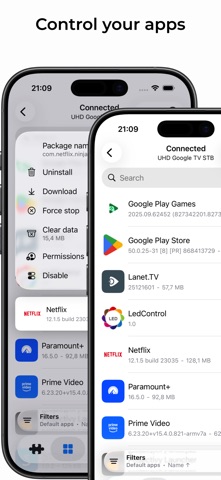
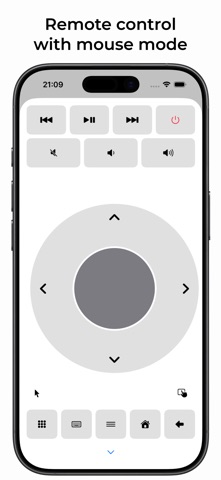
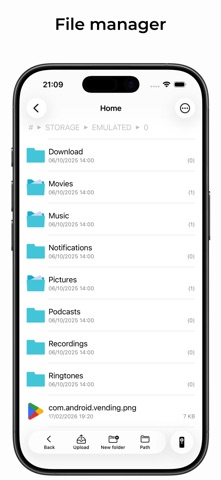
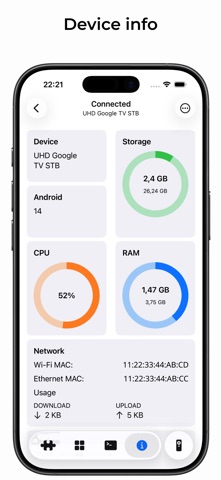
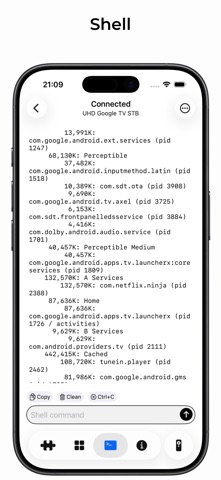
This app is great. I meant to add this review months ago but beta iOS meant Apple wouldn’t let me. I recommend this app online when people ask about apps they should have. So many useful features, you have your iPhone as an extra tv remote, a keyboard, a system monitor, a way to execute adb commands on your tv without booting your pc. A wireless file explorer, and app install/uninstaller. You can also take screen shots of your tv screen. I might even be forgetting other features here… Great work and thank you for making it reasonably priced as it’s well worth its price.
App developed to control your TV devices from your iOS devices. You need to have enabled USB/Network debugging on your Android device to get it work D...