
Check the acquisition promise
Read the store headline, screenshots and description. What problem is the app promising to solve?
Study the storefront ↗
CENTRE FOR DIGITAL HABITS CIC · iOS
Explore the ad evidence, study the storefront, and build your next acquisition hypothesis.
01 / Creative research
Read the store headline, screenshots and description. What problem is the app promising to solve?
Study the storefront ↗Explore apps with direct store-link matches. Compare their hooks and formats without assuming the same approach works here.
Browse observed advertisers ↗Store rankings and revenue estimates describe market context. They do not establish ad spend, conversions or ROAS.
Review the market context ↗02 / Storefront & product
Study the product story and store experience behind the acquisition funnel.




03 / Market context
Keep revenue, downloads and store rankings separate from advertising performance.
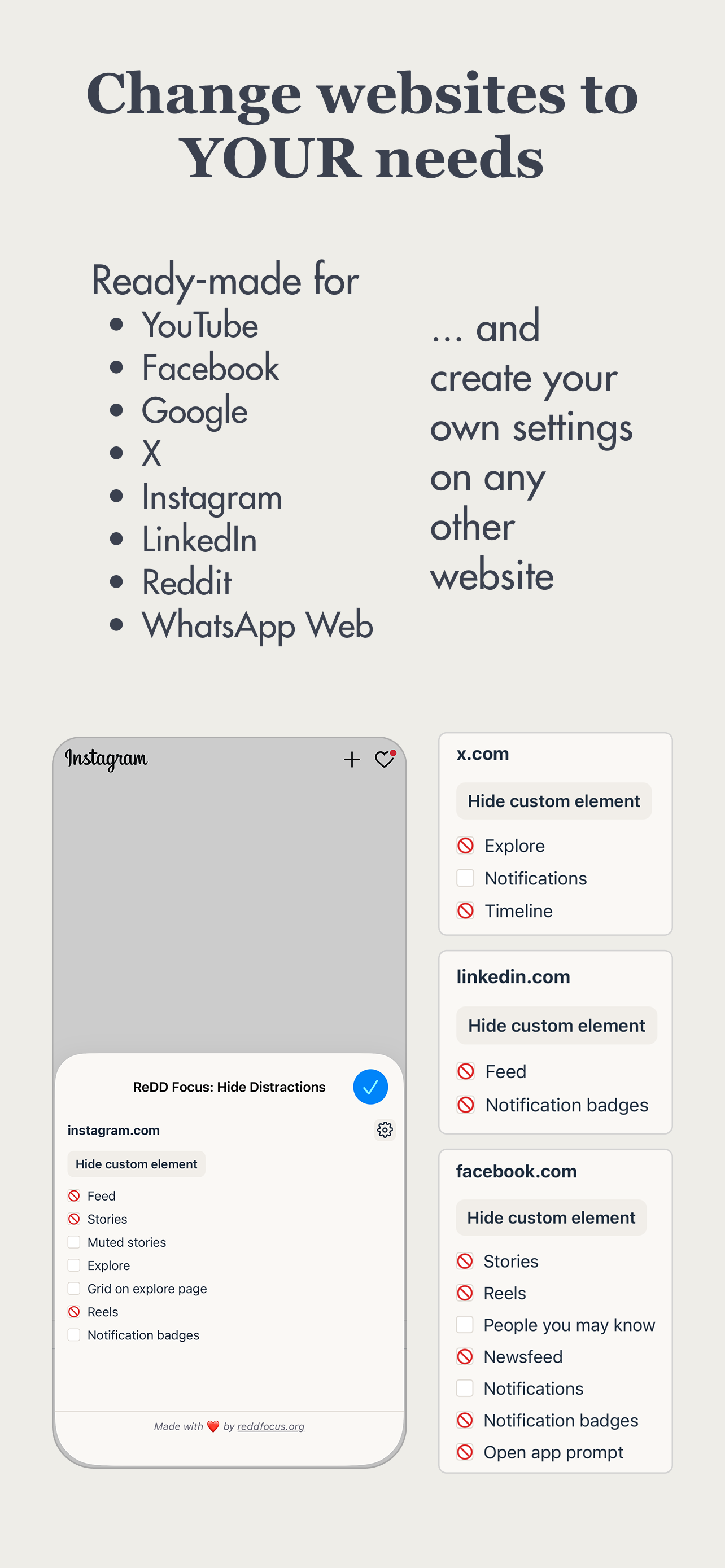
I found this app via always excellent Macrumors as I was looking for a way to hide Google’s AI Overview. The app lets the user hide distracting elements on webpages, on both Mac and iPhone. It’s very easy to do by simply selecting the undesired elements on a page. In the latest update one can even more easily hide Google’s AI Overview by ticking the dedicated box in the settings. I had contact with the developer Ulrik Lyngs about the possibility to hide the AI Overview and was very happy about how responsive he and the team behind the app were to make this possible. It should be noted that there’s science behind the app’s functionality in terms of removing distractions online. It’s an app that can make a real difference to one’s digital life and I highly recommend it.
I found this app via always excellent Macrumors as I was looking for a way to hide Google’s AI Overview. The app lets the user hide distracting elements on webpages, on both Mac and iPhone. It’s very easy to do by simply selecting the undesired elements on a page. In the latest update one can even more easily hide Google’s AI Overview by ticking the dedicated box in the settings. I had contact with the developer Ulrik Lyngs about the possibility to hide the AI Overview and was very happy about how responsive he and the team behind the app were to make this possible. It should be noted that there’s science behind the app’s functionality in terms of removing distractions online. It’s an app that can make a real difference to one’s digital life and I highly recommend it.
So much important content (unfortunately) ends up on social media (like answers to technical questions) or arbitrated by it (like creating an account via Facebook) and so outright blocking those sites isn’t realistic any more. The solution is to gut every algorithmic element to them, every infinite feed, every story carousel so they no longer pose a threat to your time. This app succeeds where I failed with some slapped together css selectors. My only wishes would be in depth configurations for Reddit and the ability to block Twitter replies. And it’s open source, if you thought it couldn’t get any better! Maybe I’ll just make a PR with the features I want.
*NOTE: WORKS WITHIN SAFARI, NOT THE APPS*: This app lets you control how YouTube, LinkedIn, etc. appears in the Safari browser. It does NOT change the...


