
Check the acquisition promise
Read the store headline, screenshots and description. What problem is the app promising to solve?
Study the storefront ↗
CleverPet · iOS
Explore the ad evidence, study the storefront, and build your next acquisition hypothesis.
01 / Creative research
Read the store headline, screenshots and description. What problem is the app promising to solve?
Study the storefront ↗Explore apps with direct store-link matches. Compare their hooks and formats without assuming the same approach works here.
Browse observed advertisers ↗Store rankings and revenue estimates describe market context. They do not establish ad spend, conversions or ROAS.
Review the market context ↗02 / Storefront & product
Study the product story and store experience behind the acquisition funnel.


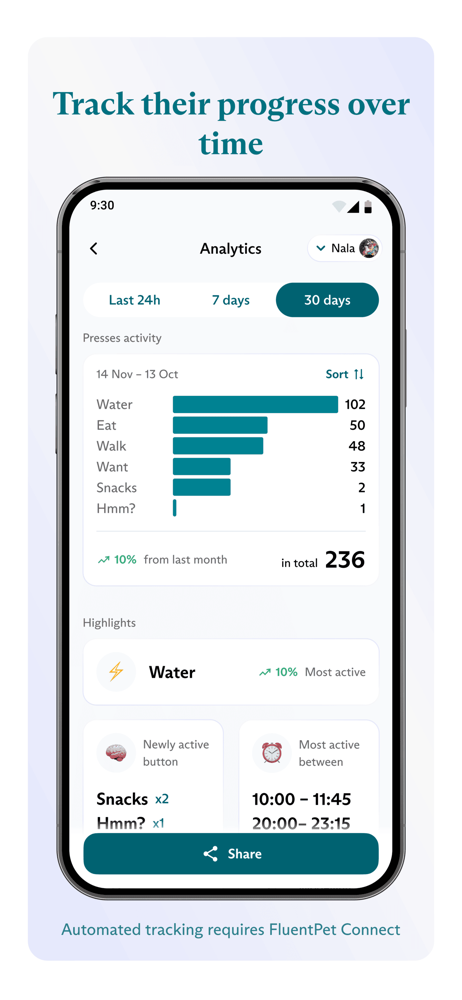


03 / Market context
Keep revenue, downloads and store rankings separate from advertising performance.
The app only works half of the time when trying to connect the buttons to the base. After many tries it does connect, however the app won’t go past “naming” a button. The button does show up in the app, but I cannot change the name. Instructions say to close and reopen the app, that did nothing, but frustrate me. I bought the Fluent Pet Connect to make life easier, it ain’t happening yet!!
If you follow the set up instructions that come with your base and buttons, it will take an unnecessary amount of time to actually load all the information in. My recommendation is to associate all of the buttons to the base station at the same time, then assign the words to each button without updating the base station until you are completed assignment. There is no ability to bulk assigned button presses to users so if you have more than one pet and a lot of activity, you’re going to completely skip the assign feature because it’s a waste of your time. There is no way to activate the connect base station from your phone app, which seems like a total mess to me. However, once you get past all of that, everything works reasonably well and is highly entertaining.
The set up took a bit of patience but the instructions were good enough to get through it. You have to charge the base and pair it to the app before you do anything else. Once you have that worked out, the rest is pretty easy. Being able to pause notifications is helpful during training sessions. I really like that it has battery indicators for the buttons and that you can edit the button names. I think this is going to be a lot of fun.
Finally, an app to help you communicate and build a deeper bond with your dog or cat. The FluentPet App is an essential tool in button teaching, setti...