Check the acquisition promise
Read the store headline, screenshots and description. What problem is the app promising to solve?
Study the storefront ↗
妮琳 张 · iOS
Explore the ad evidence, study the storefront, and build your next acquisition hypothesis.
01 / Creative research
Read the store headline, screenshots and description. What problem is the app promising to solve?
Study the storefront ↗Explore apps with direct store-link matches. Compare their hooks and formats without assuming the same approach works here.
Browse observed advertisers ↗Store rankings and revenue estimates describe market context. They do not establish ad spend, conversions or ROAS.
Review the market context ↗02 / Storefront & product
Study the product story and store experience behind the acquisition funnel.


03 / Market context
Keep revenue, downloads and store rankings separate from advertising performance.
Some reviews complained that you have to manually open the app first then charge your phone. The app has step-by-step instructions to set up a shortcut. You open the shortcut app then go to animation (bottom middle) then press the plus in top right corner then choose when charging then find the charging play app in the app selection. This will cause your phone to open the charging play app when you are connected to the charging cable. One downside it that your phone will have to be unlocked during the charging process if you want to see your animation selection. If your phone is locked it will not open the app. You can also use your own photos or videos as the charging screen. Suggestion: More animation selections. Kinda hard to create one ourself if we want to have an anime character gif be the charging screen. Edit: I also seen some confusion on how to change the selection once its on the charging screen. Well you have to unplug your phone from the charging cable to see the main menu of the app. After you done that you can browse or create your own screens to your heart’s content. Once you created one or selected one of the existing ones you just have to charge your phone and it works. (Im not a developer I just have common sense lol)
I love this app! I love being able to have a charging animation by just clicking a few buttons, but could you fix the add situation? I understand having to play an add if we want to change it, I get you need to make money. I just wish you would fix the add placement on this app. I own an IPhone XR so the ‘x’ is where it shows me the time on the stop of the screen. Because of this I am unable to exit out of the add when it finishes, so I have to wait 20 minutes before an add I can actually hit the ‘x’ on shows up. Could you please do something about this? Thank you!
You go on the app and click the animation thing then you scroll to the bottom and you should a plus like sign then click that then click the one you want then you go click it and you agree to all the top 2 but not the 3rd one and then you will see like check animation and then you click yes or whatever is their for yes, then you go to your shortcut app, go to automation, then click create personal automation then scroll the bottom if you want it to be for your charging time, then click which ever charging method works for you, then chose the option you want in the category, then click add action then you will search for “charging play” then you’ll click next and then you will decide if you want it to run before asking or not then you’ll click done and ur all set! Hope this helps 🙂
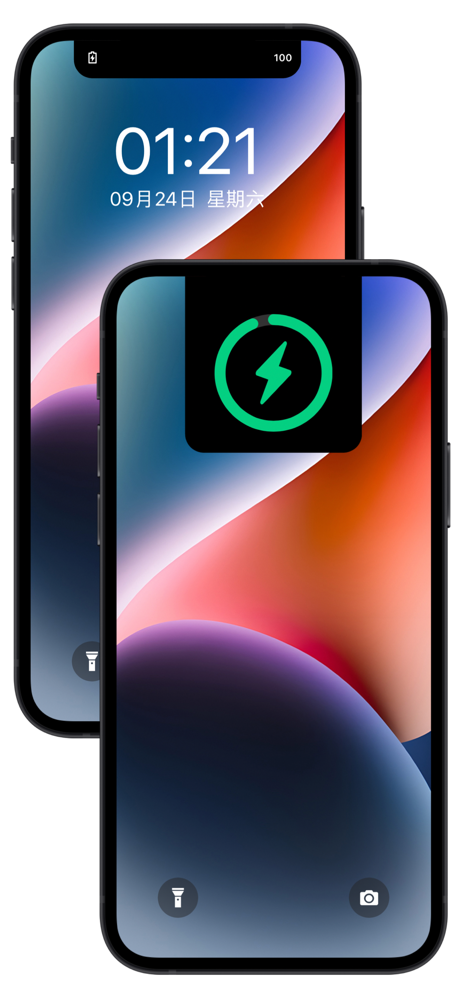
A charging animation software with IOS 14 shortcut command automation is used. When the mobile phone is connected to the data line or the wireless cha...
| Name | Price | Type |
|---|---|---|
| Advanced features | $1.99 | One-time |