
Check the acquisition promise
Read the store headline, screenshots and description. What problem is the app promising to solve?
Study the storefront ↗
Londinium · iOS
Explore the ad evidence, study the storefront, and build your next acquisition hypothesis.
01 / Creative research
Read the store headline, screenshots and description. What problem is the app promising to solve?
Study the storefront ↗Explore apps with direct store-link matches. Compare their hooks and formats without assuming the same approach works here.
Browse observed advertisers ↗Store rankings and revenue estimates describe market context. They do not establish ad spend, conversions or ROAS.
Review the market context ↗02 / Storefront & product
Study the product story and store experience behind the acquisition funnel.

03 / Market context
Keep revenue, downloads and store rankings separate from advertising performance.
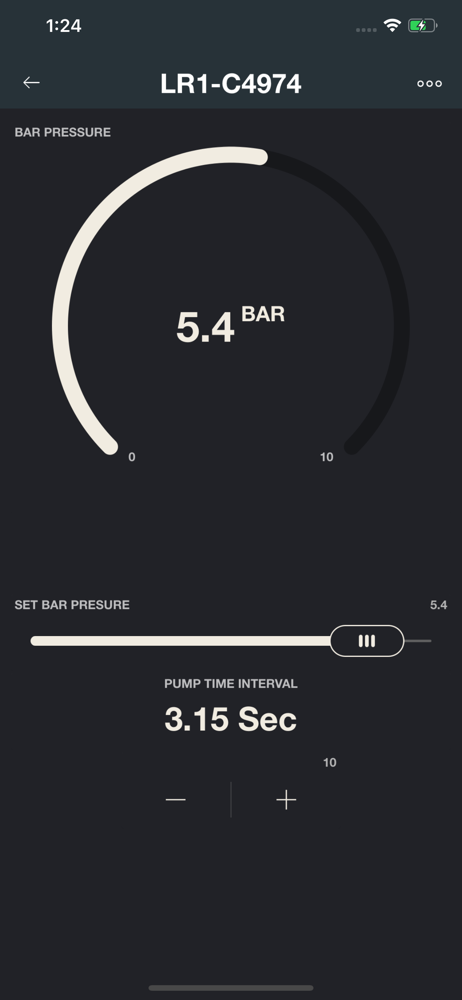
Only Device screen is simple and intuitive where you can [1] set bar pressure [2] and set active/standby mode in real time. The Automations screen attempts too much. I figured out how to set my R24 to active mode (why is it called “on”?) at a certain time & day, but have not figured out how to then return it to standby mode (why is it called “off”?). What if the Automations screen had the simplicity of the Apple Clock app in alarm mode? One uncluttered screen to make all changes is what makes the Device screen simple and intuitive… Please update and make the app as easy to use as the R24 without unnecessary features.
This app is for the LONDINIUM model R lever espresso machine that has the pressure transducer (digital pre-infusion) module and wireless dongle instal...


