Check the acquisition promise
Read the store headline, screenshots and description. What problem is the app promising to solve?
Study the storefront ↗
Locometric · iOS
Explore the ad evidence, study the storefront, and build your next acquisition hypothesis.
01 / Creative research
Read the store headline, screenshots and description. What problem is the app promising to solve?
Study the storefront ↗Explore apps with direct store-link matches. Compare their hooks and formats without assuming the same approach works here.
Browse observed advertisers ↗Store rankings and revenue estimates describe market context. They do not establish ad spend, conversions or ROAS.
Review the market context ↗02 / Storefront & product
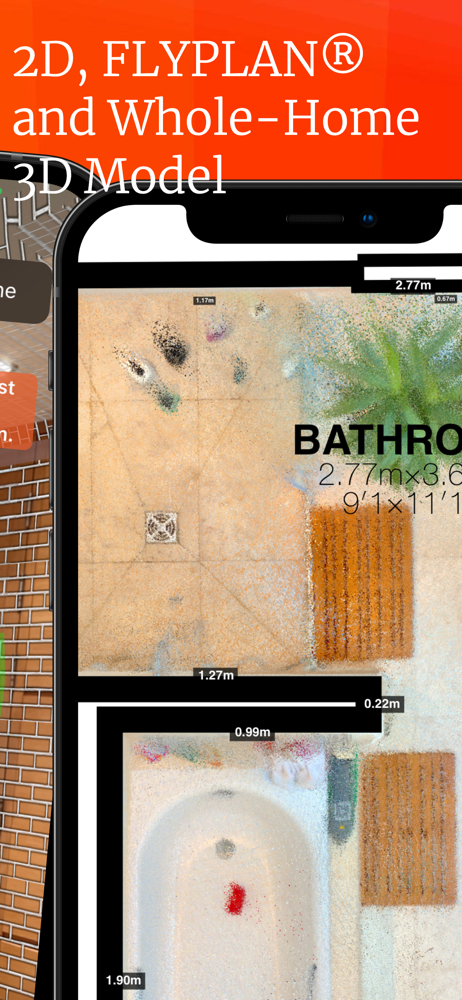
Study the product story and store experience behind the acquisition funnel.



03 / Market context
Keep revenue, downloads and store rankings separate from advertising performance.
This app fills a hole for Symbility users. This has worked for me nearly 100% of the time. With a little practice, you can determine which method works best for you. Using the brick mode is very similar to using the Xactimate AR mode. The measurements are accurate and import directly into Symbility and Xactimate. The developers are amazing and responsive. They have added features as requested, like being able to take photos with a room that are exportable in a zip file. The photos are labeled by the room name so you don’t lose track of them. It even has an exterior mode, so you can do a footprint of the house and use that to accurately draw the roof. The only issue seems to be that when imported into Symbility the window heights are not accurate, but the developers are working on that right now. I highly recommend this for anyone who needs to scan a room for accurate measurements and wants to use their mobile device. You can leave the clipboard at home. UPDATE: this app is constantly improving. The developers are clearly listening closely to feedback from end users and working hard to create an effective and reliable product. After installing from a backup on my iPad the app crashed repeatedly, I had to remove the app, shut off and turn on my iPad and reinstall it and then it works just fine. I feel that this was a glitch from the back up, not from the app.
This is one of three similar tools I use to build floor plans on the fly with the camera and LIDAR features on my iPhone. The other two are MagicPlan and Canvas. MagicPlan is better at editing drawings after a scan is done. Canvas allows you to upload a scan of one or more rooms and have a human assist with very high quality PDF, 2D drawing, 3D drawings and BIM (REVIT) files. The quality of the results with RoomScan LIDAR is lower BUT I use it the most. And that is because on some sites, like I am on this week, there are lots of construction materials, boxed appliances and other things that make it impossible to see the floor/wall connection. RoomScan still works fine, as long as you can see any part of a wall ... the other two, not so good. Also RoomScan makes it possible to make a 'good enough' floor plan with doors, windows and some auto symbol recognition very quickly. I was able to complete and forward a drawing set for two floors with wall and area measurements in PDF and Autocad to an HVAC engineer in about 20 minutes.
First off this app does an amazing job of building floor plans. Super intuitive and the 10 step guide was really helpful. The biggest issues I ran into were the crashes that occurred while trying to complete a scan and losing everything. The crashes seem related to running out of memory, so I recommend force closing all apps and restarting the phone as that worked for me. It would be nice if this tip was included in the app, but even better if the app could save a partial scan so that I don’t have to start from scratch after a crash. For example all of my crashes occurred after completing the wall scan and adding doors, openings and windows. If the initial scan was saved it would have been much easier to recover.
Professional floor plan scanning that works in every room. If your work requires floor plans every day and you aren't using RoomScan Brick Mode, then...
| Name | Price | Type |
|---|---|---|
| LiDAR Subscription (Monthly) | $9.99 | Monthly |
| LiDAR Subscription (Monthly) | $9.99 | Monthly |
| Annual Subscription | $119.99 | Yearly |