Check the acquisition promise
Read the store headline, screenshots and description. What problem is the app promising to solve?
Study the storefront ↗
HAIER US APPLIANCE SOLUTIONS, INC · iOS
Explore the ad evidence, study the storefront, and build your next acquisition hypothesis.
01 / Creative research
Read the store headline, screenshots and description. What problem is the app promising to solve?
Study the storefront ↗Explore apps with direct store-link matches. Compare their hooks and formats without assuming the same approach works here.
Browse observed advertisers ↗Store rankings and revenue estimates describe market context. They do not establish ad spend, conversions or ROAS.
Review the market context ↗02 / Storefront & product
Study the product story and store experience behind the acquisition funnel.



03 / Market context
Keep revenue, downloads and store rankings separate from advertising performance.
There are a lot of reviews saying this is the wrong app and to download the other GE smart app... Well, it works fine for my Opal. Didn’t even have to make an account. It just immediately found the machine. If your Opal has a Wi-Fi symbol on it, get the other app. If it just has a button on the front, then this is probably the right app for you. Only giving 4 stars for now because I’ve had the Opal and the app for all of 15 minutes lol. Seems to be working fine though.
If you have the new GE profile nugget ice maker, this app does not work for it. It will not connect to the machine. You need the SmartHQ app for Haier US appliance solutions. After downloading this and registering an account, set up went easy with step by step on screen instructions. Like to get to the wifi on the machine you have to press the power and light buttons together for 3 seconds and then the wifi signal indicator lights up. After having trouble shot this machine for a good 30 min with the wrong app and then that little wifi indicator lit up when using the right app, it was a small yet significant feeling of triumph over the forces of bad quality control and instructions provided with products by so many companies now days.
Flat out doesn’t work. It just says “Searching for Appliances”. That’s it. I have deleted and reinstalled the app twice now. Rebooted phone. Unplugged the Ice Maker. Powered off the Ice Maker. Nothing works. I did notice when I hit the Menu button, followed by “App Info”, it says the current version is 1.0.0.1 and there is a new 5.1.0 update available. There is an “Update” button, but tapping it does nothing. It also says the Bluetooth and Firmware versions are 0.0.0.0. I tried calling support. Was on hold for 30 min. Pressed option 1 for a callback when an agent was available. I got a call back several hours later. To a dead line. I answered and nobody was there. I stayed on the line for 6 min and there was still no agent. So, I hung up. 🤷♂️ Glad I received this product free to review. For sure, if I had purchased it, it’d be going back for a different brand... This app is worthless.
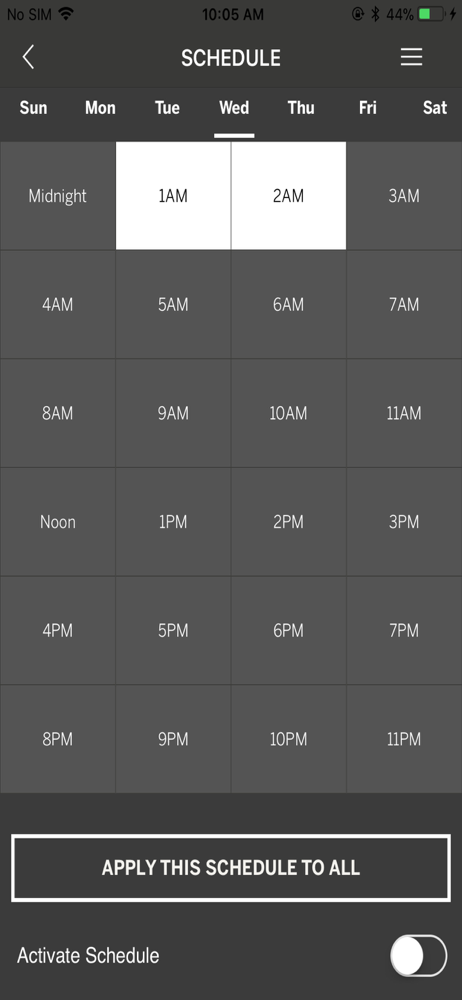
The GE Profile™ Opal™ Nugget Ice Maker app makes controlling and setting a schedule on your product a breeze, so you always have delicious, crunchable...