
Check the acquisition promise
Read the store headline, screenshots and description. What problem is the app promising to solve?
Study the storefront ↗
Michael Mueller · iOS
Explore the ad evidence, study the storefront, and build your next acquisition hypothesis.
01 / Creative research
Read the store headline, screenshots and description. What problem is the app promising to solve?
Study the storefront ↗Explore apps with direct store-link matches. Compare their hooks and formats without assuming the same approach works here.
Browse observed advertisers ↗Store rankings and revenue estimates describe market context. They do not establish ad spend, conversions or ROAS.
Review the market context ↗02 / Storefront & product
Study the product story and store experience behind the acquisition funnel.



03 / Market context
Keep revenue, downloads and store rankings separate from advertising performance.
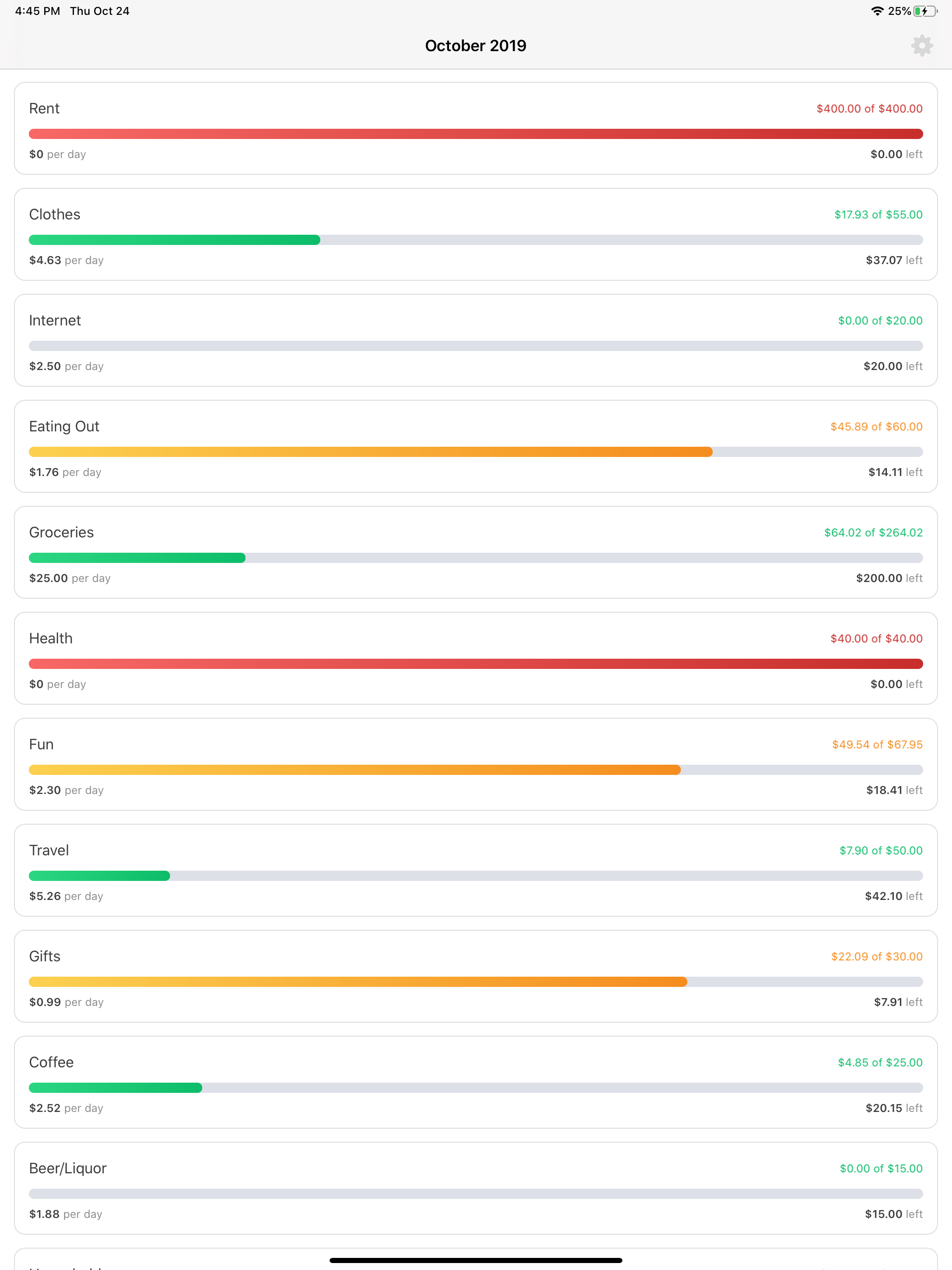
I really wish that instead of pacing by day, I could change the settings of some categories to pace by week, or even biweekly. I don’t regularly make purchases each day, so it seems awkward to have everything paced that way. For some categories, like groceries, it’d be much nicer to know how much I should spend each week instead of each day. But if I bought lunch everyday, it’d still be great to see how much I can spend on lunch each day. So I’d just love an option to customize that a bit, and I’d change this review to a 5 star rating if we could get that feature. But besides that, I think it’s a great app that helps a lot in visualizing how much I can spend throughout the month, so I’m giving it 4 stars.
Does what it says, widget very useful to quickly find out how much there is left to spend. I do think, however, that on the graphs it would make more sense to have green be unspent money instead instead of spent money. So if I haven’t spent anything in my movies category, it will be all green instead of grey, and when I start spending, my amount of green (ie available cash) goes down. Overall great!
Whoa, actual details on how we spend $ per category! Very nice. We’ve need this for a long long time. Few of suggestions: 1) Allow to pick previous months 2) the dollar amount per day is a bit confusing on what the math is behind that, and 3) the amount spent last month appears be inaccurate, at least for me Otherwise, seeing when and where money is being spent throughout the month is super helpful! Seeing previous months in those individual categories would be so awesome. Keep up the great work!
Cents for YNAB is a companion app to the You Need A Budget platform. Cents enables you to quickly analyze your budgets and spending habits in order to...
| Name | Price | Type |
|---|---|---|
| Tip $0.99 | $0.99 | One-time |
| Tip $2.99 | $2.99 | One-time |
| Tip $4.99 | $4.99 | One-time |


