Check the acquisition promise
Read the store headline, screenshots and description. What problem is the app promising to solve?
Study the storefront ↗
志聪 黄 · iOS
Explore the ad evidence, study the storefront, and build your next acquisition hypothesis.
01 / Creative research
Read the store headline, screenshots and description. What problem is the app promising to solve?
Study the storefront ↗Explore apps with direct store-link matches. Compare their hooks and formats without assuming the same approach works here.
Browse observed advertisers ↗Store rankings and revenue estimates describe market context. They do not establish ad spend, conversions or ROAS.
Review the market context ↗02 / Storefront & product
Study the product story and store experience behind the acquisition funnel.




03 / Market context
Keep revenue, downloads and store rankings separate from advertising performance.
The only alarm app I can find that has the skip for tomorrow button, and allows you to set alarms for specific dates (while being very affordable). Not even Amazon’s Alex has all the functionality OK Alarm has to offer.
Why don’t you offer one time payment?
So helpful, especially due to the “repeat” feature. I do wish it could integrate with events I put onto my Google calendar (or other calendars). I’d like to put an event into my calendar, and it set an automatic alarm for 5-10 mins before that event with the title auto populated. Might be a bit ask but that’s my suggestion for improving this incredible app!
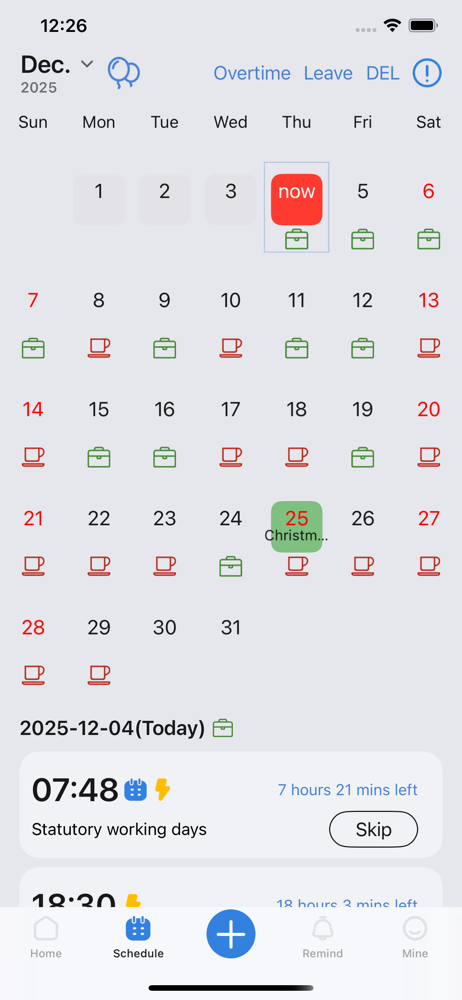
Supports multiple functions such as shift schedules, holidays, specific dates, and time reporting, meeting various needs in work and daily life: ● Co...
| Name | Price | Type |
|---|---|---|
| Pro Monthly | $0.99 | Monthly |
| Pro Yearly | $6.99 | Yearly |
| Skip alarm clocks | $6.99 | One-time |
| Schedule-Rest | $6.99 | One-time |
| Remove Ads permanently | $14.99 | One-time |