Check the acquisition promise
Read the store headline, screenshots and description. What problem is the app promising to solve?
Study the storefront ↗
yohan teixeira · iOS
Explore the ad evidence, study the storefront, and build your next acquisition hypothesis.
01 / Creative research
Read the store headline, screenshots and description. What problem is the app promising to solve?
Study the storefront ↗Explore apps with direct store-link matches. Compare their hooks and formats without assuming the same approach works here.
Browse observed advertisers ↗Store rankings and revenue estimates describe market context. They do not establish ad spend, conversions or ROAS.
Review the market context ↗02 / Storefront & product
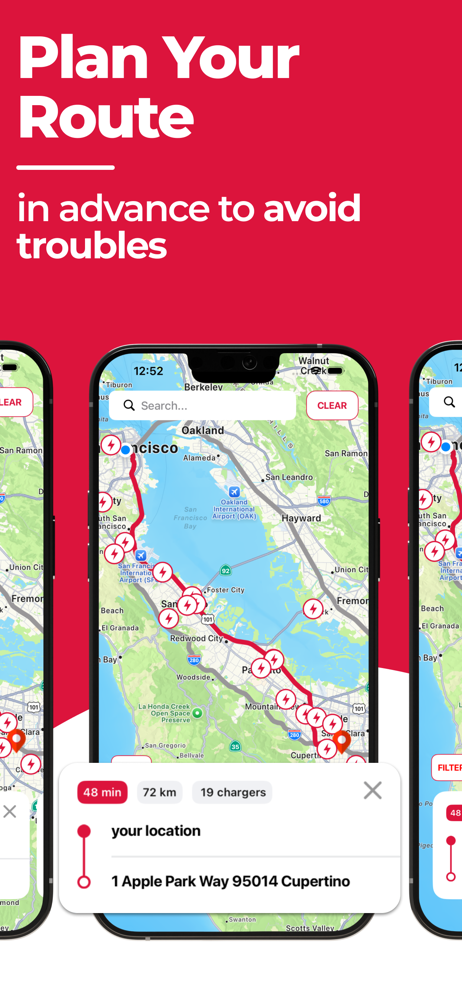
Study the product story and store experience behind the acquisition funnel.




03 / Market context
Keep revenue, downloads and store rankings separate from advertising performance.
I use this app a lot when traveling. I have found one issue that is more of a nuisance than a problem. On some of the pages for routing it looks like the description header is in French. I know what’s on the page by what’s available but other pages have English. Maybe it’s possible to select a default language but I have yet to be able to find it. The app is pretty basic but powerful in what it provides. I would like to see some other options as being able to select a charge point along the route or designate how much power is available when you arrive like in the update from Tesla a while back.
I do use this map instead of the Tesla map or the Tesla route planner for long trips. I appreciate the fact that I can see at a glance which chargers are 250, because on a long trip faster chargers are really useful. What I really wish is to be able to see which chargers on my route are within range of each other when planning the trip. In other words I need to determine the distance between the superchargers on the map in order to plan my route effectively. What I have to do now is look down my route and plug that super charger into the car to discover whether or not it is an appropriate distance away. Sometimes that charger is too closed, and other times too far away. It would be nice if this map could do that for me.
My family and I, sometimes find it extremely hard to navigate across our beautiful country utilizing our Tesla. In some situations charging stations are extremely close and others they are too far away to get there on a single charge. This causes us to take more scenic routes and makes the travel extremely long. While we do enjoy time with each other, sometimes we need to get our destination as quick as possible to enjoy our limited stay.
Find Tesla Supercharger stations near you, plan road trips with confidence, and never worry about running low on battery. A complete, independent map...
| Name | Price | Type |
|---|---|---|
| Display charging locations UK | $4.99 | One-time |
| Display charging locations | $4.99 | One-time |
| Pro version | $4.99 | One-time |
| chargeurs à destinations | $5.99 | One-time |
| chargeurs à destinations | $7.99 | One-time |
| chargeurs à destinations | $9.99 | One-time |
| 显示目的地充电站位置 | $9.99 | One-time |
| Pro mode (Monthly) | $14.99 | Monthly |
| Pro mode | $19.99 | One-time |
| Pro mode (Annual) | $49.99 | Yearly |