
Check the acquisition promise
Read the store headline, screenshots and description. What problem is the app promising to solve?
Study the storefront ↗
DANIEL BRUEGGE · iOS
Explore the ad evidence, study the storefront, and build your next acquisition hypothesis.
01 / Creative research
Read the store headline, screenshots and description. What problem is the app promising to solve?
Study the storefront ↗Explore apps with direct store-link matches. Compare their hooks and formats without assuming the same approach works here.
Browse observed advertisers ↗Store rankings and revenue estimates describe market context. They do not establish ad spend, conversions or ROAS.
Review the market context ↗02 / Storefront & product
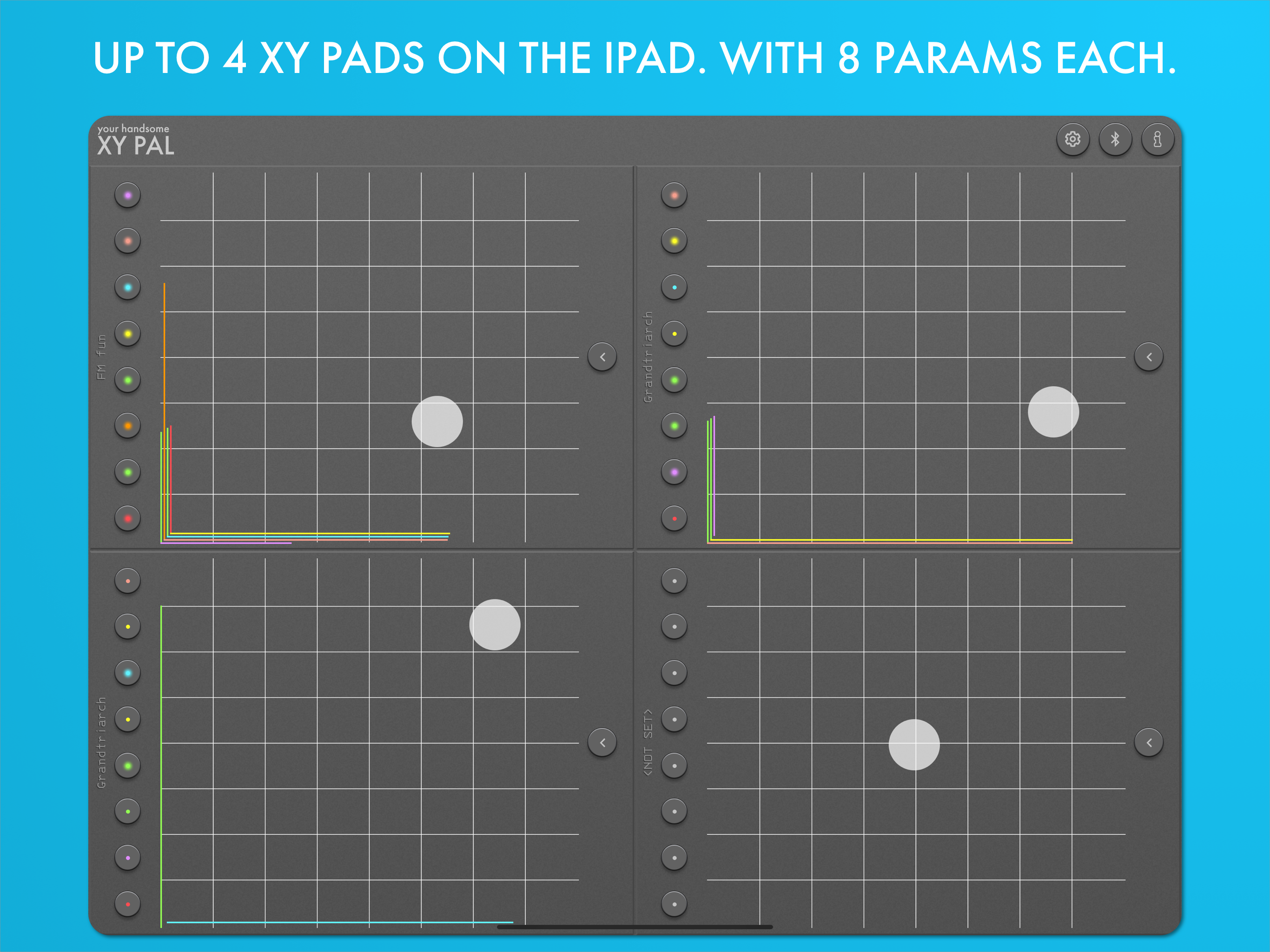
Study the product story and store experience behind the acquisition funnel.


03 / Market context
Keep revenue, downloads and store rankings separate from advertising performance.
Both XY and CC are the easiest, most direct apps to use for sending internal or external MIDI. XY has so many options you can get yourself in trouble. The chaos you can create with it is amazing, and it is fully capable of taking hardware synths to the reset graveyard. It’s like having six extra hands. Or 14 if you stack 2 and go two handed. Absolutely the best CC controller I’ve found. Everything you want it do, no design work, no fluff. Just MIDI.
Both of Daniel’s apps are the bees knees. I witnessed a friend using them with gear last night and instabought when I woke up this morning. Lol ,you know it’s good when it’s the first thing on a producers mind when he wakes up!
So glad I found this app! I was able to get things setup and running quickly as opposed to many other apps with create your own X/Y MIDI surface. The ability to layer is awesome and being able to switch on/off just “X” or “Y” makes midi learn a breeze! Finally thank you!! You can save individual hot keys (quick buttons) and full group (pad) presets. Send to different MIDI channels or devices. You can even inverse the values per control. The included blue tooth control works great without noticeable latency. Some minor issues keeping me from giving it a fifth star.... Settings and adjustments autosave and there’s no undo which is cool on the fly but may cause confusion if something’s changed accidentally. The lowest CC value range “00” actually jumps to 127. So it's: 127-1<127. Changing it from zero to one sorted it for my needs but was a headache at first. On the iPhone the lower value rages were hard to move and see the value so even simply changing to “01” was a struggle. Cycling through custom CC is also cumbersome on both iPad and iPhone again on the iPhone it’s hard to control the scroll. I accidentally changed MIDI output “many” times trying to cycle through the Custom presets (and it auto saved before I realized). I like being able to change button colors however tapping to change doesn’t work well for me. I would rather see all colors including current selected and maybe add alpha numeric for future releases. I WISH IT HAD a snap function (it does not) with toggle. And lastly, It does work on older devices running ios11 however would be cool if it could run on even older devices. I’d have this app running everywhere & It would look handsome lol Nice job Keep up the great work!!!! Thanks
X/Y PAL is your handsome X/Y pad MIDI controller. Control up to 8 parameters per pad. Each parameter can be configured: - set MIDI Channel and contro...


