Speedometer •

UniCom Technology · iOS

Speedometer •

Explore the ad evidence, study the storefront, and build your next acquisition hypothesis.

Paid-ad activity not yet verified
Compare appsMy watchlist

01 / Creative research

Turn the unknowns into a research plan.

01

Check the acquisition promise

Read the store headline, screenshots and description. What problem is the app promising to solve?

Study the storefront
02

Look for ad evidence

Explore apps with direct store-link matches. Compare their hooks and formats without assuming the same approach works here.

Browse observed advertisers
03

Separate demand from paid growth

Store rankings and revenue estimates describe market context. They do not establish ad spend, conversions or ROAS.

Review the market context

02 / Storefront & product

Where the click lands.

Study the product story and store experience behind the acquisition funnel.
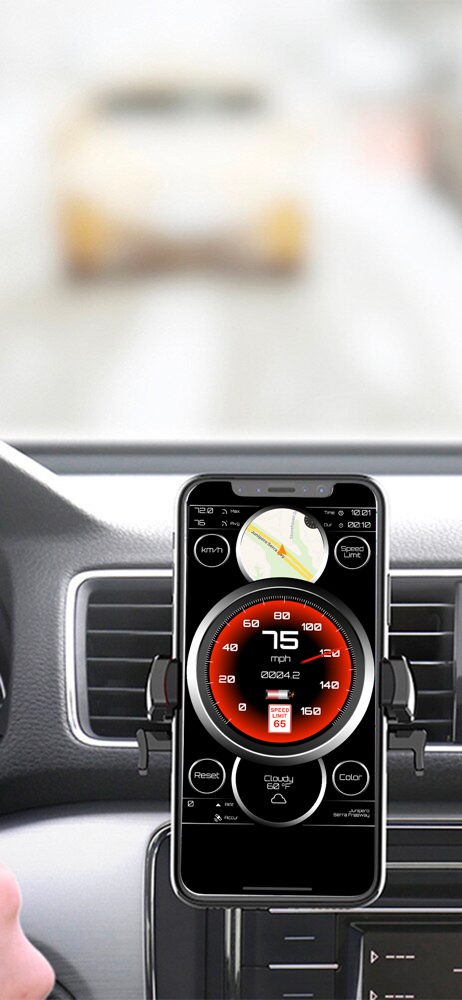
Screenshots

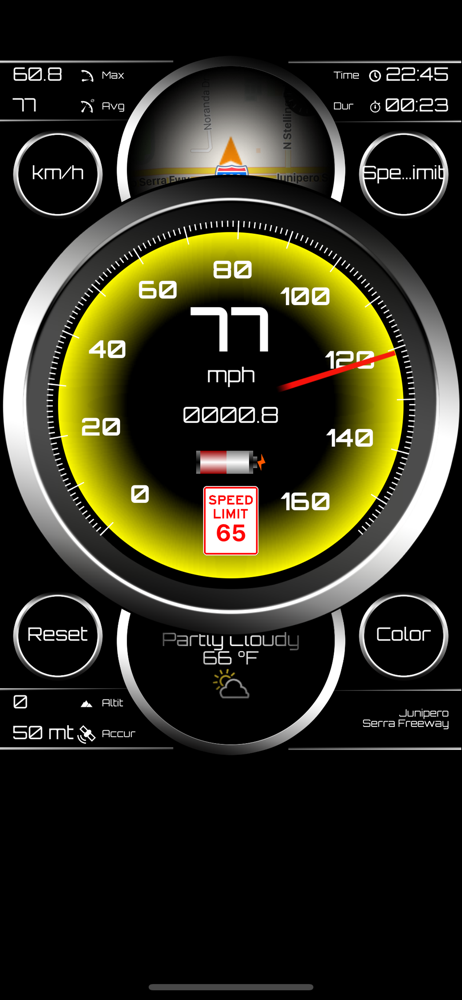
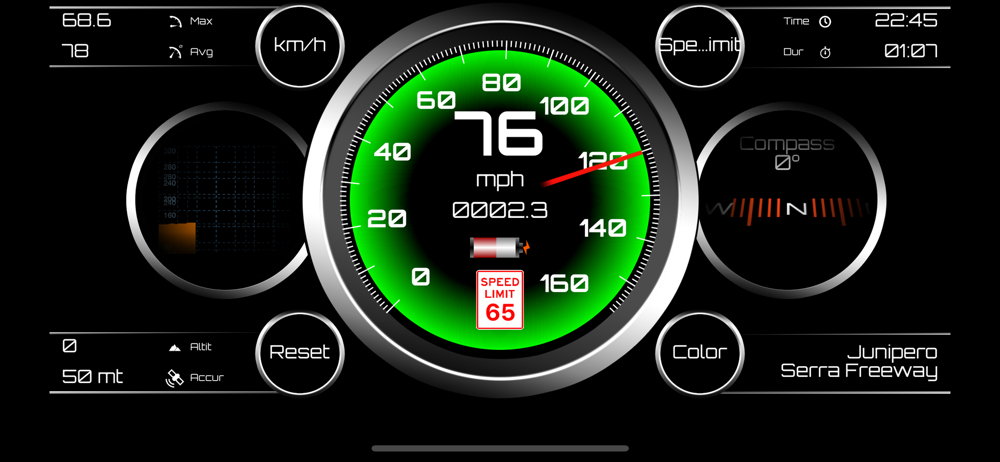
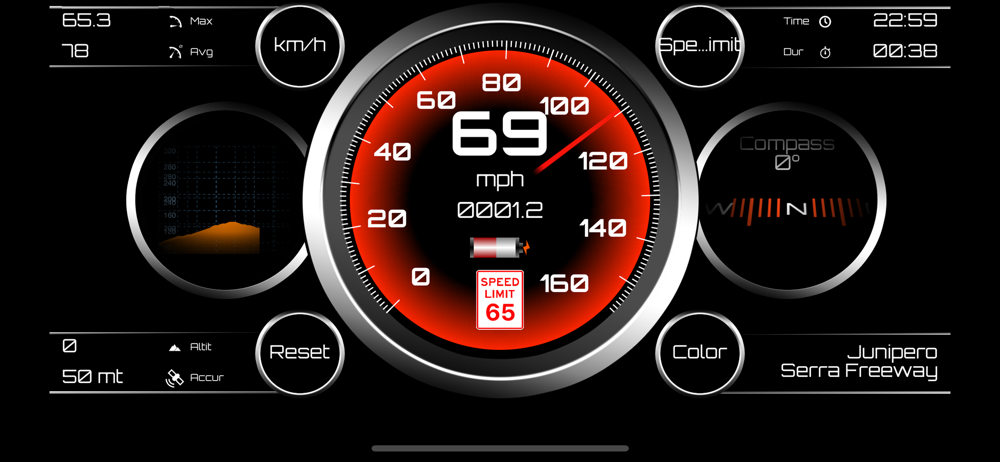
Speedometer • screenshot 1Speedometer • screenshot 2Speedometer • screenshot 3Speedometer • screenshot 4Speedometer • screenshot 5Speedometer • screenshot 6Speedometer • screenshot 7Speedometer • screenshot 8

03 / Market context

The business behind the app.

Keep revenue, downloads and store rankings separate from advertising performance.

How Much Does Speedometer • Make?

Monthly Revenue
$1.0K
Annualized estimate
$12.0K
Per Download
$1.00

Platform Performance

🍎iOS
Revenue
$1.0K
Downloads
1.0K
Rating
4.6 (1,799)

Rating Distribution

4.6
★★★★★
1,799 reviews
5
4%
4
2%
3
5%
2
9%
1
80%

Top Countries

🇺🇸 US🇵🇱 PL🇹🇷 TR
Reviews (3)
★★☆☆☆eric_az198/29/2024
Good for MPH.

It’s great if you need to know your speed or what road you’re on. The gps map is accurate but to small and hard to read. Odometer is way off. I’ve checked and verified distances with Garmin GPS and Google maps. The app says traveled 23 miles when I’ve actually only traveled 11 miles. So if you just need speed this is a good one. If you’re trying to keep track of MPG or your mileage, pass this app up.

★★★★★Evan_Almighty999/2/2022
Awesome

Don’t listen to any bad reviews on this app. It’s very accurate, includes compass, weather, time. Really nice looking hud. Can change colors which is nice. Have it on my iPhone and Apple Watch. Tiny add on bottom of screen that is hardly noticeable. Apple Watch has no ads. Highly recommend.

★★★★★stupidappt12/19/2020
Top Driver

I have tried many even bought a couple but none come close to this app by far the Best I highly recommend it.

Version History (16)
1.146/26/2026
1.135/15/2026
1.123/17/2026
1.1112/15/2024
1.1011/24/2024
1.911/13/2024
1.89/2/2021
1.79/1/2021
1.63/6/2021
1.512/23/2020
Available In (115 Countries)
🇺🇸 United States🇦🇺 Australia🇨🇦 Canada🇨🇳 China🇫🇷 France🇩🇪 Germany🇬🇧 United Kingdom🇮🇹 Italy🇯🇵 Japan🇰🇷 South Korea🇷🇺 Russia🇩🇿 DZ🇦🇴 AO🇦🇷 Argentina🇦🇹 Austria🇦🇿 AZ🇧🇧 BB🇧🇾 BY🇧🇪 Belgium🇧🇲 BM🇧🇷 Brazil🇧🇬 Bulgaria🇨🇱 Chile🇨🇴 Colombia🇨🇷 CR🇭🇷 Croatia🇨🇿 Czech Republic🇩🇰 Denmark🇩🇴 DO🇪🇨 EC🇪🇬 Egypt🇸🇻 SV🇫🇮 Finland🇬🇭 GH🇬🇷 Greece🇬🇹 GT🇭🇰 Hong Kong🇭🇺 Hungary🇮🇳 India🇮🇩 Indonesia🇮🇪 Ireland🇮🇱 Israel🇰🇿 KZ🇰🇪 Kenya🇰🇼 KW🇱🇧 LB🇱🇹 Lithuania🇱🇺 LU🇲🇴 MO🇲🇬 MG🇲🇾 Malaysia🇲🇽 Mexico🇳🇱 Netherlands🇳🇿 New Zealand🇳🇬 Nigeria🇳🇴 Norway🇴🇲 OM🇵🇰 Pakistan🇵🇦 PA🇵🇪 Peru🇵🇭 Philippines🇵🇱 Poland🇵🇹 Portugal🇶🇦 QA🇷🇴 Romania🇸🇦 Saudi Arabia🇸🇬 Singapore🇸🇰 Slovakia🇸🇮 Slovenia🇿🇦 South Africa🇪🇸 Spain🇱🇰 LK🇸🇪 Sweden🇨🇭 Switzerland🇹🇼 Taiwan🇹🇭 Thailand🇹🇳 TN🇹🇷 Turkey🇺🇦 Ukraine🇦🇪 UAE🇺🇾 UY🇺🇿 UZ🇻🇪 VE🇻🇳 Vietnam🇧🇴 BO🇰🇭 KH🇪🇪 Estonia🇱🇻 Latvia🇳🇮 NI🇵🇾 PY🇦🇫 AF🇬🇪 GE🇮🇶 IQ🇱🇾 LY🇲🇦 MA🇲🇿 MZ🇲🇲 MM🇾🇪 YE🇧🇭 BH🇨🇾 CY🇲🇹 MT🇷🇸 RS🇧🇯 BJ🇧🇫 BF🇨🇲 CM🇨🇬 CG🇨🇮 CI🇯🇴 JO🇱🇦 LA🇲🇱 ML🇸🇳 SN🇹🇿 TZ🇺🇬 UG🇿🇲 ZM🇿🇼 ZW
Supported Languages (1)
English
App Details

Measure your speed with this beautiful designed speed dashboard with many other functionality. It can track your speed, location on map by using GPS....
iOS App ID
1465431716
Content Rating
4+
Min OS
13.0
Size
7.4 MB
Publisher
UniCom Technology