Check the acquisition promise
Read the store headline, screenshots and description. What problem is the app promising to solve?
Study the storefront ↗
MaaDoTaa · iOS
Explore the ad evidence, study the storefront, and build your next acquisition hypothesis.
01 / Creative research
Read the store headline, screenshots and description. What problem is the app promising to solve?
Study the storefront ↗Explore apps with direct store-link matches. Compare their hooks and formats without assuming the same approach works here.
Browse observed advertisers ↗Store rankings and revenue estimates describe market context. They do not establish ad spend, conversions or ROAS.
Review the market context ↗02 / Storefront & product
Study the product story and store experience behind the acquisition funnel.





03 / Market context
Keep revenue, downloads and store rankings separate from advertising performance.
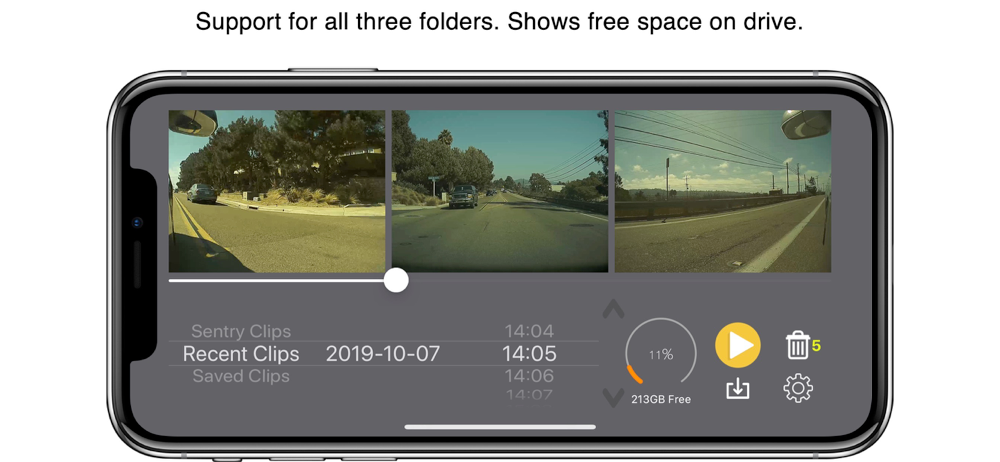
I’ve been using a free app for viewing footages because I could not find anything useful out there. This is my second app from this developer and I do find both of the apps useful. This app can be a bit clunky but trust me, it is easy and practical to use. I can view and scrub, delete, find videos with ease. You will want to get the person detect feature. It’s just a one time small fee for something that will “turbo” boost the usefulness of this app. You know Tesla owners are usually paranoid lol so I check if anybody gets too close to our babies. :) It does crash occasionally but reopening the app is quick and doesn’t bother me. My only wish is to be able to natively save single videos other than the composite. The screen recording method can be clunky but doable if needed. Oh and if you have an issue, the developer responds quickly, either through Twitter or email.
I bought this, along with an iExpand drive to able to view sentry events while I was still on location. I also wanted to be able to download vids on scene if (heaven forbid) I ever needed to. I followed the instructions for formatting the drive and everything works as advertised. I had a few questions so contacted the developer through the app. Response was timely and informative. I actually bought 2 iExpand drives so that I can swap them out occasionally and reformat from my PC. This works better for me than trying to use the in-app delete function. Plus it ensures that drives are refreshed regularly.
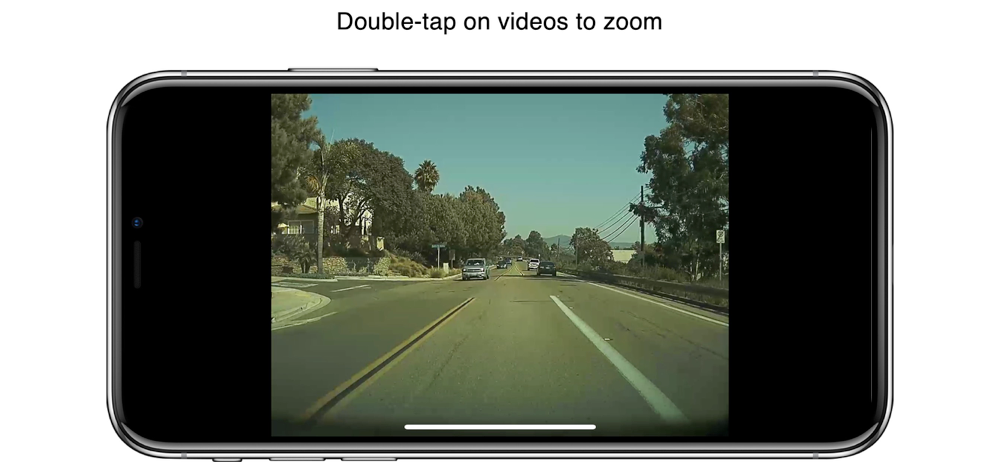
I saw a lot of excitement around that availability of this app. For sure there is a need for something like this until such time as Tesla builds Sentry clip reviewing into the Tesla itself, which I’m sure is coming. As the developer points out this app only works with a specific Sandisk WiFi capable usb stick, so I acquired one. The app itself is pretty primitive, it shows the looped video recordings and then shows saved clips. Since the most likely use case for the app is people reviewing video of a recent Sentry activation it would be most helpful if those clips displayed FIRST instead of having to go hunt for them. When playing back clips I frequently have them halt. The only way to get them playing again is to use the search bar, move it around and sometimes you can get the app to start playing again. This is annoying and I’m pretty sure it’s an app issue since I don’t see these problems when playing the video back from a PC. You also can’t tap or zoom to a specific recorded camera and have it go full screen, which you really need when trying to see the video better. Most of my other critiques are related to a UI that looks like it was very hastily put together. More of what I would expect out of a cheap or ad supported free app and not one that is priced similar to full blown apps with much more functionality than this has.
This app works with any storage device (SSD, SD card, etc) which can be connected to iPhone/iPad and is compatible with iOS 13 and above. To test comp...
| Name | Price | Type |
|---|---|---|
| Pedestrian Detection | $3.99 | One-time |