Check the acquisition promise
Read the store headline, screenshots and description. What problem is the app promising to solve?
Study the storefront ↗
Buddy Budgeting AB · iOS
Explore the ad evidence, study the storefront, and build your next acquisition hypothesis.
01 / Creative research
Read the store headline, screenshots and description. What problem is the app promising to solve?
Study the storefront ↗Explore apps with direct store-link matches. Compare their hooks and formats without assuming the same approach works here.
Browse observed advertisers ↗Store rankings and revenue estimates describe market context. They do not establish ad spend, conversions or ROAS.
Review the market context ↗02 / Storefront & product
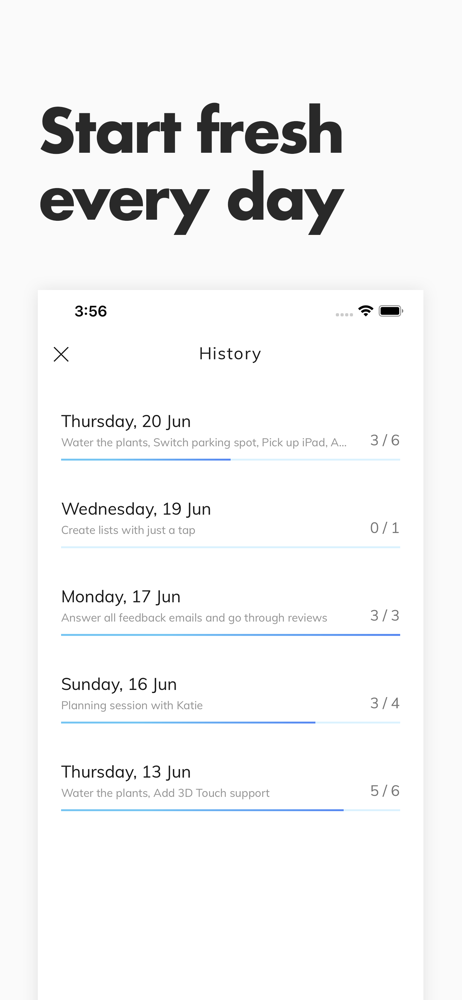
Study the product story and store experience behind the acquisition funnel.


03 / Market context
Keep revenue, downloads and store rankings separate from advertising performance.
This is the planner/to-do app I would have designed for myself. It’s exactly what I need to keep track of things day to day with just the customization and recall that I wanted.
Happy with all the simplicity. I would like an option to forward unfinished tasks to be a permanent fixture, not just a pop up window for the next day. If it’s been more than a day, I would still like to forward tasks and can’t seem to find a way other than retyping.
The appearance is really cute but that’s the only thing that did it for me with this app. In order to rearrange the order of tasks, you have to click and hold, and then click and drag, every time you leave the app and come back if even for one second, it reverts it back to today’s tasks so if you have to keep going back and forth to add schedules for tomorrow etc. it will be a real pain. The keyboard takes up half of the screen and you have to click “done” every time you need to see the other tasks as you’re entering them in. It’s just too time costly for a person who of course is busy since they need an app like this. Also it asked me if I wanted to save a bunch of things I just entered and I automatically clicked the button on the right because in America that would be the “yes” button, but they had left and right switched so I lost all progress. That happened twice.
The simplest and smoothest todo list for daily tasks. - No ads - No signup required - No subscription or payments How do you use Daylist? 1. Create...
| Name | Price | Type |
|---|---|---|
| Daylist Lifetime Unlocked | $4.99 | One-time |