App Profile: Best Bengali Keyboard
Android / Games / Puzzles
Best Bengali Keyboard
Installs:
Rating:
4.45
Total Reviews:
901
Top Countries:
AE, SG, IN
< $5k
/mo
< 5k
/mo
Reviews: What People Think About Best Bengali Keyboard
Rezaul hasan khan
Rating: 5/5
This is awesome app. Really helpful . Thanks
Faisalahmed771
Rating: 1/5
One of the worst keyboards in the entire Appstore. Sorry developers, but no respect given. I thought I should give it a try. But after downloading and using it, Oh Man!! These guys are serious! The keyboard looks like some fake image that I downloaded from google image. Then comes the advertisement!! God!! Guys just download Gboard, the google keyboard. Save some time...
touhid rezvan
Rating: 1/5
Word suggestions are not free, you need to see advertisement everyone for unlock the keyboard. Fully disaster app. I think this app is not qualifed for Apple app store. Very poor thinking of developer...
About Best Bengali Keyboard
--------------------------------------------
START USING BANGLA EVERYWHERE
-------------------------------------------
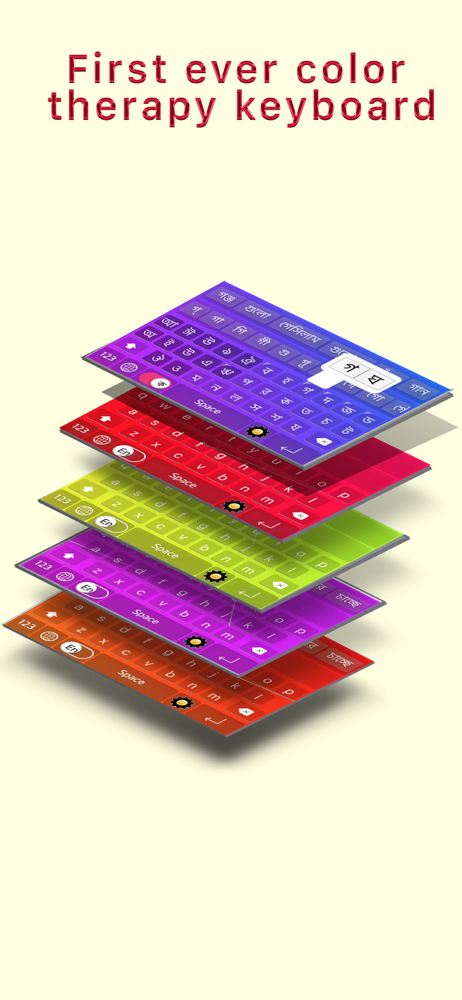
◉ Best Bangla Keyboard Ever for Bangla Speaking Peoples
◉ Type the English word, Get the Bangla Meaning Instantly Offline
◉ Easy Letter Suggestions - Offline
◉ 50% More Faster than normal keyboards
◉ Easily differentiate the Letters
◉ Get suggestions for the letters
◉ Help Grow Bangla Community
◉ Please Support Development By sharing with others
--------------------------------------------
HOW TO INSTALL BEST BANGLA KEYBOARD
-------------------------------------------
Once you downloaded the app from Appstore.
Step 1: Go to iPhone settings.
Step 2: Find General And Click on it.
Step 3:Scroll Down to bottom and see Keyboard option, Click on it.
Step 4: Click on the Keyboards Row.
Step 5: Scroll Down the bottom of the screen and find "Add New Keyboard" Option and tap on it.
Step 6: Scroll down and find the BEST BANGLA Keyboard Option And tap on it, That's it you are done.
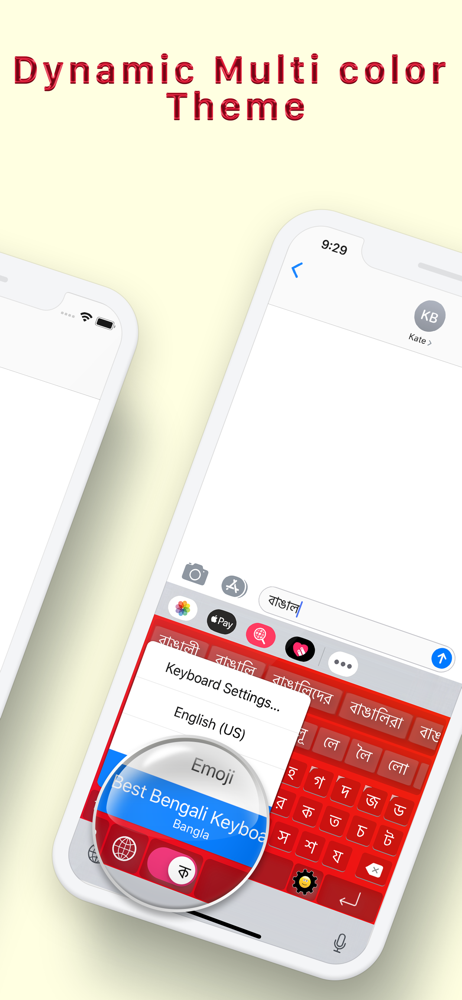
Now finally open any of the WhatsApp, Facebook, Email, Notes, Twitter, SMS app, and long press the Globe icon from the default keyboard, now choose the BEST BANGLA Keyboard Option.
And Start Typing In BANGLA.
START USING BANGLA EVERYWHERE
-------------------------------------------
◉ Best Bangla Keyboard Ever for Bangla Speaking Peoples
◉ Type the English word, Get the Bangla Meaning Instantly Offline
◉ Easy Letter Suggestions - Offline
◉ 50% More Faster than normal keyboards
◉ Easily differentiate the Letters
◉ Get suggestions for the letters
◉ Help Grow Bangla Community
◉ Please Support Development By sharing with others
--------------------------------------------
HOW TO INSTALL BEST BANGLA KEYBOARD
-------------------------------------------
Once you downloaded the app from Appstore.
Step 1: Go to iPhone settings.
Step 2: Find General And Click on it.
Step 3:Scroll Down to bottom and see Keyboard option, Click on it.
Step 4: Click on the Keyboards Row.
Step 5: Scroll Down the bottom of the screen and find "Add New Keyboard" Option and tap on it.
Step 6: Scroll down and find the BEST BANGLA Keyboard Option And tap on it, That's it you are done.
Now finally open any of the WhatsApp, Facebook, Email, Notes, Twitter, SMS app, and long press the Globe icon from the default keyboard, now choose the BEST BANGLA Keyboard Option.
And Start Typing In BANGLA.
File size: 54990848
Launched countries: USAUCACNFRDEGBITJPKRRUDZAOARATAZBBBYBEBMBRBGCLCOCRHRCZDKDOECEGSVFIGHGRGTHKHUINIDIEILKZKEKWLBLTLUMOMGMYMXNLNZNGNOOMPKPAPEPHPLPTQAROSASGSKSIZAESLKSECHTWTHTNTRUAAEUYUZVEVNBOEELVNIPYKHMZYEBHCYMTBJBFCGJOLAMLSNTZUGZW
Minimum OS version: 12.0
Release Date: 1553324400000
Published by banuchander janarthn
Website url: http://www.appchant.com
Publisher country: