
Check the acquisition promise
Read the store headline, screenshots and description. What problem is the app promising to solve?
Study the storefront ↗
Yonathan Zetune · iOS
Explore the ad evidence, study the storefront, and build your next acquisition hypothesis.
01 / Creative research
Read the store headline, screenshots and description. What problem is the app promising to solve?
Study the storefront ↗Explore apps with direct store-link matches. Compare their hooks and formats without assuming the same approach works here.
Browse observed advertisers ↗Store rankings and revenue estimates describe market context. They do not establish ad spend, conversions or ROAS.
Review the market context ↗02 / Storefront & product
Study the product story and store experience behind the acquisition funnel.


03 / Market context
Keep revenue, downloads and store rankings separate from advertising performance.
Sometimes routes are off when there’s construction or any sudden changes in route path for whatever reason. Also, the north is always oriented towards the bottom of my screen once I turned location on and idk how to flip it.
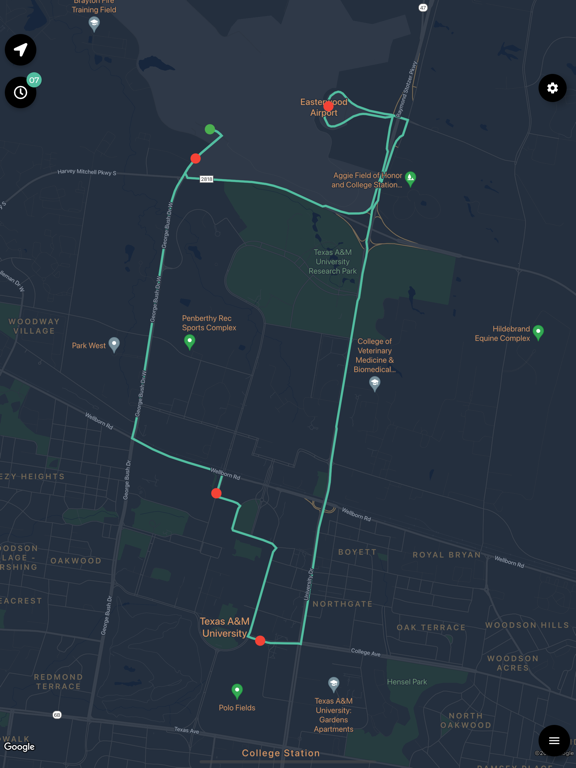
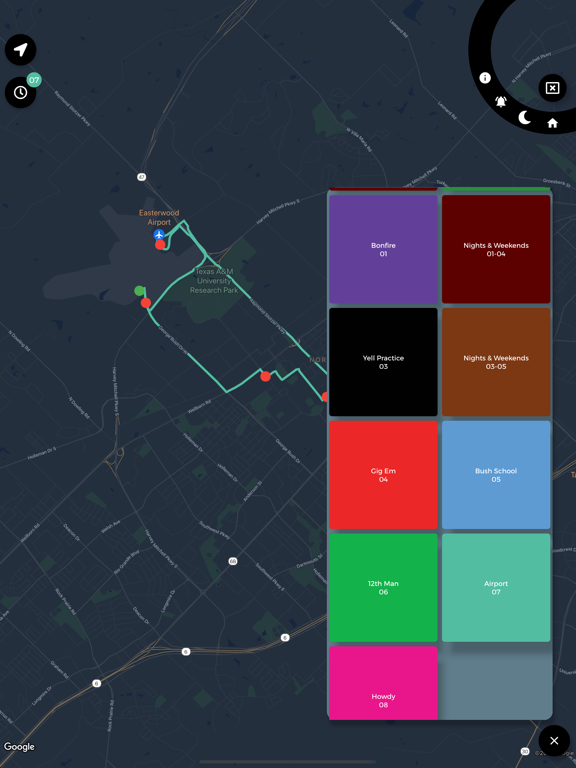
If I could give this app 10 stars I would ! At first it was difficult to figure out where exactly which buses went to what stops. However , when you get the hang of it the red dots and green dots on each bus route indicate the stops and stops you can request on the way. This app is so incredibly helpful for campus. The only improvement I’d suggest is possibly providing a drop down menu for each bus route to let the user know the options for that particular bus route and also more titles such as “Bus Routes” “Home Menu” “ Current Location”. I was very confused as there is little to no signage for items around the app. Nonetheless, it’s still an amazing with great potential.
This app is super good about shortcutting the transportation aspect and good for small bus needs! However, it’s still the same as the Howdy version. I would love to be able to search a location I’m trying to get to and get recommended which bus has a stop closest to it. Also, the way points and buses are a little bit confusing on what the complete route is, I’d like to be able to see the route in a different color to differentiate. Also, the current bus sprite is chunky and doesn’t readably show which direction they are going towards. This app is an important addition to help people with bus needs especially since the Howdy one’s server’s can have an issue holding everyone looking, so with a bit more polishing this would be everything I ever wanted from A&M Transportation help!! Buses have always been annoying and confusing so I’m thankful you’re trying to remedy this issue. Play test a bit more/polish up the graphics and this would KILL!!
TAMU Spirit is a quick and elegant way to view Texas A&M bus locations, stop points, and way points. In addition, see bus passenger capacities, on-cam...


