Check the acquisition promise
Read the store headline, screenshots and description. What problem is the app promising to solve?
Study the storefront ↗
My Town Games LTD · iOS
Explore the ad evidence, study the storefront, and build your next acquisition hypothesis.
01 / Creative research
Read the store headline, screenshots and description. What problem is the app promising to solve?
Study the storefront ↗Explore apps with direct store-link matches. Compare their hooks and formats without assuming the same approach works here.
Browse observed advertisers ↗Store rankings and revenue estimates describe market context. They do not establish ad spend, conversions or ROAS.
Review the market context ↗02 / Storefront & product
Study the product story and store experience behind the acquisition funnel.




03 / Market context
Keep revenue, downloads and store rankings separate from advertising performance.
Let me start by saying that this game has stunning graphics and has tons of fun stuff to do in it. I love the daycare kitchen with the sweets and the chicken nuggets, and kabobs, and many more cool foods. I love the play area with the little toy kitchen and musical instruments and so much more. I love the toy tab, but since high school was released, though I did not buy it, the toys will not transfer to the other games. I have the same trouble with the ball maker in the park. The really hard thing though that when I bought this game right when it came out, the toys disappear after a short time. If you could fix this, it would be great, because it would be a perfect game if you did.
Hello My City: Babysitter creators! I have seen and bought this game and from what I have seen, it is very cute! This game is fun, and has cute locations. However, when I go into the shop where you can buy baby supplies, and i “purchase” them and sign my “signature” in says it will be shipped to My City: Home. So at first, I struggled to realize that it said it would be shipped to My City: Home, but when I finally noticed it I was kind of confused but was then like, “ok!” So I went into My City: Home, to wait for this so-called moving truck, but it never came. I tried to find it MULTIPLE times, but I never could find the things that I “purchased.” So now I was frusterated, and I was like, “ok maybe I’ll delete the app and redownload so then it can all be reset and fixed.” So, I did that and was optimistic. However, when I went back in, it STILL said that it will be sent to the other app. I’m very frusterated and I would just like to know if I am doing something wrong or if it is a glitch. Can someone help me?! Thanks!
AWSOME SUPER BB! Ok so if you read these things please read this one plz! So if you want to know where the super hero thing is well you have to go in the house and click all of the heart trophy thingys ,anyway next this lever will appear where you see how many heart things you have you’ll want to click that. And go threw the enormous hole/door thing in the wall (I can’t believe that family is ok with that) next to where you clicked the lever and........ TADA! There you go! I loved the super hero room awsome , but I clicked the button to the outfits and it won’t let me get them.
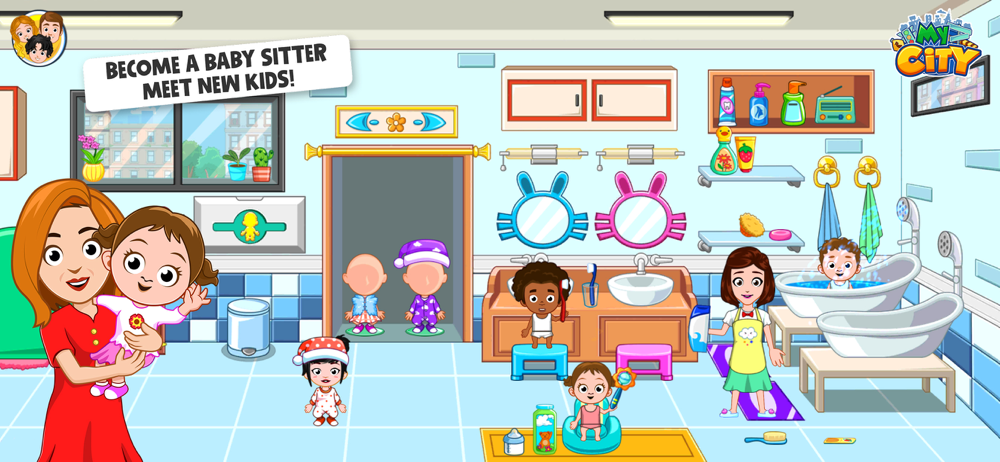
The local neighborhood babysitter is always busy taking care of other people's kids! in My City : Babysitter you can become a babysitter for a day, dr...
| Name | Price | Type |
|---|---|---|
| Small pack 4 | $0.99 | One-time |
| Small pack 2 | $0.99 | One-time |
| Small pack 3 | $0.99 | One-time |
| Small pack 1 | $0.99 | One-time |
| Pro version | $4.99 | One-time |
| Full version | $9.99 | One-time |
| My City Monthly Subscription | $9.99 | Monthly |
| My City Annual Subscription | $59.99 | Yearly |