Check the acquisition promise
Read the store headline, screenshots and description. What problem is the app promising to solve?
Study the storefront ↗
Organum Limited · iOS
Explore the ad evidence, study the storefront, and build your next acquisition hypothesis.
01 / Creative research
Read the store headline, screenshots and description. What problem is the app promising to solve?
Study the storefront ↗Explore apps with direct store-link matches. Compare their hooks and formats without assuming the same approach works here.
Browse observed advertisers ↗Store rankings and revenue estimates describe market context. They do not establish ad spend, conversions or ROAS.
Review the market context ↗02 / Storefront & product
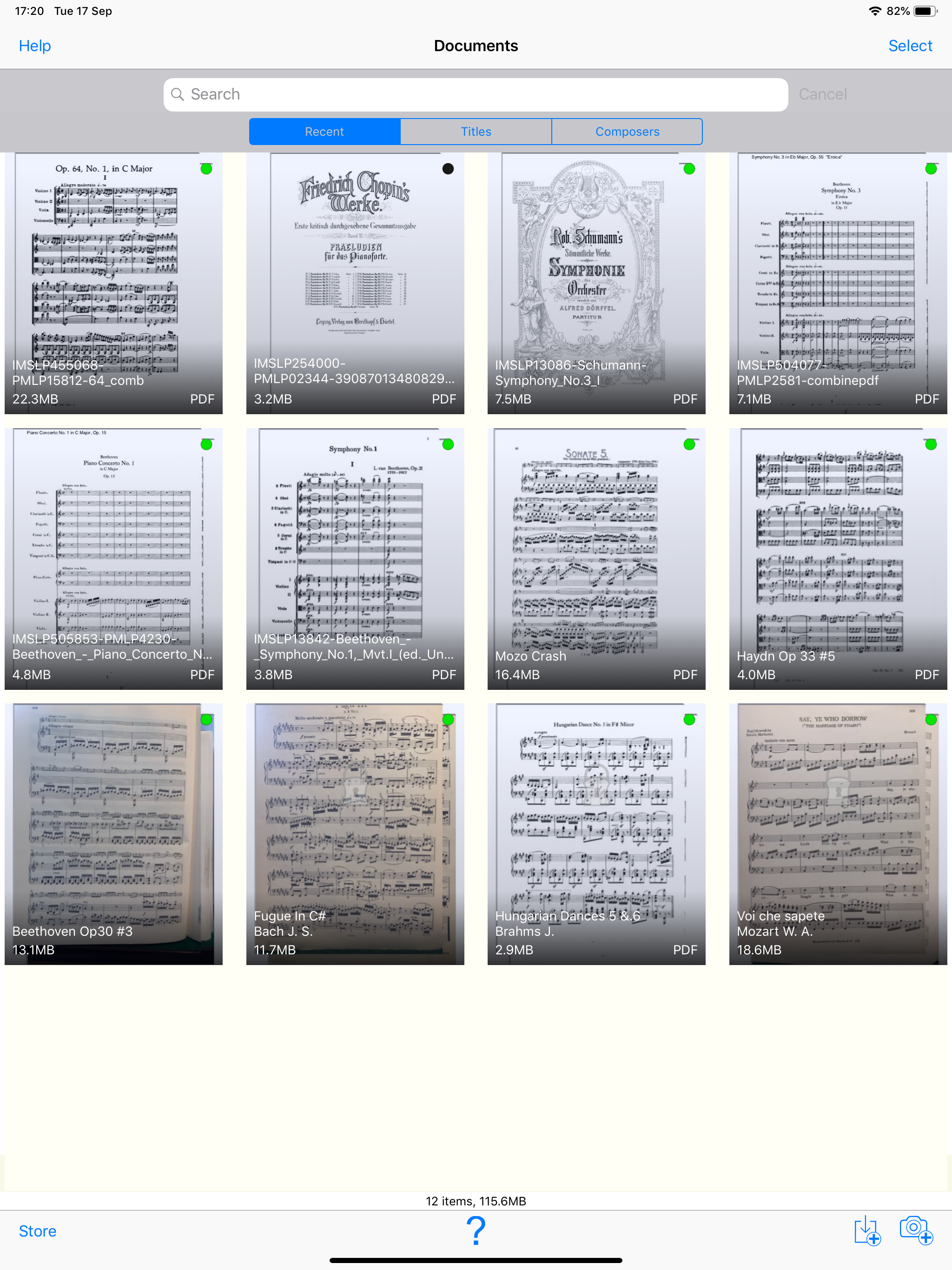
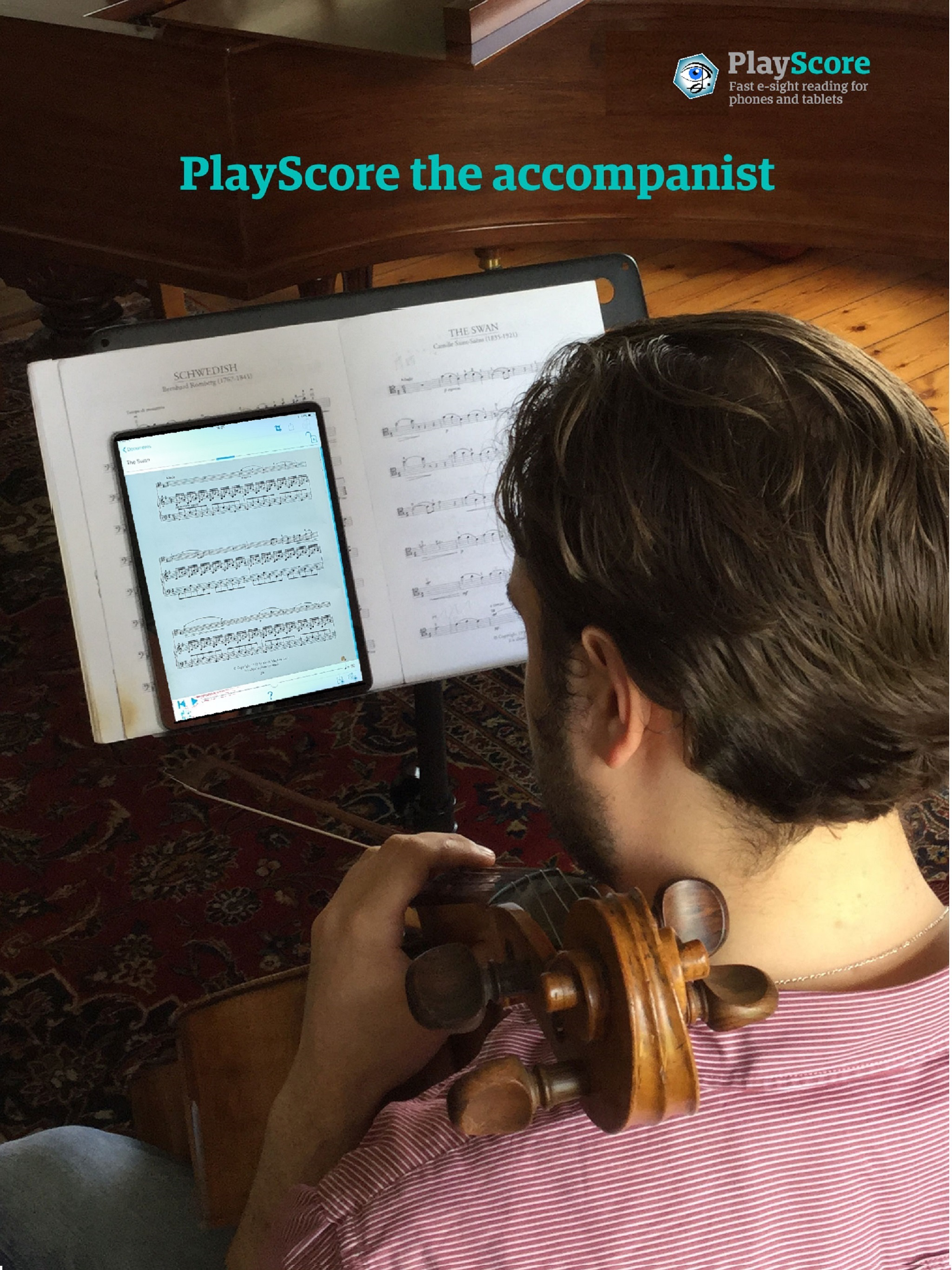
Study the product story and store experience behind the acquisition funnel.



03 / Market context
Keep revenue, downloads and store rankings separate from advertising performance.
Last year, I paid for a month long subscription so that I could scan all my choir music for Lent and Easter and share practice tracks with choir members. It worked great then, although I did have to recapture pages a number of times to get them to play properly. Now I have paid for another month subscription to do the same for this year’s music. I haven’t even gotten through two pages of the first song, and I’m ready to give up… I’ve captured page one dozens of times, in different lighting, at different angles, you name it, and it refuses to play back properly! How do I get my money back? UPDATE: No, the music is not handwritten, it is normal SATB choir music, and the pictures are very high quality, captured with a brand new iPhone 17 pro. Perhaps I am forgetting just how long it took me to get decent recordings for last year’s songs. I did find that I had better luck with my music lying flat, contrary to the advice that the app constantly flashed on screen. Also, taking the photos with my phone’s camera app and then uploading them into PlayScore cut down on having to recapture pages by probably 90% over using the in-app camera. I now have *mostly* usable recordings, but there are certain areas of my songs that still don’t sound right. It seems to have a lot of trouble with key changes and various other notations. My review stands. The user experience is incredibly frustrating and time consuming.
For those not experienced with OCR this app might’ve been a little bit of a letdown but if you give it patience and keep playing with it, you can get some pretty accurate results. It may have more inaccuracies than a tool like KLANG. IO but this is the one of the few among similar programs that include any written instructions for how to play a certain part of the music which might be things like forte, piano or cinematic. If you play around with the PDF sampling, and that other thing that tells the program whether you are music is white on black or black on white and so on that can fix issues like inaccuracies and notes being assigned to the wrong staff. But if you play around with the same scan too much, it can actually make it worse so after a few drastic changes in those levels, you might need to start over and rescan. I’ve been using this app to get the PDFs on my choir’s website over to music SML. so they’ll be compatible with an AI that turns those into Braille music that I can emboss. I just wish that that program and this one would agree on which part is part one or part two etc.
Right from the moment you open the app, the Home Screen shows users both a “Help” button and a “?” icon. One opens a horrendous pdf with missing images and the other highlights the question mark button you tapped (along with two others) and explains that it is the help toggle. I know. I just. Tapped it. It’s clear the devs had their hearts in the right place here, but as someone with a background in interface design, the more I use the app the more I wish they would hire someone—anyone—to help them overhaul the interface. The functions of the app are rock-solid (aside from occasional crashing), but the confusing interface and visuals really drag the experience down for me and take away from what could be a purely magical experience. - As a note specifically to the devs: I’m pretty sure this UI is is the single biggest reason for all the one-star reviews. A number of people keep saying the app is a “scam” and that’s because it pretty much looks like junkware. On top of that, despite having help menus, it seems like the way you’re presenting information to users is confusing because 90% of negative reviews are just people complaining because they scanned the music wrong. Both of these issues are rooted in the interface. If you have questions about the areas of the app people are confused by or want to discuss potential solutions, contact me! I use the app a bunch and wouldn’t mind helping out at all!
Play all kinds of music direct from photos, images and PDF scores. Export as MusicXML and MIDI Snap music with your camera or import images and PDFs....
| Name | Price | Type |
|---|---|---|
| PlayScore Productivity (Monthly) | $5.99 | Monthly |
| PlayScore 2 Professional month | $6.99 | Monthly |
| PlayScore Productivity (Annual) | $34.99 | Yearly |
| PlayScore 2 Professional year | $59.99 | Yearly |