Check the acquisition promise
Read the store headline, screenshots and description. What problem is the app promising to solve?
Study the storefront ↗
MediaArea.net · iOS
Explore the ad evidence, study the storefront, and build your next acquisition hypothesis.
01 / Creative research
Read the store headline, screenshots and description. What problem is the app promising to solve?
Study the storefront ↗Explore apps with direct store-link matches. Compare their hooks and formats without assuming the same approach works here.
Browse observed advertisers ↗Store rankings and revenue estimates describe market context. They do not establish ad spend, conversions or ROAS.
Review the market context ↗02 / Storefront & product
Study the product story and store experience behind the acquisition funnel.


03 / Market context
Keep revenue, downloads and store rankings separate from advertising performance.
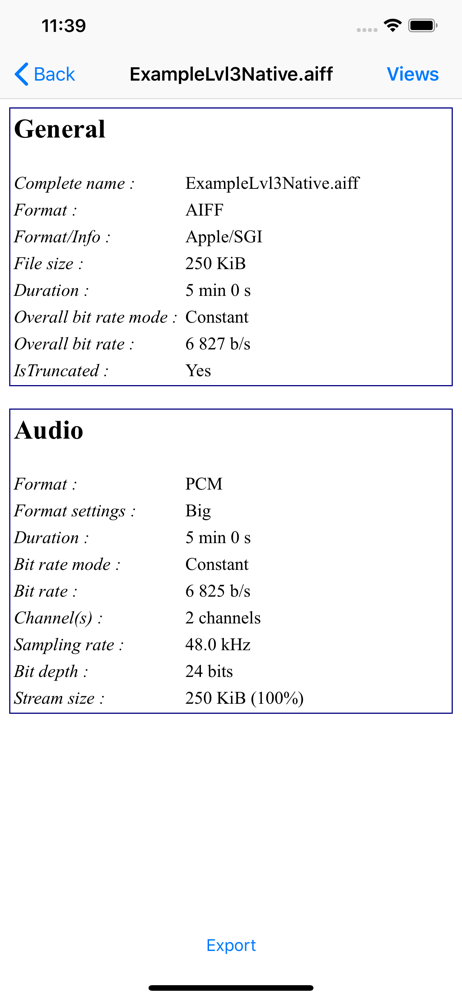
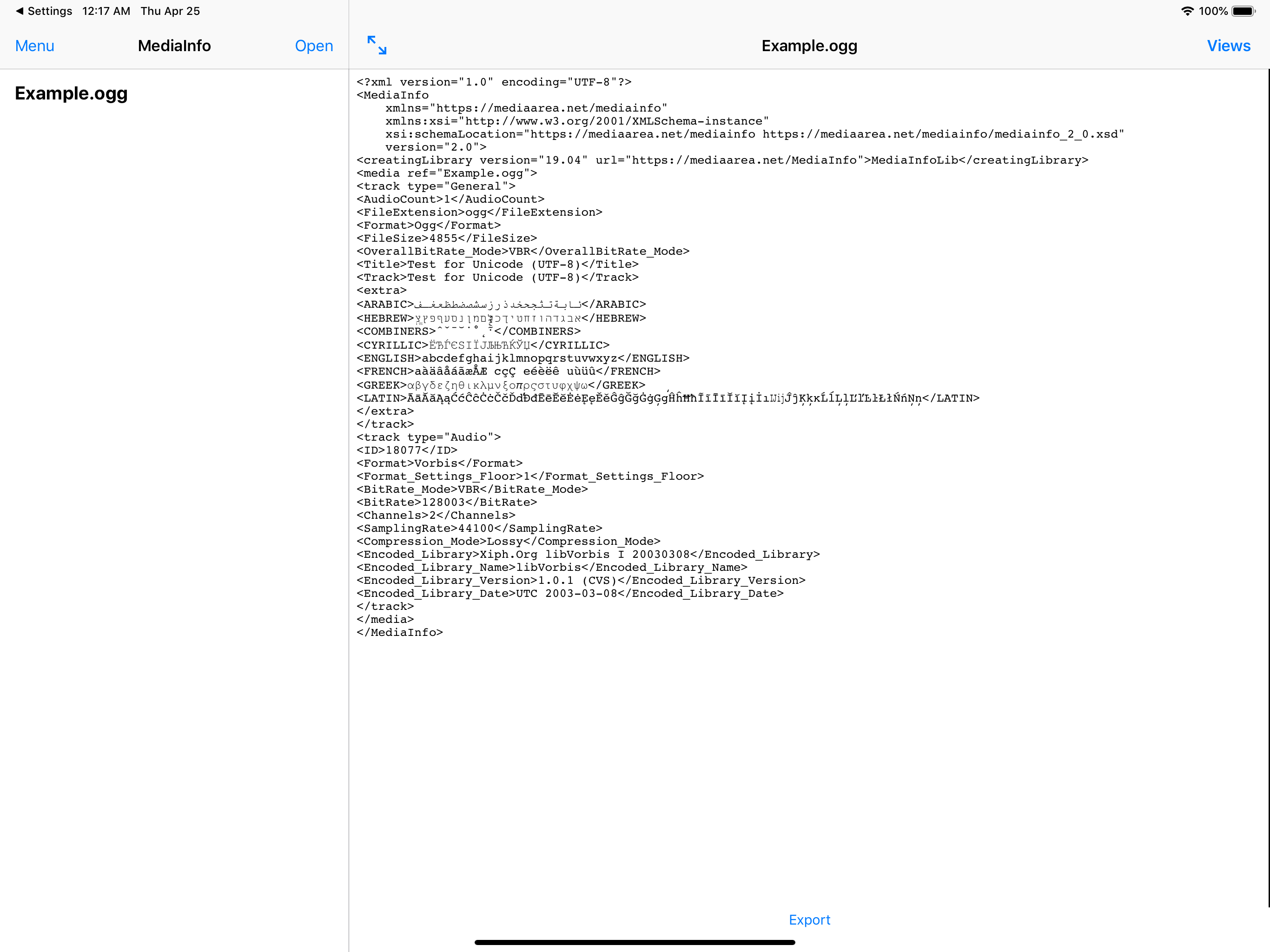
This is very useful. From inside this app, I can select any document on my iPad (video, image, etc), and I can also select an image from the Photos app, and it provides all the metadata on these files that I require. What would be really helpful, though, is if I could access this app from within the Photos app share menu, or directly from any file inside the Files app through the right-click menu.
Why? Why would you release an app that is supposed to be the mobile complement to a very useful and comprehensive desktop application with so many limitations? Only being able to view files that are saved in your iCloud Drive folder makes no sense at all. If you have files that you’ve airdrop to yourself and are stored on your camera roll or just general files in your camera roll you need to copy them over to your iCloud Drive which not only doubles the amount of space used on your device but adds frustrating and time consuming steps. The benefits of having a basic utility to quickly view detailed specs on media files doesn’t justify the extra hoops this app makes you jump through. Why the limitation?
This app would be AMAZING and worth the price of the subscription fees I’m currently paying – if any ONLY IF – the application would show up as an option when selecting a file in any other app to, “Open in...’, where “MediaInfo” could ideally be an option. I’ve tried extensively to search for this ability by managing my Actions Menu that pops up for opening files in other applications, and MediaInfo is the ONE APP out of several on my iOS devices that seems to be *incapable* of appearing in the menu when trying to share/open ANY sort of file from ANY other application. Would the Developer(s) of this application PLEASE PLEASE PLEASE work on resolving what should be the easiest feature to include??? Literally every other iOS application has this feature, and the fact that this one doesn’t is beyond frustrating. What’s the point of having this application – AND PAYING FOR THE “EXTRA FEATURES” – if it cannot do the one task it needs to? What’s the point of this app without such a significant feature? I’m asking you honestly. I’ll wait...
MediaInfo is a convenient unified display of the most relevant technical and tag data for video and audio files. The MediaInfo data display include...
| Name | Price | Type |
|---|---|---|
| More features (yearly) | $2.99 | One-time |
| More features (lifetime) | $7.99 | One-time |