Check the acquisition promise
Read the store headline, screenshots and description. What problem is the app promising to solve?
Study the storefront ↗
Nickelodeon · iOS
Explore the ad evidence, study the storefront, and build your next acquisition hypothesis.
01 / Creative research
Read the store headline, screenshots and description. What problem is the app promising to solve?
Study the storefront ↗Explore apps with direct store-link matches. Compare their hooks and formats without assuming the same approach works here.
Browse observed advertisers ↗Store rankings and revenue estimates describe market context. They do not establish ad spend, conversions or ROAS.
Review the market context ↗02 / Storefront & product
Study the product story and store experience behind the acquisition funnel.




03 / Market context
Keep revenue, downloads and store rankings separate from advertising performance.
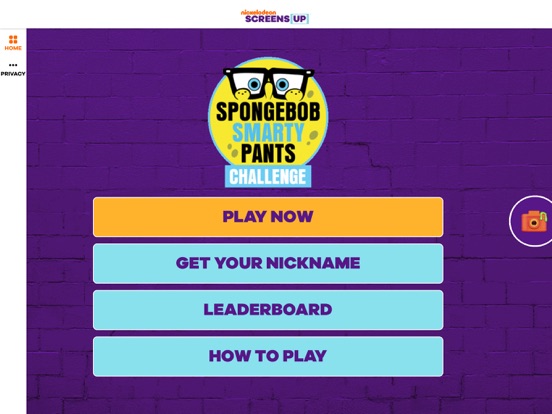
First of all, I love the safety measures...kids aren’t allowed to choose inappropriate nicknames. It’s amazing! However, I’ve had the app for a week and that’s all I got to experience. I wanted to see the time the Casagrandes Smartypants Challenge was on, and it said 5:01. At five-oh-one, the Loud House was on. Hmm, I thought. I entered the app, and it said, ready in 5 seconds! I waited 5 seconds. 4 numbers came up and a timer, like how it’s supposed to work. Obviously, no questions were on my TV. So now, at 6:00, I entered the app. It didn’t work, even though the CSC (Casagrandes Smartypants Challenge) was on TV. I could see the questions. Same thing happened at 6:30... I was so disappointed. Please fix. I know the new update “fixed bugs” but clearly it did not. Absolutely disgusting that it did this.
I downloaded this app to do the SpongeBob smarty-pants challenge but it did not work I kept on pressing play it would not go with the episode if the questions were displayed on the screen a word what the answers are nothing I don’t know how it looks like is my first time doing it nothing would show on my screen and I think the tutorial thing or goes to show you how to play should be more specific because I don’t really understand it to the developers that made this could you please read this review because I would like you to describe how to play The Screens Up app for SpongeBob smarty-pants challenge please fix it because I don’t even know how to play it awesome every time I press the play button it says that we will be right back or something like that I don’t know what to do about that because the episode would already be starting or or already started
So this morning I was trying to do the spongebob smarty pants challenge and as normal, the countdown started for the next episode to start so we could play. It was in between commercials so I was waiting for it to start. But things started happening when the second to last commercial was halfway done. The countdown still had 30 seconds left and then skipped to the challenge when the second to last commercial was again halfway done. The show not being on the tv screen yet made me confused about what was happening. Then I found out the questions weren’t going along with the tv. I don’t know if it has something to do where I live or if it was a glitch. I tried deleting and reinstalling the app but it didn’t work and that’s what lead me to here. I know it’s not the app cause the kids choice sports and the mini games work fine. So I ask if you can please fix the smarty Pants Challenge before the next update and maybe people will have something more positive to say about the app and challenge if they’re fixed.
Bring Nickelodeon into your living room through the magic of AR with your television! SCREENS UP is Nickelodeon’s “engagement hub”, offering not only...