Check the acquisition promise
Read the store headline, screenshots and description. What problem is the app promising to solve?
Study the storefront ↗
WriteSoft LLC · iOS
Explore the ad evidence, study the storefront, and build your next acquisition hypothesis.
01 / Creative research
Read the store headline, screenshots and description. What problem is the app promising to solve?
Study the storefront ↗Explore apps with direct store-link matches. Compare their hooks and formats without assuming the same approach works here.
Browse observed advertisers ↗Store rankings and revenue estimates describe market context. They do not establish ad spend, conversions or ROAS.
Review the market context ↗02 / Storefront & product
Study the product story and store experience behind the acquisition funnel.


03 / Market context
Keep revenue, downloads and store rankings separate from advertising performance.
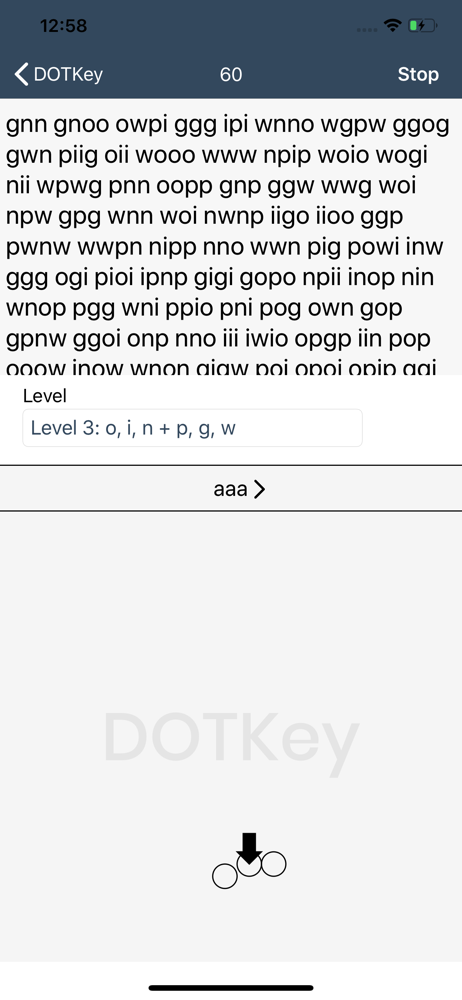
This app has truly changed the way I type! The ability to type fast on my phone is an amazing resource that I never imagined could be utilized. One change I would like to see is to add sensitivity so the slightest touch wont set off the keyboard. Also, please make a circle-less mode so I have the options to turn off the circles(which can be distracting to the eye). I hope to see improvements and additions to this idea! I would love to have a dedicated pad to plug into my pc(that is larger than my phone), and dotkey on the computer!
I’ve been using dot key for almost a month now. I love the concept of being able to type quickly without looking. Learning to type comes slow at first but it’s quite fun to learn, and being able to walk around with my head up while typing has made it worth the effort. I haven’t quite reached my normal texting speed yet but I’ve improved quickly by doing short practices here and there. The app is great at helping you learn. One thing I would improve is to include an auto correct that can be toggled on or off. I would also like to be able to continuously backspace without having to do repeated gestures. One gesture being held for however long would work great!
I’ve found this app so much fun to use! It’s a great challenge for the brain, muscle memory and even hand-eye coordination. I find it frustrating, though that there isn’t any auto-correct to speed up the process. Additionally, and this is my biggest complaint, the calibration keeps switching on me so that the order of the dots is reversed. Is there some way to turn off that feature? I mean, I’m right handed and always will be so I don’t want the thing to keep pretending that I suddenly started using my non-dominant hand.
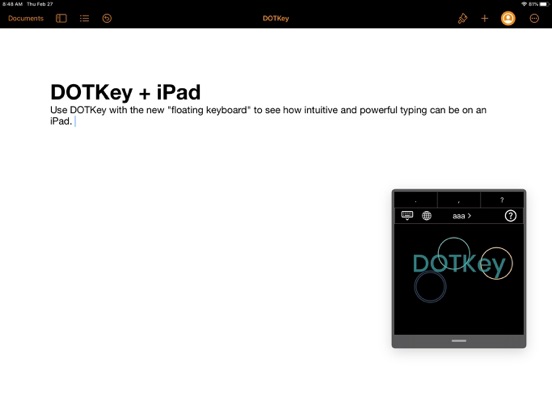
DOTKey is an exciting new way to type. Unlike traditional keyboards with their "one size fits... nobody" approach, DOTKey offers a user-friendly exper...