Check the acquisition promise
Read the store headline, screenshots and description. What problem is the app promising to solve?
Study the storefront ↗
Thientam Bach · iOS
Explore the ad evidence, study the storefront, and build your next acquisition hypothesis.
01 / Creative research
Read the store headline, screenshots and description. What problem is the app promising to solve?
Study the storefront ↗Explore apps with direct store-link matches. Compare their hooks and formats without assuming the same approach works here.
Browse observed advertisers ↗Store rankings and revenue estimates describe market context. They do not establish ad spend, conversions or ROAS.
Review the market context ↗02 / Storefront & product
Study the product story and store experience behind the acquisition funnel.



03 / Market context
Keep revenue, downloads and store rankings separate from advertising performance.
1. Scanning Pokémon. 2 Wild Scan (Beta). I want to buy this app so bad but can’t until these two things are fixed. The first just doesn’t work well enough. I cannot figure out how to get both the attacks and the iv in the same scan. There needs to be system so that two duplicate scans merge or something. Poke genie can tell me everything from just scanning without the appraisal most of the time. I know the second fix, Wild Scan, is in beta but it could absolutely change gameplay for iPhone forever. I would love it. It’s just not helpful as is right now since most of the time it give you a huge range of what the iv could be and doesn’t scan the color of the ring around the Pokémon. Lastly I will say the main reason I like this app is that it’s super pretty and user friendly. The fact that they’re trying to implement scan Pokémon at catch phase is golden. I literally can’t wait.
So far that I’ve found, this app has the most in one place. Only exception being that I can’t update or edit my Pokémon once they’re scanned in. If I change attacks, evolve, or power up, I can’t update my scan. That and the time and battery life of my phone is caught with the screenshot and stays there in the app, so when I’m looking at my Pokémon, I can’t tell what time it is, because the actual time is superimposed over the screenshot time. Or, if you use the auto-scan in the game, the red recording bar at the top is captured. Splitting hairs, maybe. But it looks a mess and would be something I’d like fixed. Otherwise, very useful app.
It’s like every other IV calculator. You screenshot and it tells you the IV, most of the time it doesn’t even tell me what the IV is or it says it couldn’t gather the information. Mewtwo, Metagross, and a Flareon specifically aren’t working for me as a few examples. The app description says that it “works through PoGo app” and really it doesn’t. You take a screenshot and the app gives you a drop down notification of the IV %. However, the way they word the phrase made me think you had to pay for the app. So I paid for a subscription, which I would like a refund on, because this app does not do as stated. It does not work within Pokémon Go, it works completely on its own, and a drop down notification is not “within the app”. It would be more simple to screenshot all of my Pokémon and mass import them into any other app. The way the app was worded sounds great and 100% useful! However, it doesn’t work as they say, deceitful.
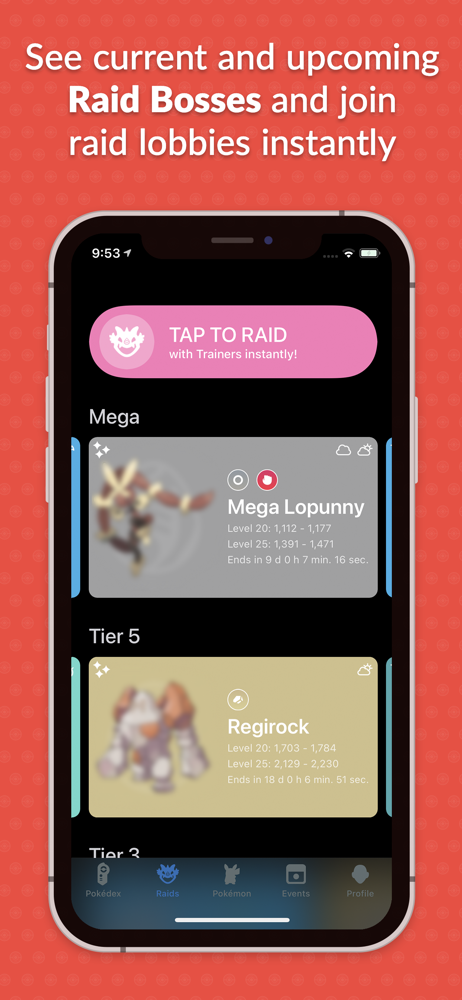
Download Pocketdex and join millions of Pokémon Trainers from around the world! Now includes widgets, live raids and events, top counters for raids, H...
| Name | Price | Type |
|---|---|---|
| Pocketdex Pro: Monthly | $1.99 | Monthly |
| Pocketdex Pro: Yearly | $6.99 | Yearly |
| Pocketdex Pro: Trial (Annual) | $9.49 | Yearly |
| Pocketdex Pro: Yearly | $9.99 | Yearly |
| Pocketdex Pro | $17.99 | One-time |