
Check the acquisition promise
Read the store headline, screenshots and description. What problem is the app promising to solve?
Study the storefront ↗
Connected Consumer Fuel LLC · iOS
Explore the ad evidence, study the storefront, and build your next acquisition hypothesis.
01 / Creative research
Read the store headline, screenshots and description. What problem is the app promising to solve?
Study the storefront ↗Explore apps with direct store-link matches. Compare their hooks and formats without assuming the same approach works here.
Browse observed advertisers ↗Store rankings and revenue estimates describe market context. They do not establish ad spend, conversions or ROAS.
Review the market context ↗02 / Storefront & product
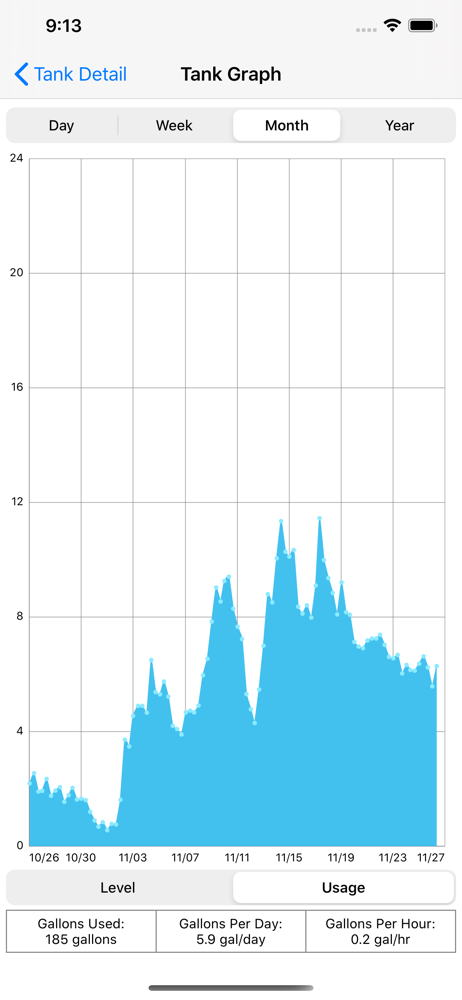
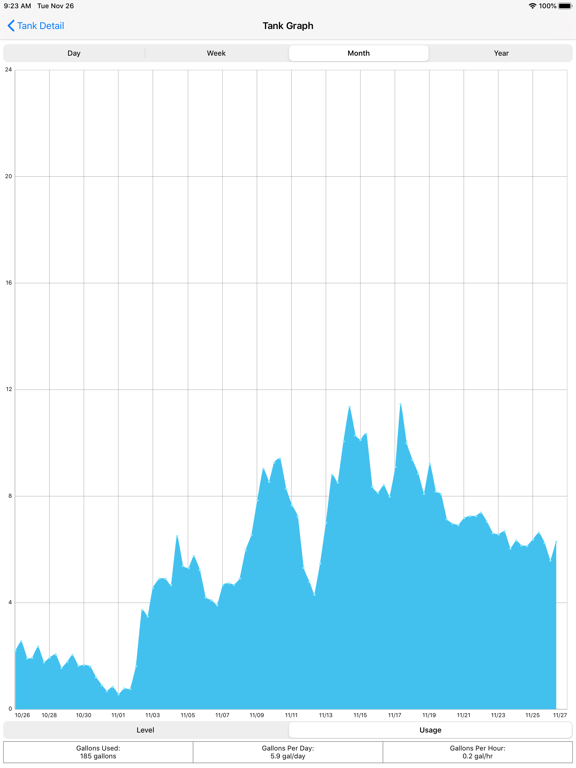
Study the product story and store experience behind the acquisition funnel.




03 / Market context
Keep revenue, downloads and store rankings separate from advertising performance.
First, I love this product, being blind it gives me a way to keep track of the oil level of the tank. Second, it also keeps track of the battery level so when the battery level is low, you know it's time to replace the batteries. One thing I wish they would update on the app is the login, would be nice to be able to just use facial recognition, or touch ID to get into the app quickly instead of going into passwords, verifying and then tapping on the proper password for the app login would be nice if we could get that everything in place just needs to be done. Otherwise, thank you for this product. Makes my life a whole lot simpler and a whole lot more stress-free.
While I agree with other reviewers who want more flexibility in display graph info, that’s a first-world problem. And it doesn’t detract from the fundamental fact that this is one helluva good idea. I wish there were more connected sensors like this available. I’d instrument everything in my home! Two cautions: first DO NOT put this device on your “real” WiFi network. Get two old routers and connect them with your current router in a “Y” configuration. Then add this to your designated IOT router. Who knows the vulnerabilities that might be in the (unidentified) WIFi chip the developer used. There’s no doc on the site and it’s unlikely that firmware will ever be updated on the device. I don’t want my oil gauge to be a back door into my network. Second, the developer uses WordPress for the site and user management. This is insecure. Be sure to associate the gauge with a dedicated email address.
So I was so excited to get this. But after a couple days of use there some major drawbacks. The device itself has not refreshed once without me having to tap the button for half a second located on the sensor itself. I have waited a full 24 hours with no refresh. The refresh button in the app is more of a placebo. It doesn’t refresh the information or seem to send a signal to the unit asking it to run the sensor. So you only get the update your sensor has refreshed at the interval set. As for the graphs and usage there’s no ability to zoom in nor does it have a summary of total usage. You have to tap your finger in one area and hope that’s where you want the line to be for that part of the usage. This gives you in very small print your usage numerical value. There is also no ability to delete the device and add it again in case you are having trouble and troubleshooting. In configuration You can change the intervals of how often it takes a reading, but it doesn’t seem to have any effect. I have not gotten a single refresh signal from the device after 3 days of use. I really like this concept and design and am hoping for improvements. Hopefully this review acts as a a way to make future updates.
The Smart Oil Gauge iOS App allows our users to check their fuel oil levels and usage patterns quickly and easily from their iPhone or iPad. Users can...