
Check the acquisition promise
Read the store headline, screenshots and description. What problem is the app promising to solve?
Study the storefront ↗
Infinite State Machine Inc. · iOS
Explore the ad evidence, study the storefront, and build your next acquisition hypothesis.
01 / Creative research
Read the store headline, screenshots and description. What problem is the app promising to solve?
Study the storefront ↗Explore apps with direct store-link matches. Compare their hooks and formats without assuming the same approach works here.
Browse observed advertisers ↗Store rankings and revenue estimates describe market context. They do not establish ad spend, conversions or ROAS.
Review the market context ↗02 / Storefront & product
Study the product story and store experience behind the acquisition funnel.
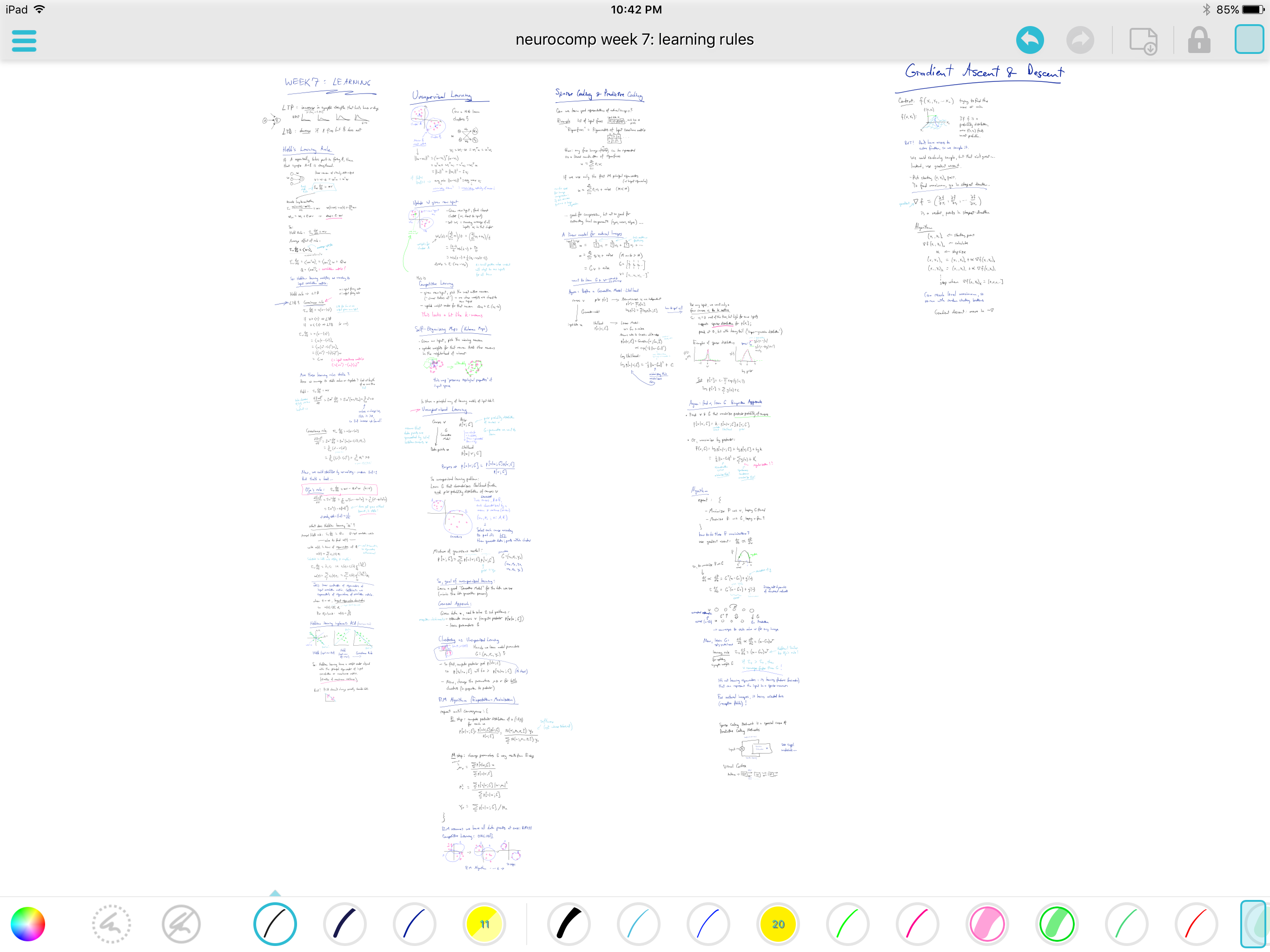

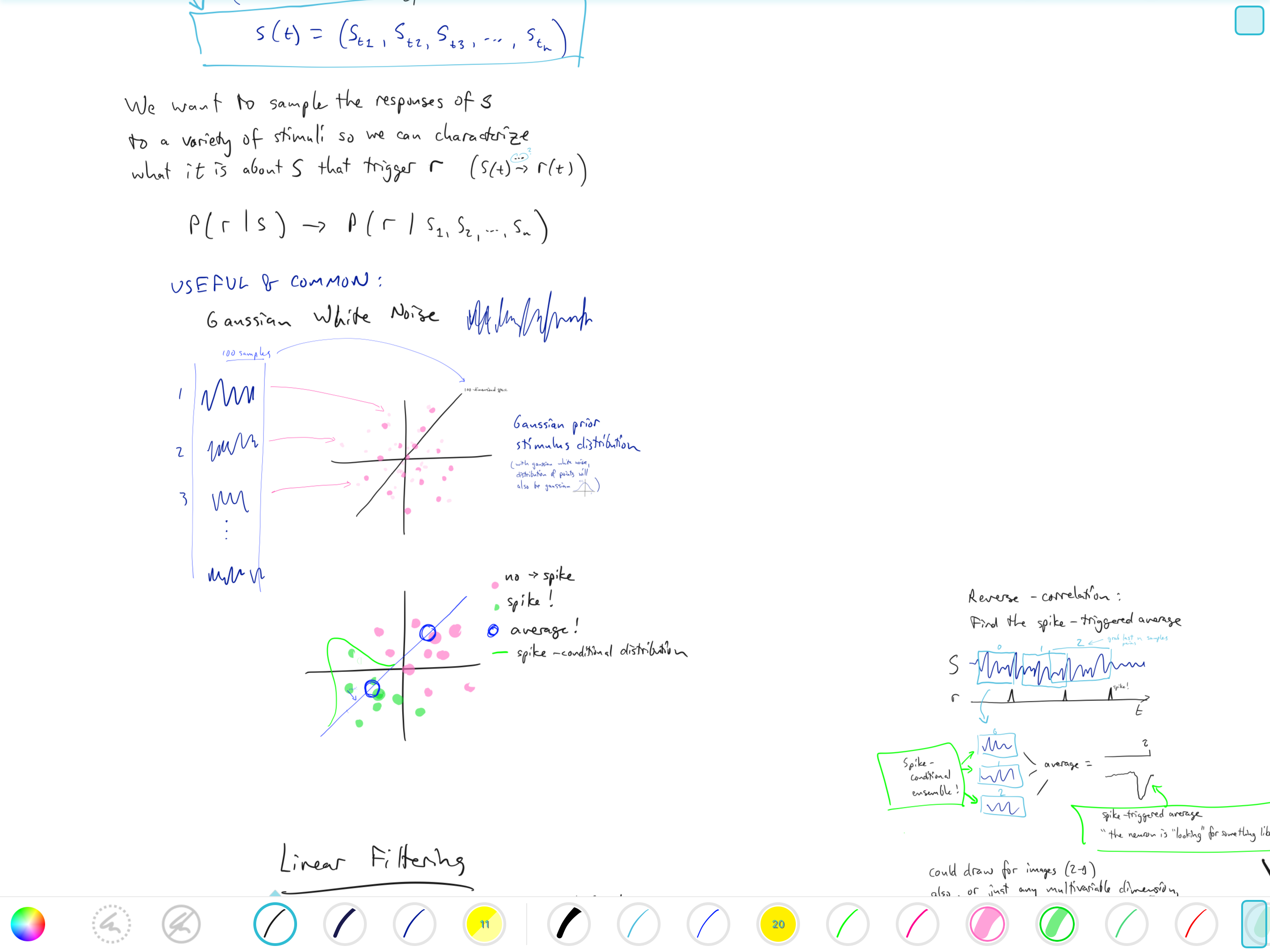
03 / Market context
Keep revenue, downloads and store rankings separate from advertising performance.
This seemed like a great app purchase, but unfortunately the app itself is a exercise in frustration. While an infinitely scalable sketch pad is an amazing concept— one I desperately need for my iPad Pro— this app misses the mark in several ways. First, it ditches the intuitive control and ease of the Apple Pencil for its own drawing UI and response curve. Second, the scaling is maddeningly frustrating as line thickness is impossible to keep consistent as one must invariably zoom when scrolling around the document. (A Zoom Lock feature would seem like a no brainer) What is more, settings such as line thickness and color are basically random as to whether they will stay applied one you select them. I often found myself switching without warning from a blue line to a green line and back without any logical reason. Third, the individual controls lack harmonious integration with Apple simplicity; while other apps allow for a simple tap on/tap off of individual tools, this app leaves a tools always on unless you specifically select a different tool (and even then that no guarantee the switch will take). Add to all this the lack of an easily accessible user guide, a lack of a straight edge (seriously?) and a steep learning curve I cannot in god conscience recommend this app to anyone. A frustrating waste of $3.
Love the potential of this app, and I voted with my wallet. But the one finger touch option has made it impossible to use this app at full capacity. Whenever I write something, the slightest touch on my palm either writes, erases, or moves the canvas. Please add the function to disable “one finger touch” all together. Until that option is added, this app will not be able to join on my creative journey. Thanks for hearing me out.
App is amazing. It is straight forward and easy to use. Love the infinite canvas as that is what i was looking for. I found a few other apps that have infinite canvas but they all lack ease of use and simple tasks that are imperative for taking notes. So far great app. SIDE NOTE: I am having an issue with a bug. For some strange reason sometimes the notes shift slightly and what was once fully highlighted in a certain color or pointed to with a line for a label tends to be offset. So in other words something is causing notes/coloring/labels to shift just slightly. This can be annoying and can cause issues especially with labeling and highlighting. Can the developer take a look? From what I can tell, it happens when i reopen notes after some time. I do move the screen a lot using my fingers but apparently haven’t been able to pinpoint it. Please do check this out. Side question: Are notes being backed up or saved anywhere? And if so how can I check? I have set up iCloud with my notability but I don’t know if its also working with this app. Can someone get back to me about these two things b/c I don’t want to loose all my data.
Take notes and draw on an infinite* canvas! Stretchpaper is a new way to take notes, make diagrams, and show your artistic talent. With an infinite c...