Check the acquisition promise
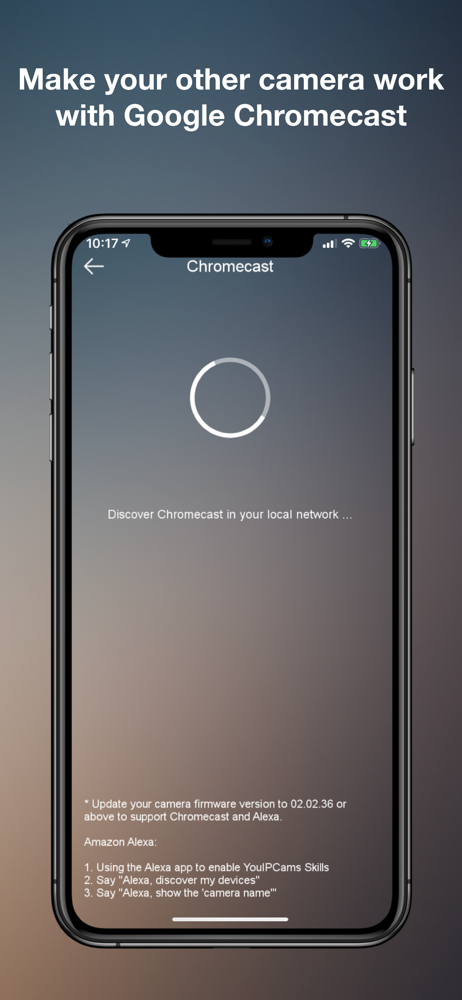
Read the store headline, screenshots and description. What problem is the app promising to solve?
Study the storefront ↗
Absolute Mobile Pty. Ltd. · iOS
Explore the ad evidence, study the storefront, and build your next acquisition hypothesis.
01 / Creative research
Read the store headline, screenshots and description. What problem is the app promising to solve?
Study the storefront ↗Explore apps with direct store-link matches. Compare their hooks and formats without assuming the same approach works here.
Browse observed advertisers ↗Store rankings and revenue estimates describe market context. They do not establish ad spend, conversions or ROAS.
Review the market context ↗02 / Storefront & product
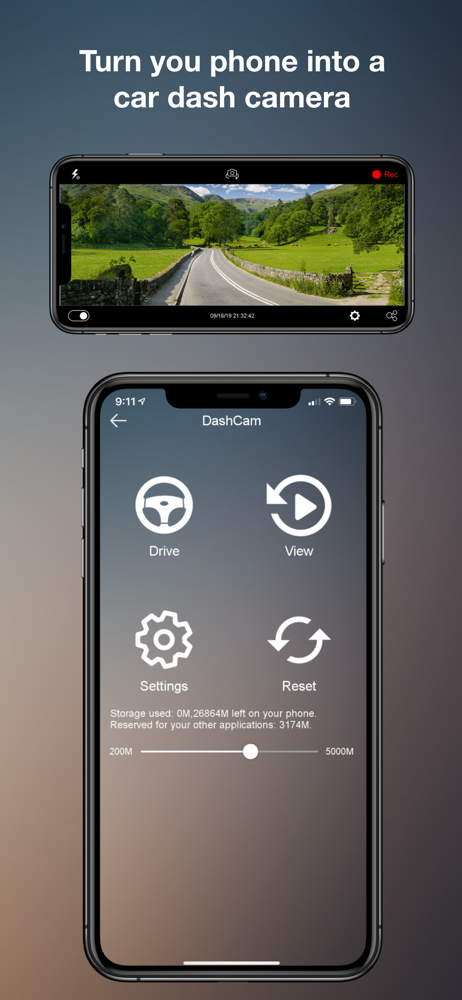
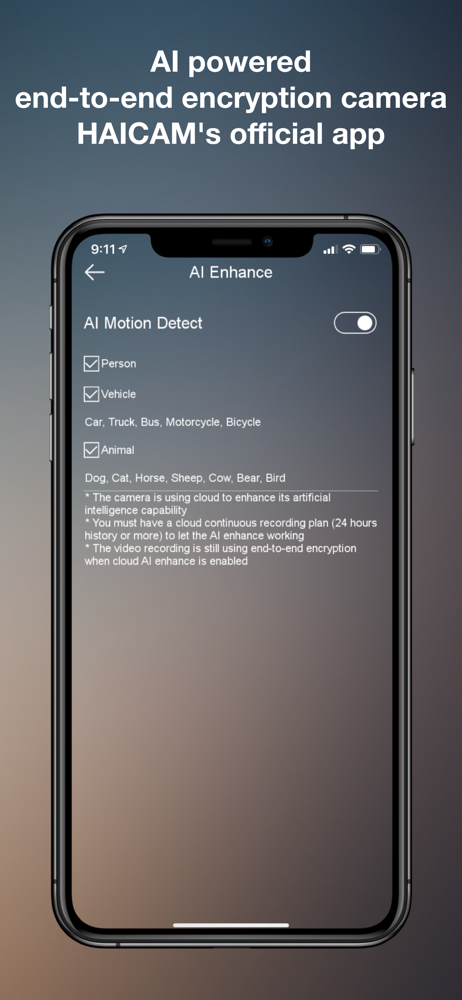
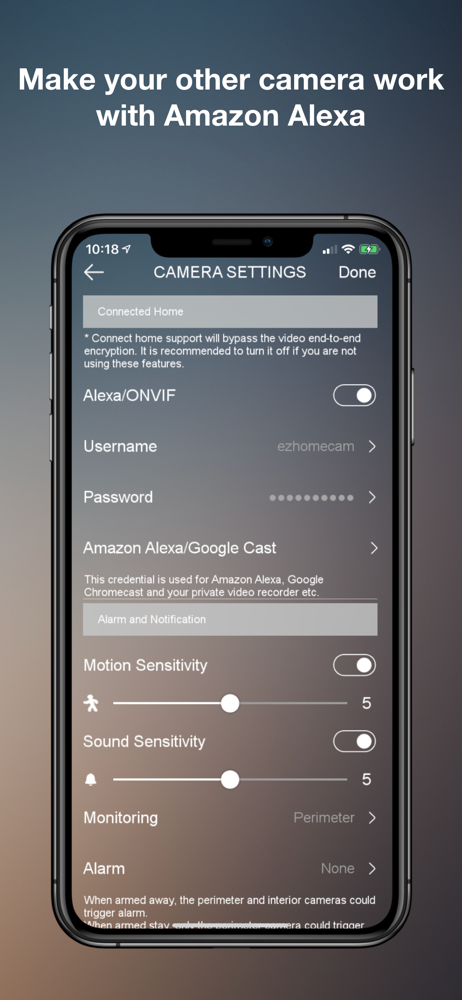
Study the product story and store experience behind the acquisition funnel.



03 / Market context
Keep revenue, downloads and store rankings separate from advertising performance.
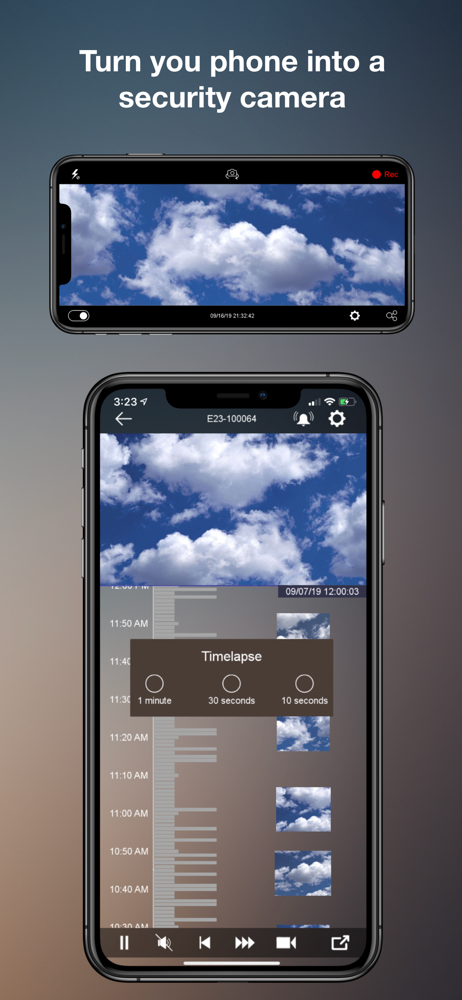
Hello all, I figured it was time to finally write my review. I’ve waited a year to write this review. I feel that I should share my experience with everyone. I have (3) Haicam e23 cameras that I keep indoors. I’ve chosen to store all of my recordings locally on a micro SD card. Because of this, my experience with the Haicam cloud storage option is non-existent. This is my only mention of the cloud storage from here on out. For the better part of a year, I feel that the app struggled with playing back my recordings. I would attempt to review my recordings by scrolling through the timeline feature. I would also attempt to review my recordings through the calendar feature. Both options would always display a “standby” message on my screen. I legitimately waited for 10 mins once and got no where. Eventually I just gave up on the cameras ever being able to play back my recordings. Then one day I decided I should reach out to the company. I’ve reached out previously for an issue with one of my cameras. Taking into consideration that they’re in Australia, I knew it would take a day to get a response. After waiting a day, the company responded and helped me out. Going off my positive experience with them, I figured I’d reach out about the playback issue. I reached out, spoke about my issues, and asked for their advice. I was given a couple of reasons why I was maybe experiencing my issue. I explored them but none seem to solve the playback issue. Then finally it hit me. There has to be an issue with my micro SD cards. I messaged back and asked for their recommendations on micro SD cards. I explained to them which ones I had (2 Lexar 128 GB and 1 SanDisk 128 GB) and if there are ones better than others for their cameras. The company essentially responded back by saying all micro SD cards work for their cameras. I disagreed with their reply. I started to do my own research online and found a ton of articles (wish I had done this prior to buying the previously mentioned micro SD cards). I’m not big on tech. I literally went to an office supply store and bought three micro SD cards. My online research taught me there are micro SD cards made for data such as documents, photos, programs, and small videos. Then there are ones that are meant for larger video files, continuous recording (as is the case for all of my cameras), etc. I came across a page that recommended the Samsung pro endurance micro SD card. The read and write speeds (very important for surveillance cameras) for this particular micro SD meets the demands for surveillance cameras. Whereas the other micro SD cards I had did not meet those demands. After replacing my micro SD cards with the Samsung pro endurance micro SD cards, my playback feature actually works! I’ve been using them for 3-4 months now with no issues. Therefore, the software is great with the correct tools (micro SD cards meant for surveillance cameras).
According to their app it should work with my phone. I’ve contacted support and they just tell me to upgrade to the next iOS It’s been several days and no response. I should just throw away their camera and stay with my Blink camera system. At least it works.
Wish you would have the option to be able to select the date and time instead of having to scroll through the timeline!
We offer free 1 year (24 hours video history) cloud continuous recording for phone as IP camera OR free 1 year (4 hours video history) cloud continuou...
| Name | Price | Type |
|---|---|---|
| 24 Hours Cloud Storage (Weekly) | $0.99 | Weekly |
| 24 Hours Cloud Storage (Weekly) | $0.99 | Weekly |
| 24 Hours Cloud Storage (Weekly) | $0.99 | Weekly |
| 24 Hours Cloud Storage (Weekly) | $0.99 | Weekly |
| 72 Hours Cloud Storage (Weekly) | $1.99 | Weekly |
| 72 Hours Cloud Storage (Weekly) | $1.99 | Weekly |
| 10 Days Cloud Storage | $3.49 | Weekly |
| 10 Days Cloud Storage | $3.49 | Weekly |
| 30 Days Cloud Storage | $6.99 | Weekly |
| 30 Days Cloud Storage | $6.99 | Weekly |