Check the acquisition promise
Read the store headline, screenshots and description. What problem is the app promising to solve?
Study the storefront ↗
N Thorn · iOS
Explore the ad evidence, study the storefront, and build your next acquisition hypothesis.
01 / Creative research
Read the store headline, screenshots and description. What problem is the app promising to solve?
Study the storefront ↗Explore apps with direct store-link matches. Compare their hooks and formats without assuming the same approach works here.
Browse observed advertisers ↗Store rankings and revenue estimates describe market context. They do not establish ad spend, conversions or ROAS.
Review the market context ↗02 / Storefront & product
Study the product story and store experience behind the acquisition funnel.

03 / Market context
Keep revenue, downloads and store rankings separate from advertising performance.
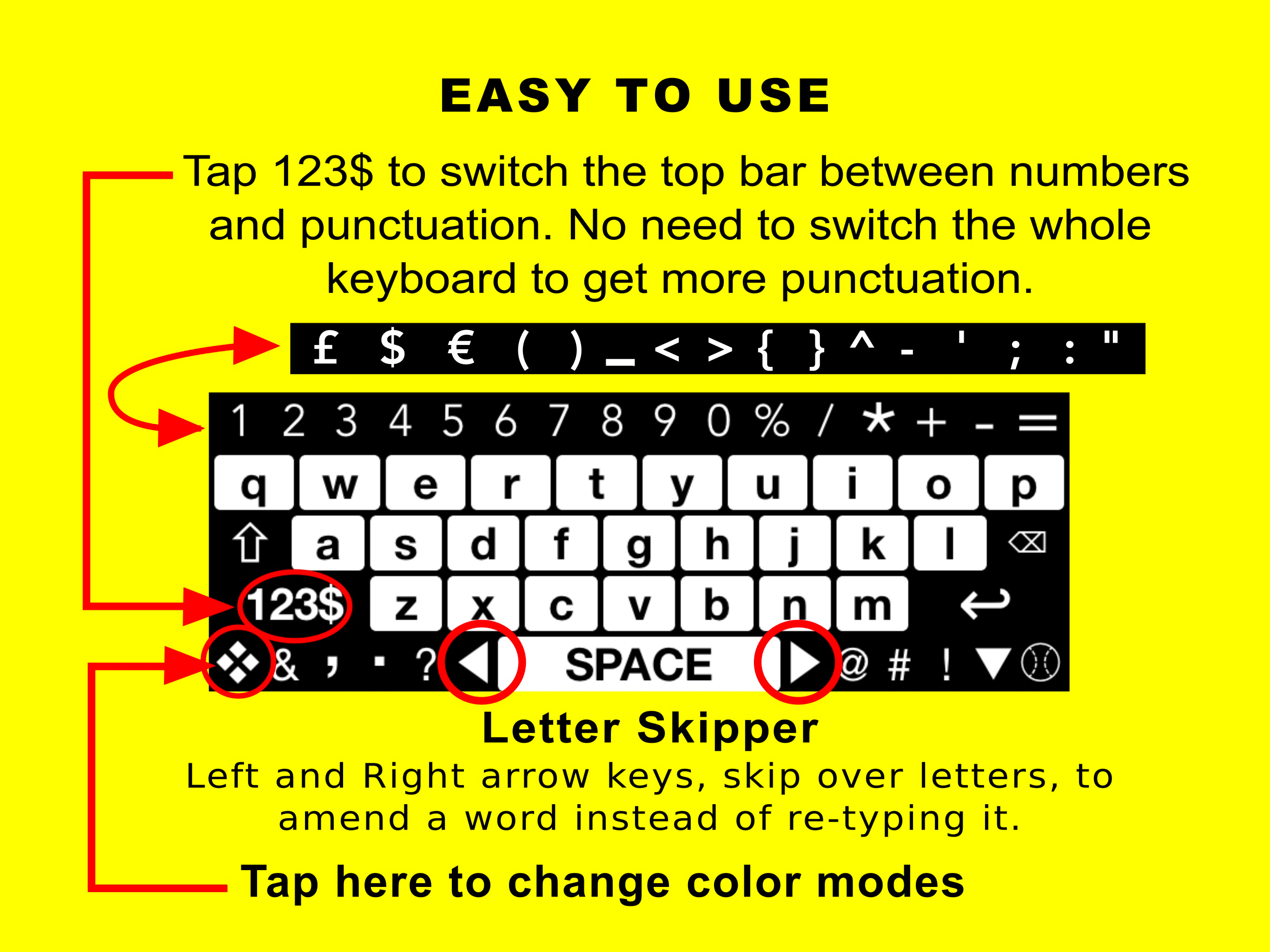
Good replacement key board for low vision people. Developers choice of placement of toggle key back to standard keyboard is better than the default. I am not a low vision person but wife who is and is pleased with this app. As expected (Apple restriction?) the space bar trackpad feature doesn’t work. BUT has curser key on each side of space bar!
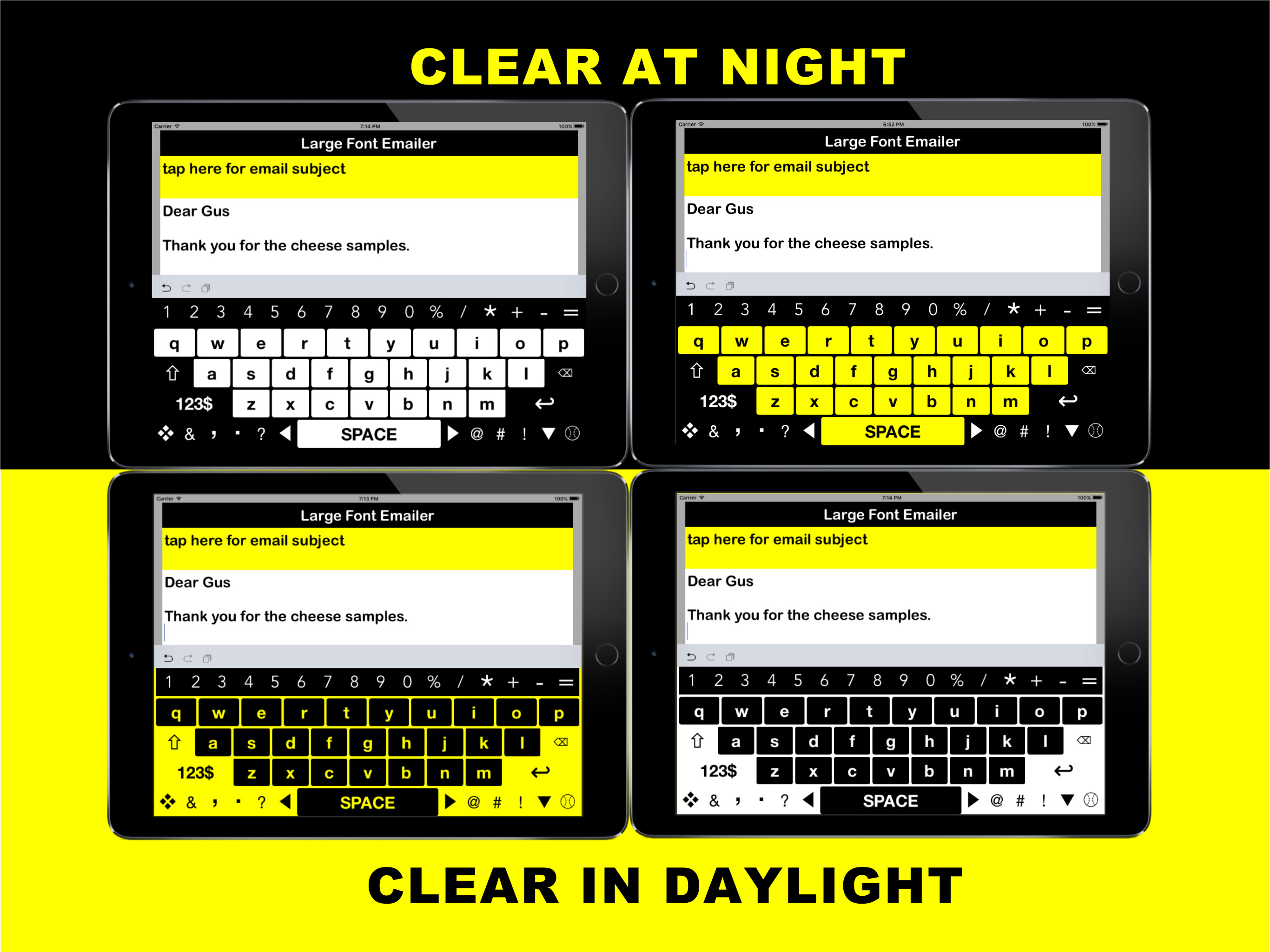
tis is a great keyboard in your next update could you add some different key colors Multiple colors like red and green and dark pink. And red orange colors against white Or black. It would be most appreciated.
My previous issue of the keyboard covering the screen has been resolved. The change with the colors while using smart invert is also nice, thanks I use this 99% of the time. The only thing I find, maybe I missed a setting or something, is autocapitalize and shortcuts is not working. Maybe those only work with the IOS keyboard? Anyway, great job, I love it.
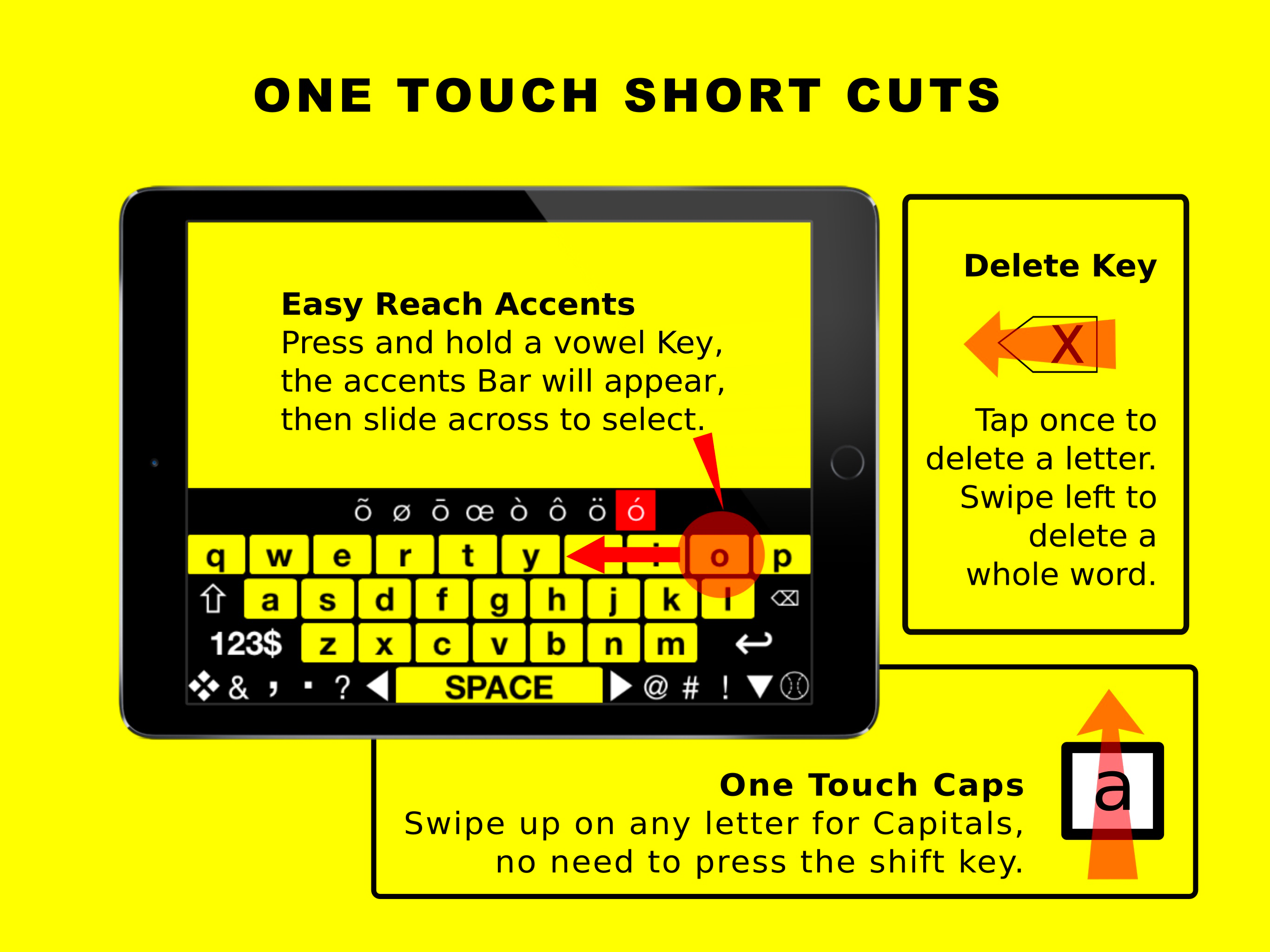
Large Print Keyboard for Low Vision and Low Dexterity iPad users. A Visual Impairment Aid, Big Keyboard has Large Print Keys, designed for Low Vision...