
Check the acquisition promise
Read the store headline, screenshots and description. What problem is the app promising to solve?
Study the storefront ↗
Chiho Chun · iOS
Explore the ad evidence, study the storefront, and build your next acquisition hypothesis.
01 / Creative research
Read the store headline, screenshots and description. What problem is the app promising to solve?
Study the storefront ↗Explore apps with direct store-link matches. Compare their hooks and formats without assuming the same approach works here.
Browse observed advertisers ↗Store rankings and revenue estimates describe market context. They do not establish ad spend, conversions or ROAS.
Review the market context ↗02 / Storefront & product
Study the product story and store experience behind the acquisition funnel.


03 / Market context
Keep revenue, downloads and store rankings separate from advertising performance.
Ok so first of all do we like need to get a premium membership for this keyboard to work like I had it only for 2 weeks and then on monday it just stopped working so I deleted this app, until now because i thought maybe it would let me use the keyboard still and it thankfully did, bro whyyy like just why does it only work for 2 weeks and there no more like am I supposed to buy premium membership just to use this keyboard forever. Ughhh! Anyways just wanted to ask hope you respond Slyder btw I am using the keyboard rn, anyways, hopefully you read ALL of this! Ty!
This is not actually a review. I have a tech-support problem. But the only way to contact tech-support is through Facebook and I refuse to join social media just so that I can email the developer so I’ll put my problem out here. Hopefully they will read it. Auto capitalization of the first word in a sentence does not function properly when using dictation in iOS 16. Every time I try to dictate, the first word does have a capital letter until the microphone deactivates then it turns to a lowercase letter and I have to go back and change it manually. I’m using an iPhone 13 pro max with iOS 16.0 software.
Just like everyone else is saying, it needs autocorrect and predictive text. The thing is... this would be the PERFECT keyboard for IOS in my opinion if it had those features. I feel the developer really knows what people (or me at least) want in a keyboard and I think he knows that the lack of autocorrect and predictive text is hurting downloads. From what I understand, developing those features is very difficult. Easily a five star review if it had those features. I've tried every other keyboard for IOS that a search in the app store would pull up. None come close to this one. Apple should just buy this keyboard from the developer (if he would sell) and use it for the default IOS keyboard.
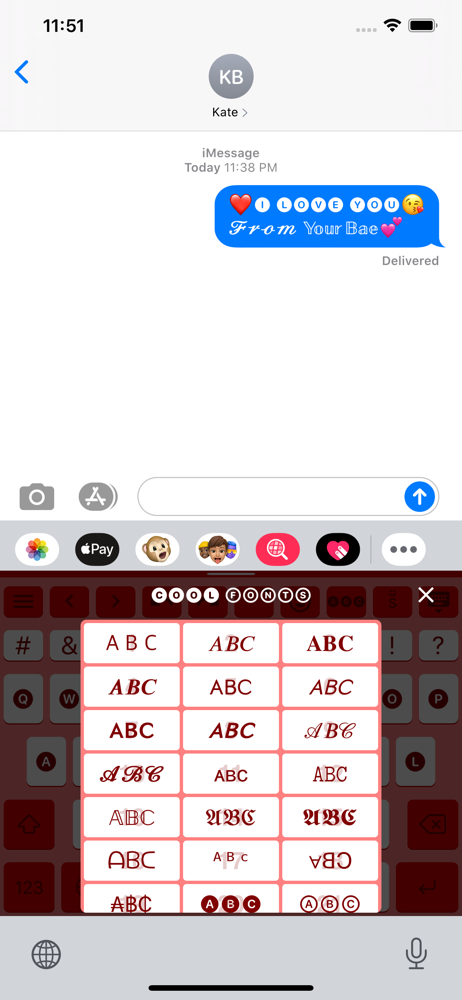
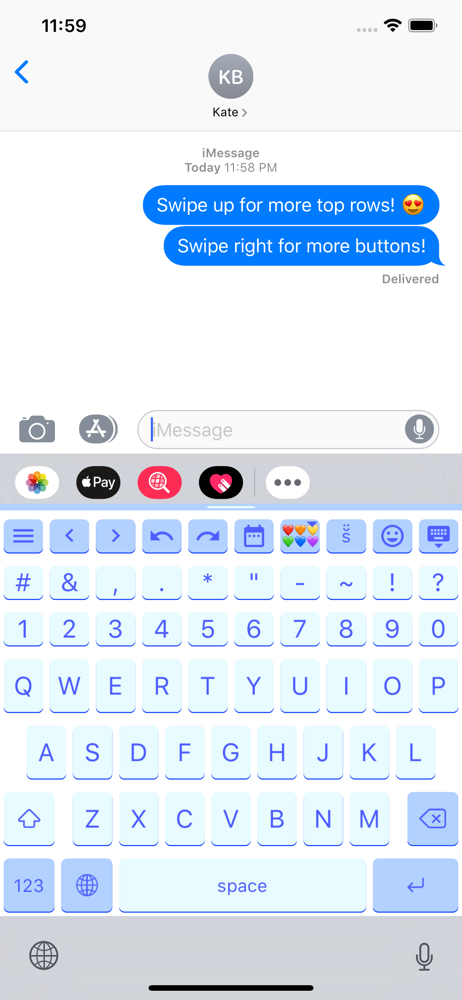
Slyder is a lightweight keyboard with lots of cool & useful gestures and features that will save your life! Here are the Key features! - Languages: E...
| Name | Price | Type |
|---|---|---|
| Plus (Monthly) | $0.99 | Monthly |
| Support $0.99 | $0.99 | One-time |
| Support $1.99 | $1.99 | One-time |
| Support $2.99 | $2.99 | One-time |
| Premium (Weekly) | $3.99 | Weekly |
| Support $4.99 | $4.99 | One-time |
| Plus (Annual) | $7.99 | Yearly |
| Premium (Monthly) | $9.99 | Monthly |
| Support $9.99 | $9.99 | One-time |
| Premium (Annual) | $59.99 | Yearly |


