Check the acquisition promise
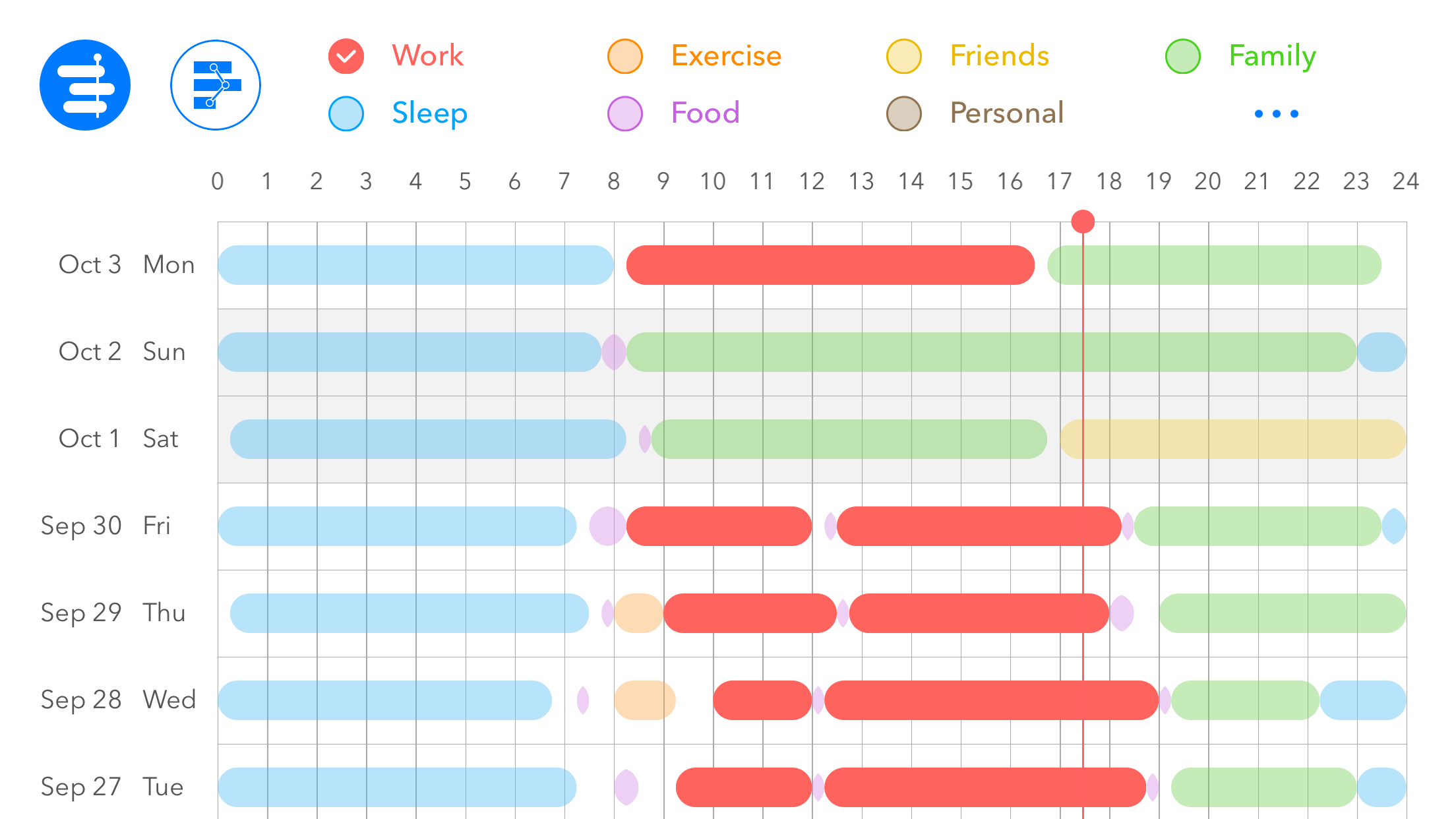
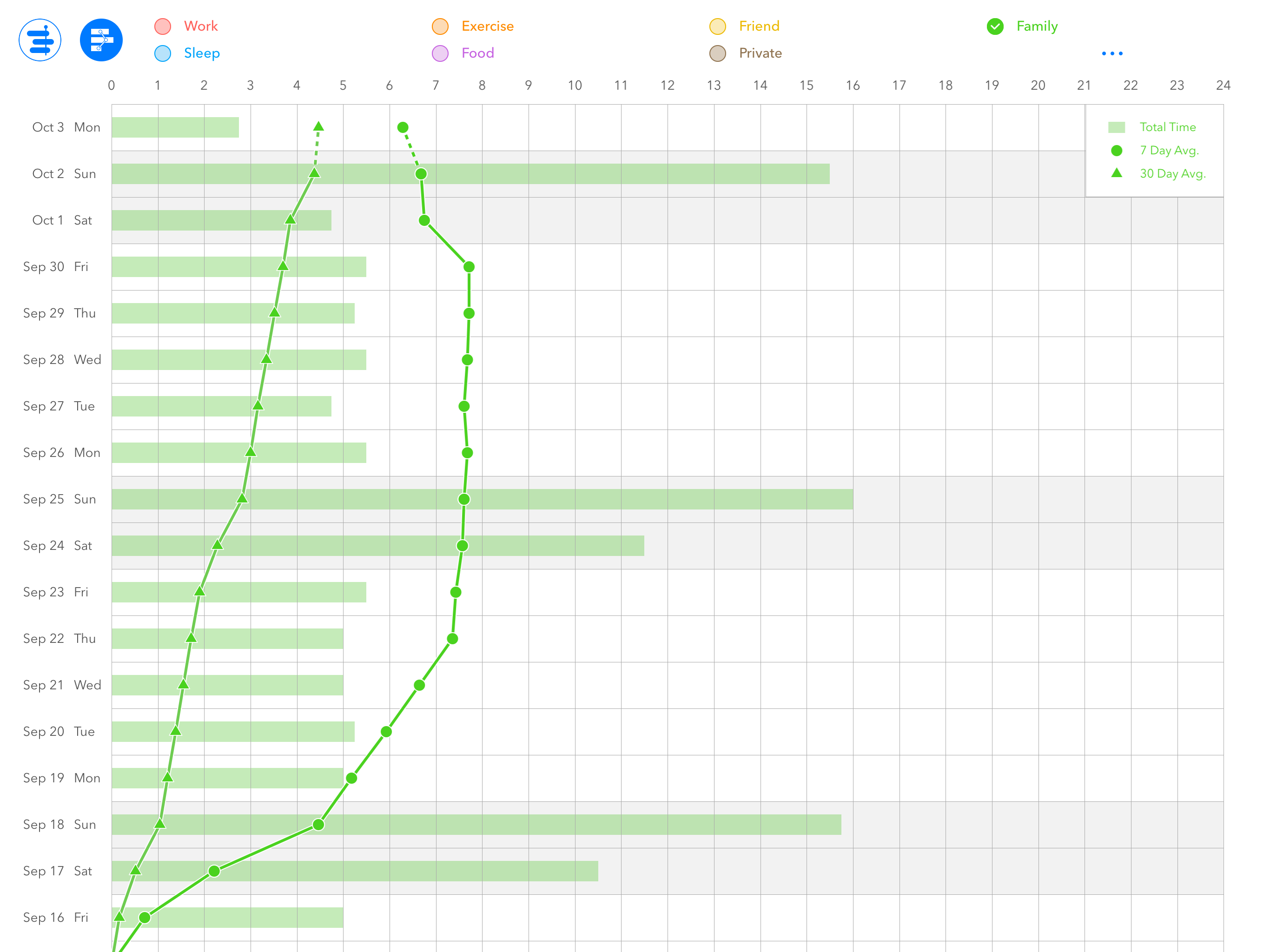
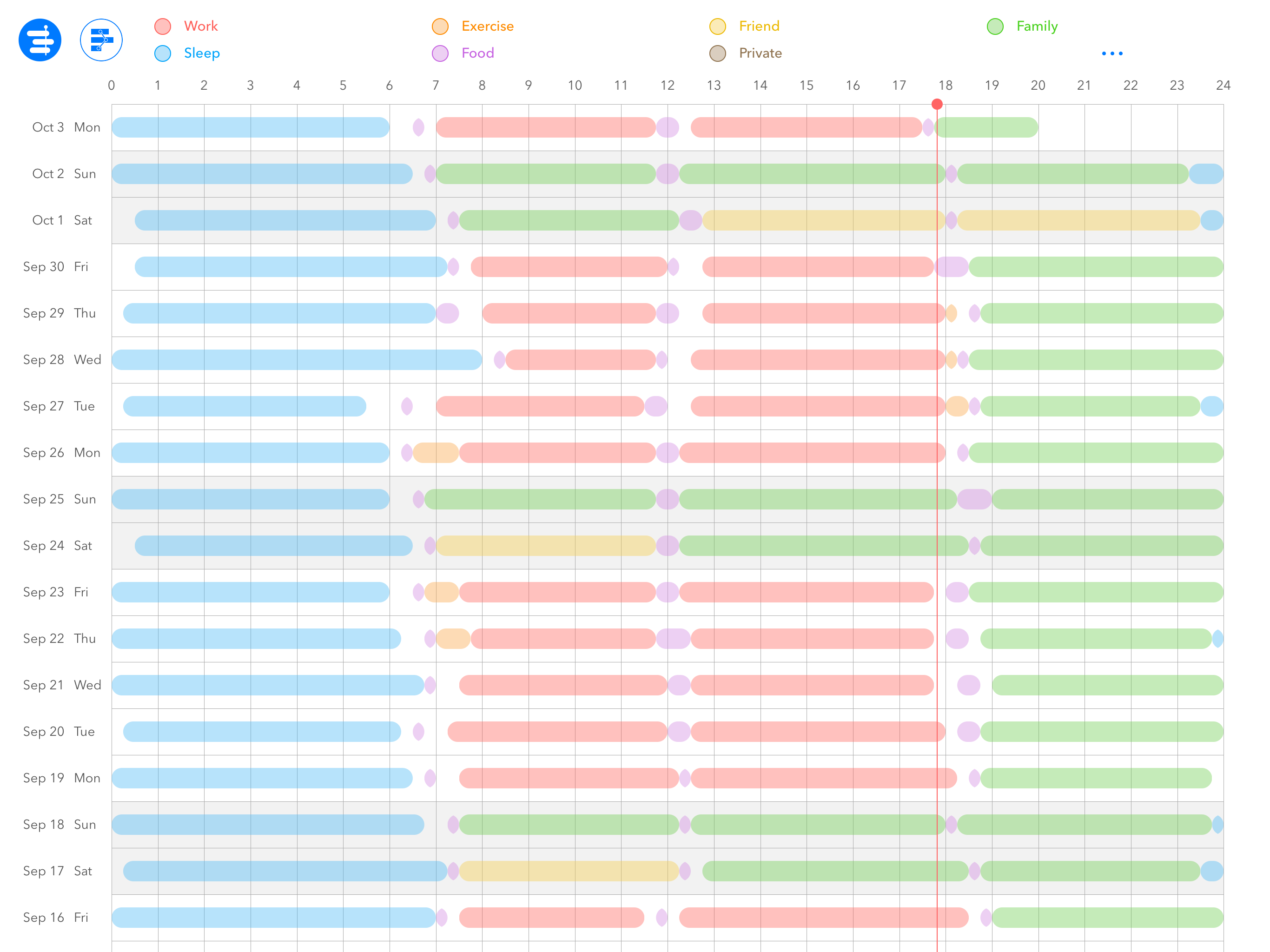
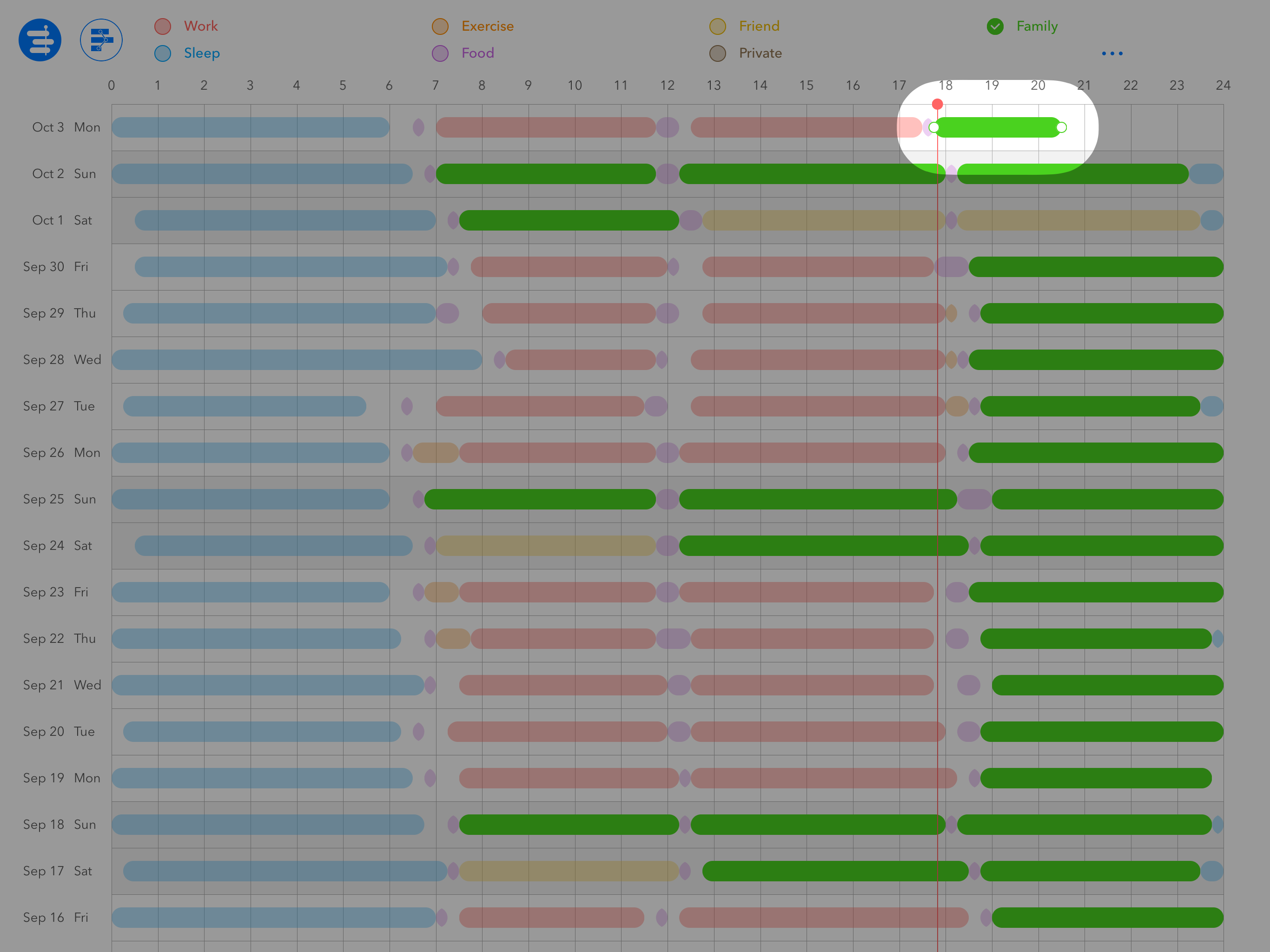
Read the store headline, screenshots and description. What problem is the app promising to solve?
Study the storefront ↗
Picup Inc. · iOS
Explore the ad evidence, study the storefront, and build your next acquisition hypothesis.
01 / Creative research
Read the store headline, screenshots and description. What problem is the app promising to solve?
Study the storefront ↗Explore apps with direct store-link matches. Compare their hooks and formats without assuming the same approach works here.
Browse observed advertisers ↗Store rankings and revenue estimates describe market context. They do not establish ad spend, conversions or ROAS.
Review the market context ↗02 / Storefront & product
Study the product story and store experience behind the acquisition funnel.



03 / Market context
Keep revenue, downloads and store rankings separate from advertising performance.
Ordinarily I don’t review apps unless I’ve had a chance to really use them, but this app forced selecting how many stars for review before proceeding, and before even getting a chance to even begin using it within a couple minutes of first launching. I tried hard quiting app and reopening, selecting other areas of screen, app became as far as ai could tell with many attempts non-functional without submitting a review. So my review is 1 star, being forced to review in order to use the app and the app becoming non-functional until reviewing is flat out unacceptable to me I don’t care how good the app is at it’s stated purpose. Looked like something useful to the way I want to visualize time but uninstalling over this.
I like the app that it’s simple and intuitive. It takes no time to learn. However, the simplicity of the app, on the other hand, cause a troublesome. You can’t change the color and you can’t add more categories to be tracked. It might works well for user who want to track less than seven activities. But for me, I find it’s too limited. Even for the discounted price of $1.99, sorry to say that I still feel it’s overpriced.
First, I have been trying out dozens of productivity apps over the last week or so, and this has the very best tutorial. It's not a video (thank you!), but it's graphic and you can go to the next part as quickly as you want. It's clear and easy to follow, which all bodes well for the app itself.
*** Limited Time Offer: 50%OFF *** *** No Ads *** Simple app for logging & analyzing work, sleep, exercise cycles. 1) Create log: Press & hold -> dr...
| Name | Price | Type |
|---|---|---|
| Generous Tip | $1.99 | One-time |
| Massive Tip | $2.99 | One-time |
| Amazing Tip | $4.99 | One-time |