Check the acquisition promise
Read the store headline, screenshots and description. What problem is the app promising to solve?
Study the storefront ↗
MULIAN LI · iOS
Explore the ad evidence, study the storefront, and build your next acquisition hypothesis.
01 / Creative research
Read the store headline, screenshots and description. What problem is the app promising to solve?
Study the storefront ↗Explore apps with direct store-link matches. Compare their hooks and formats without assuming the same approach works here.
Browse observed advertisers ↗Store rankings and revenue estimates describe market context. They do not establish ad spend, conversions or ROAS.
Review the market context ↗02 / Storefront & product
Study the product story and store experience behind the acquisition funnel.




03 / Market context
Keep revenue, downloads and store rankings separate from advertising performance.
I purchased everything this app had to offer in hopes of making some fun videos of my family and friends, but my money was wasted because every time I attempted to use what I’d purchased, the app would crash and lose the video. It randomly shuts down, glitches, and crashes for no reason. I was hoping to make a special montage for my mom (because her mother passed away recently) and this was the only free and seemingly easy app I could find. We had it all set up and I was happy to get it all finished for her, then it crashed. And on top of that, we’d already lost those videos from our camera roll. There was no way to get them back. So like I already stated, don’t bother with this trash.
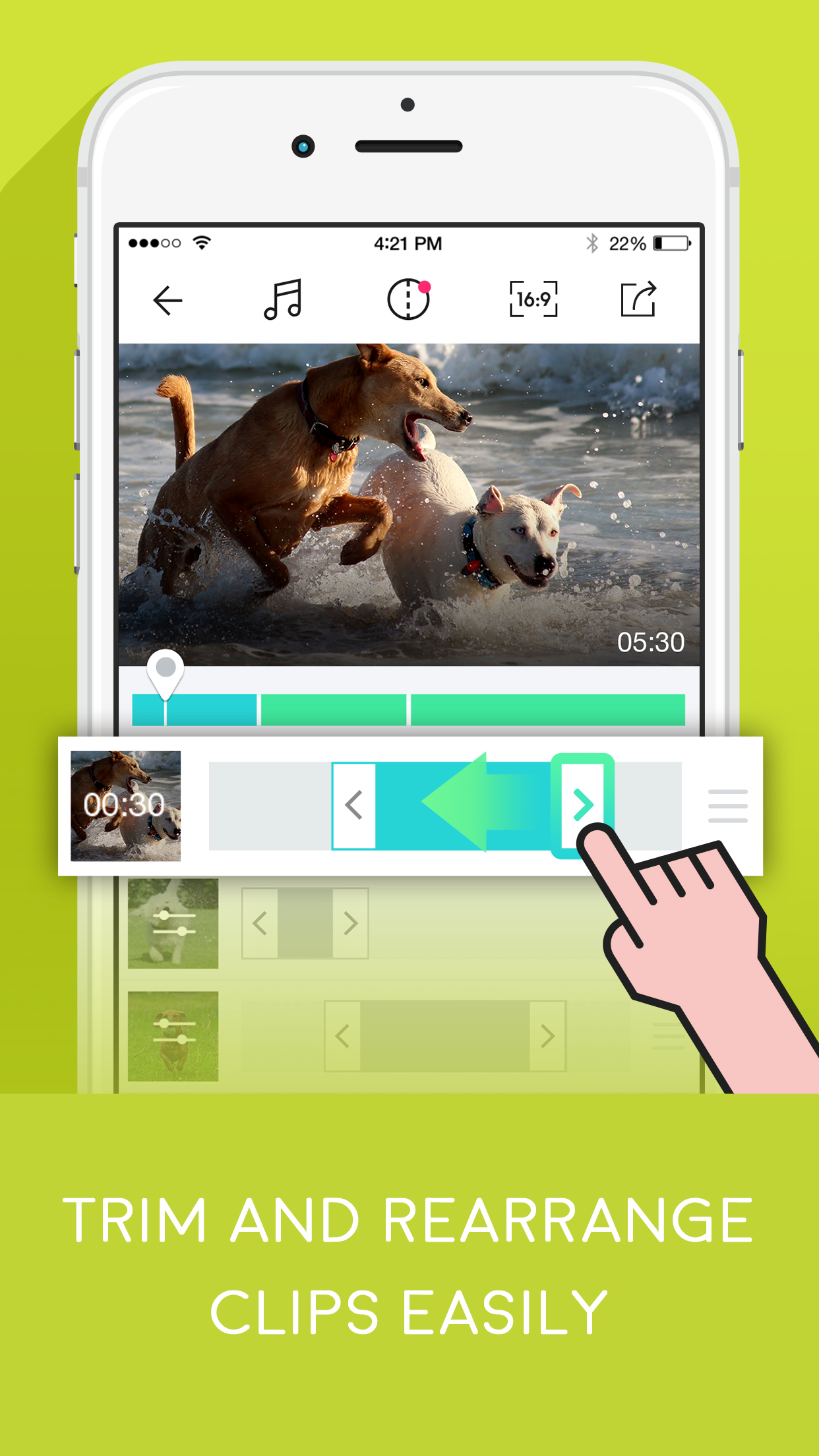
So I purchased the unlimited videos ads-on and then soon after accidentally deleted VidClips. When I realized it was gone I redownloaded the application. I finished up all the clips I had made (18) and I looked to see if there was a button that I could press to recover that purchase. When I realized there wasn’t one, my only choice left is to ether, purchase it again, or try and find another app that transitions clips so beautifully into a compilation (I’m serious, this app is beautiful when transitioning) (Please give feedback because this app is better than iMovie when transitioning clips) (thanks for reading this)
I've used this app for a while and it works great! It's super easy and simple, along with different sizing options, adding music, etc. the only issue I have with this app is you cannot add text. (From what I know. If you can add text for money, I wish it would be free.) I am not looking to spend iTunes for other options, but this app is great for easy clipping and combining.
VidClips - Based on your ideal story line, string your precious video clips, to create your unique video. An easy and fast editor-just pick several v...
| Name | Price | Type |
|---|---|---|
| Transition | $0.99 | One-time |
| Speed Adjustment | $1.99 | One-time |
| Remove Ads | $1.99 | One-time |
| Unlimited Videos | $2.99 | One-time |
| Upgrade to Pro | $4.99 | One-time |