Check the acquisition promise
Read the store headline, screenshots and description. What problem is the app promising to solve?
Study the storefront ↗
Hiroshi Kajihata · iOS
Explore the ad evidence, study the storefront, and build your next acquisition hypothesis.
01 / Creative research
Read the store headline, screenshots and description. What problem is the app promising to solve?
Study the storefront ↗Explore apps with direct store-link matches. Compare their hooks and formats without assuming the same approach works here.
Browse observed advertisers ↗Store rankings and revenue estimates describe market context. They do not establish ad spend, conversions or ROAS.
Review the market context ↗02 / Storefront & product
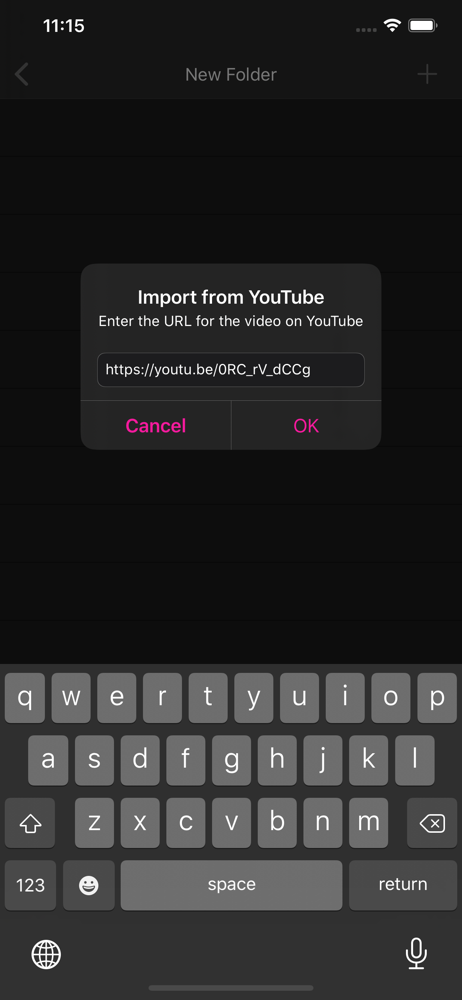
Study the product story and store experience behind the acquisition funnel.




03 / Market context
Keep revenue, downloads and store rankings separate from advertising performance.
Hello! I absolutely love the app that you’ve built. Thanks so much for the work you’ve put into it. I’m writing to report a bug ! There’s also a temporary fix for users who are having trouble switching between sections when the “loop one” button is pressed. I’m using a video that I’ve loaded from my local folders , it’s one that I recorded on my phone. I’m also using an iPhone 12 pro. iOS 18.7.1 The bug is related to playback when looping a single section of a video. I’m experiencing a problem where if the ‘loop one button’ is pressed, it will not switch between sections of the song. If I disable the ‘loop one button’ and tell it to play the entire song through, then it will successfully switch sections and then I can reenable the ‘loop one button’ once inside the new section. It would be really nice to fix this bug because it would make it 1 click to switch between sections that loop instead of 4 clicks. It also took me some time to understand the problem and I thought that the app just wasn’t working properly. I took a screen capture video to show you the problem and sent that to the apps Facebook account on messenger. You will notice that even when the “loop one button” is pressed, this song continues to play through the end of that section. Which is unexpected behavior.
This app is perfect for practicing with video clips. You can easily make sections that repeat. And playback at slower speeds. There was a bug that made speed changes not work for video. I reported it to the developer who responded back to my email within hours. He fixed the bug and the changes happened only days later after the Apple update process. Great support!
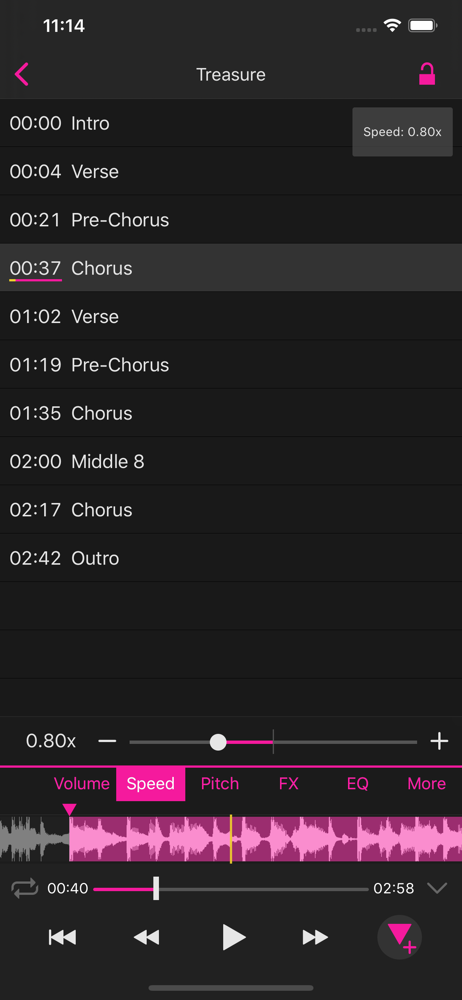
The developer has really improved this app exponentially. Highly functional and intuitive, with an A-B looper, pitch shifter, playback speed controls and audio effects. Stores multiple sections for Learning songs. You can edit the name of each section for better organization. Lock and unlock the sections with the click of a button. View the video in either full screen or split screen with the audio waveform section. While I haven’t been able to do a search scrub (moving the video manually along with accompanying audio), but that’s not really necessary as the visual audio waveform makes it easy to find where you are. Best app I’ve found for this. Highly recommended, and kudos to the developer. This is a MUST-HAVE app for musicians!
PlaySections is an audio/video player that allows you to freely set marks and play back specific sections of your audio/video files. For example, whil...