
Check the acquisition promise
Read the store headline, screenshots and description. What problem is the app promising to solve?
Study the storefront ↗
Alexander Davidson · iOS
Explore the ad evidence, study the storefront, and build your next acquisition hypothesis.
01 / Creative research
Read the store headline, screenshots and description. What problem is the app promising to solve?
Study the storefront ↗Explore apps with direct store-link matches. Compare their hooks and formats without assuming the same approach works here.
Browse observed advertisers ↗Store rankings and revenue estimates describe market context. They do not establish ad spend, conversions or ROAS.
Review the market context ↗02 / Storefront & product
Study the product story and store experience behind the acquisition funnel.




03 / Market context
Keep revenue, downloads and store rankings separate from advertising performance.
Today I spent a few hours reviewing writing apps for my Apple ipad. It was frustrating that everything I looked at first required a monthly or annual subscription. I am certain I am not the only person who would be willing to pay a reasonable amount for a simple writing app but absolutely refuse to subscribe to apps. Very often subscribing to apps is like getting the subscription to the gym that you never use, or subscribing to a streaming service you’ve stopped watching. In todays search I decided if a subscription was required I simply would not download any app. Even when I did a search for “free” apps once I looked at the details, it was free for 10 days or so and then you must subscribe. The MicroManiac apps required a lifetime subscription or you will loose the ability to even access the documents you already paid for the privilege of writing! Now the good news! So far I love the “MiniPad” writing app. In my first 7 hours of using this program I wrote an entire chapter for my new book! I love the simplicity of use. As an experienced writer I find formatting is a huge obstacle in the writing process. Personally I write my ideas out in very rough form on 5.5” X 8.5” pieces of paper and then type in my rough material. At these first two stages of writing I could care less about format and focus only on content. Is it possible to share these documents on two devices, like my iPhone and iPad? Thanks so much. Great app.
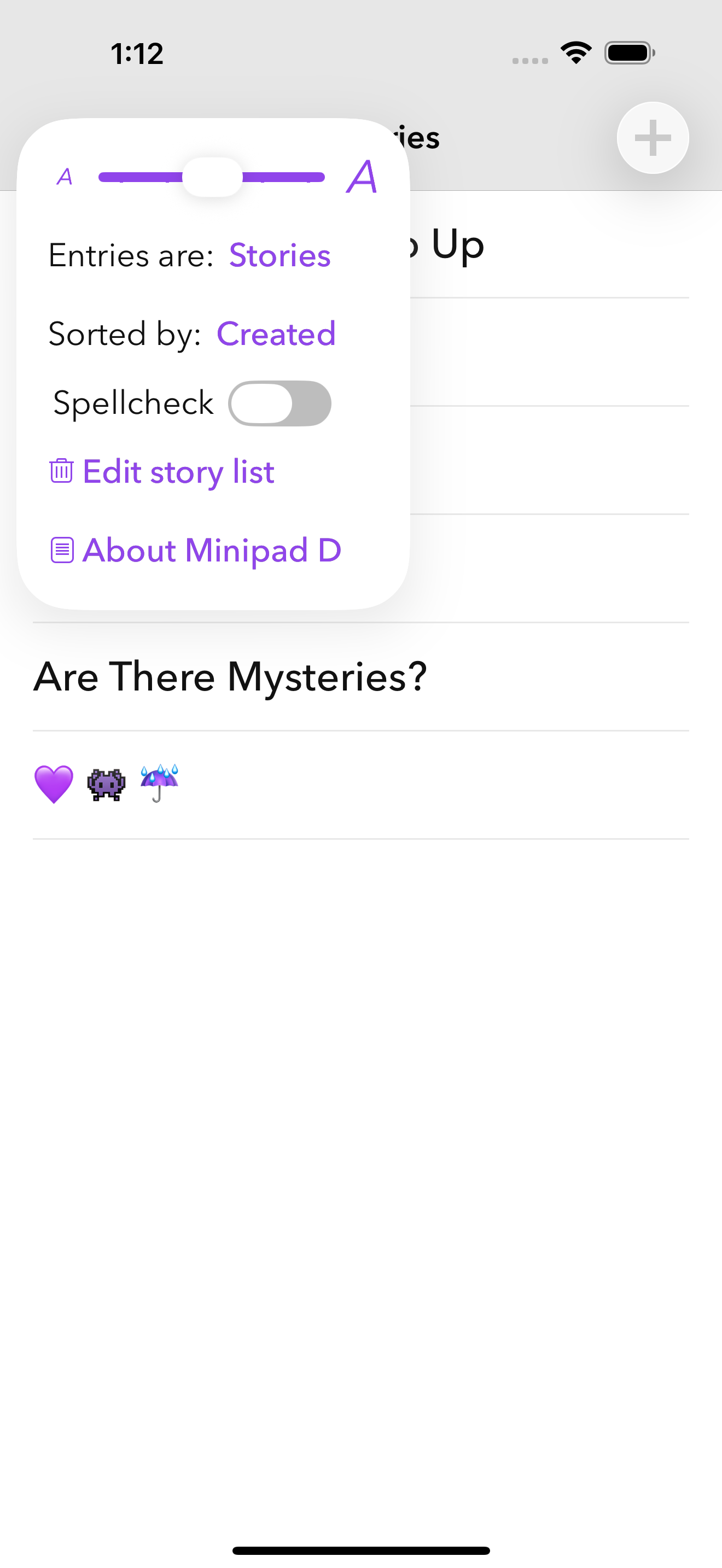
Ok, awesome app . Just a few flaws . 1. It’s a bit TO simple and no italics 2. You can’t put a big chunk of text in the middle or right of the screen OR make an indent , all they give you is the ability to spam a million spaces to get an indent or place text in a certain part of the screen . Other than these , this is a great app . P.S. there is a little nice thing that is somewhere in the settings . Also , big shout out to Alexander for making this awesome app . You can also use it for notes if preferred . Definitely would recommend for your child - it’s easy to use for most ages ! Get this for your child - or if you’re the person then get this rn!
I’ve been using this app for a while now, and it has been so helpful. I love the fact that it doesn’t correct my spelling of grammar in case I make up a word. I’m currently recreating a fiction series that I made up in third grade. It totally brings my story’s to life. When I use any other apps, it corrects my spelling which is always annoying because my stories have made up places that aren’t actually words and I have to go back and rewrite it. I also love that I can make multiple stories. It has expanded my creativity along with my motivation to keep writing. I’m very young and I still use without any problem (I’m only 10). Whenever I get blank-minded, this app motivates me to continue writing.I really hope you read this review and get this app immediately.
Made for people of all ages — and great for kids! — Minipad is a simple text editor for creating stories, editing notes, trying words and discovering...


