
Check the acquisition promise
Read the store headline, screenshots and description. What problem is the app promising to solve?
Study the storefront ↗
振宇 宿 · iOS
Explore the ad evidence, study the storefront, and build your next acquisition hypothesis.
01 / Creative research
Read the store headline, screenshots and description. What problem is the app promising to solve?
Study the storefront ↗Explore apps with direct store-link matches. Compare their hooks and formats without assuming the same approach works here.
Browse observed advertisers ↗Store rankings and revenue estimates describe market context. They do not establish ad spend, conversions or ROAS.
Review the market context ↗02 / Storefront & product
Study the product story and store experience behind the acquisition funnel.


03 / Market context
Keep revenue, downloads and store rankings separate from advertising performance.
一开始出了点问题,就是通过浏览器下载描述文件以后,在设置里查看时,那个描述文件闪了一下就消失了,我也不知道是闪退还是系统自动删除什么的。后来我和它拼手速,等在设置描述文件的地方,一下载就马上切过去,赶在描述文件消失时把它点开,这样终于成功添加了字体。。。。。。不过这样成功过一次后面的描述文件就不会消失了
装了几个字体后,再次安装时显示浏览器无法跳转,明明可以正常上网,是有什么bug吗,不过已经安装好的几个字体可以正常使用姑且还是先给四星,要是以后这个bug修复的话会改回五星
没赶上rightfont免费的时候只能随便找个顺眼的试试,没想到挺好用的啊!!!非常简洁!虽然本身没有字体需要去第三方下载,但是好看的字体不都是自己从网上挖掘来的嘛😎唯一的问题就是有时下载描述文件要先退掉后台重新进入,但是不影响使用啦~目前还没遇见闪退,非常棒!
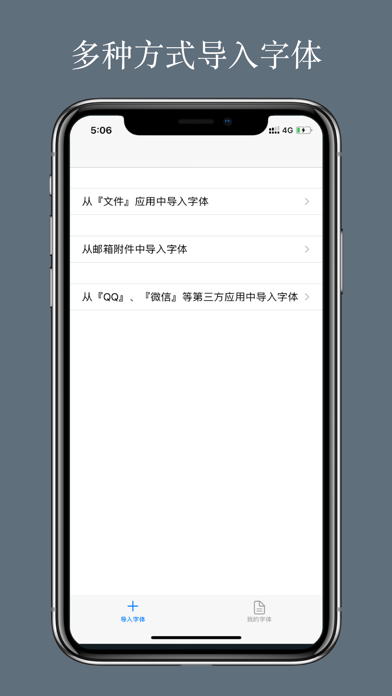
1. 有了 iFont,您就能在自己的 iPhone 或 iPad 上安装 TrueTypeFont(.ttf) 或 OpenTypeFont(.otf) 的任何字体了。 2. 您可以下列这些应用程序中使用安装的字体: * Microsoft 办公套件:Word、PowerPoint、Excel...


