Check the acquisition promise
Read the store headline, screenshots and description. What problem is the app promising to solve?
Study the storefront ↗
HomeSeer · iOS
Explore the ad evidence, study the storefront, and build your next acquisition hypothesis.
01 / Creative research
Read the store headline, screenshots and description. What problem is the app promising to solve?
Study the storefront ↗Explore apps with direct store-link matches. Compare their hooks and formats without assuming the same approach works here.
Browse observed advertisers ↗Store rankings and revenue estimates describe market context. They do not establish ad spend, conversions or ROAS.
Review the market context ↗02 / Storefront & product
Study the product story and store experience behind the acquisition funnel.

03 / Market context
Keep revenue, downloads and store rankings separate from advertising performance.
I miss HS3TOUCH since they started requiring a design license to use it but now that I have used the HomeSeer Mobile app for a bit it looks like I can still have good control of my devices running on my ZEE S2 controller. The latest update from what I have seen so far makes the app perform much more smoothly. There is still a few seconds delay at times which I assume is the time it takes the command to get to HomeSeer server and return to the ZEE S2 but I haven’t seen any failure to respond like I did with previous version.
None of my security systems touch a cloud system including this. I connect direct and have a valid certificate in use. Yet since day one I get “Unexpected Error. Please try again. An unexpected network error has occurred.” It would be nice if these systems, solutions, and mobile apps were designed with enough intuitive responses to help us figure out our issues without us having to go google support pages for the buried answers to our problems. Giving a general error like the one above is pretty much useless to most people unless you have a doctorate in tech support.
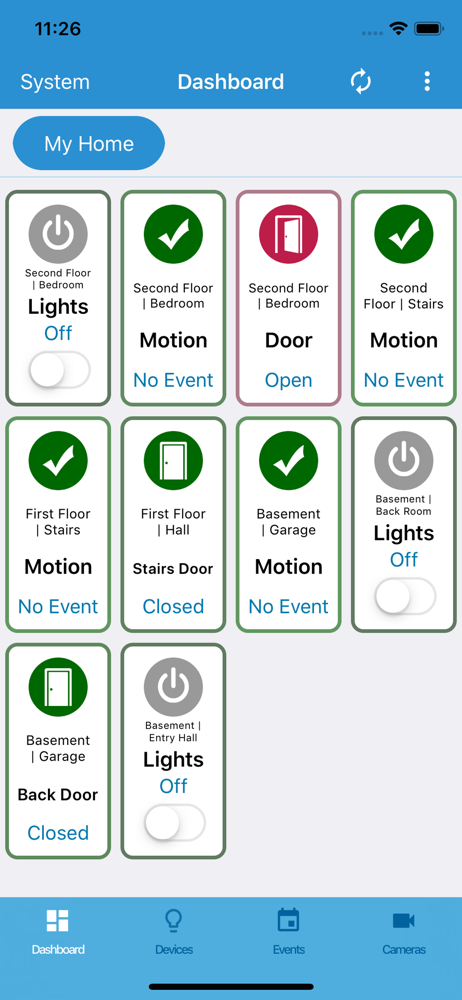
Thank you for updating the app. I’m having difficulty with adding devices to the dashboard because most of them show “gray lines” that you have to actually tap on to get more controls. Is this intense behavior? In the devices section, all the controls for each device are present. When you edit the widget on the dashboard you select which controls are present but it doesn’t matter since it still gray horizontal lines that you have to tap on. Will this be fixed soon? I have also emailed support days ago without a response.
With HomeSeer Mobile, your smart home is always within reach! • Create custom dashboards for quick access to lighting, security and often used devic...