
Check the acquisition promise
Read the store headline, screenshots and description. What problem is the app promising to solve?
Study the storefront ↗
Gryphon Online Safety, Inc. · iOS
Explore the ad evidence, study the storefront, and build your next acquisition hypothesis.
01 / Creative research
Read the store headline, screenshots and description. What problem is the app promising to solve?
Study the storefront ↗Explore apps with direct store-link matches. Compare their hooks and formats without assuming the same approach works here.
Browse observed advertisers ↗Store rankings and revenue estimates describe market context. They do not establish ad spend, conversions or ROAS.
Review the market context ↗02 / Storefront & product
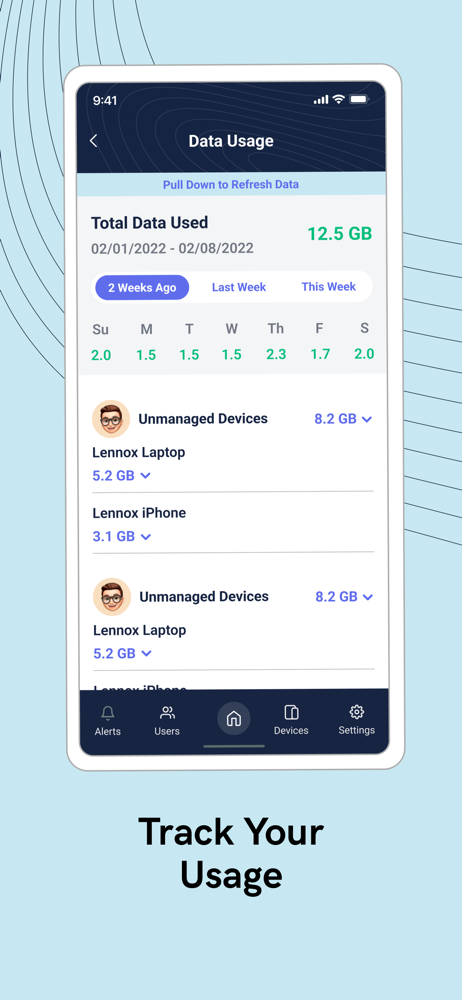
Study the product story and store experience behind the acquisition funnel.


03 / Market context
Keep revenue, downloads and store rankings separate from advertising performance.
Overall good app with strong parental controls and mesh management, but it really needs some fixes and power‑user options. The most urgent issue is the **random sign‑outs**, which are very annoying and should be permanently fixed, along with the frequent “request timed out” errors and occasional slow responses in the UI. The app should also let us change settings per mesh node instead of globally — for example, schedule WiFi off for just one satellite, turn off the LED on only one unit, and run a speed test per individual mesh device. More technical data on the main dashboard would be very helpful, such as gateway latency, a live speed/throughput graph per router, and an option to enforce WPA3‑only for better security. For advanced users, it would be amazing to have built‑in OpenVPN profile support so the whole home can use VPN without needing a separate VPN router and dealing with double/triple NAT. There should also be an option to disable NAT or switch a Gryphon from router mode to bridge mode for cleaner integration with existing networks. All these advanced options could sit under an “Expert Mode” section with a clear warning, plus there should be a way to swap the main router (promote another node to primary) using a cloud or offline backup, so we don’t have to rebuild everything from scratch if the main unit fails. If these issues are fixed and features added, Gryphon Connect would go from “good” to a top‑tier solution for both families and advanced users.
After using the Gryphon Wi-Fi 5 routers and their Wi-Fi 6 AX routers and software for years with nothing but excellent results and barely a hiccup, we had to switch our home router to that of Ring Alarm Pro and that’s where Wi-Fi that worked turned into something that’s suppose to protect your family but can’t tell you what sites or apps it’s blocking because even though you paid for it, you’re still the product. Gryphon doesn’t have and endless junk store that needs to be turned over before the next cargo ship from China delivers our next batch of outsourced and off shored items whether the factory has nets to catch their suicidal employees , or not. Those things cost money and you should put your money with a company that values your privacy, and safety, and at least provides you with some information whereas with other systems you’d be left guessing. While it may not be perfect and that may lead to more customer service inquiries and questions, the support team at Gryphon was always willing able to assist tracking down whatever the issue may be and following up to see if it resolved. Unfortunately, bigger isn’t always better as companies perspectives and goals are different. You should choose wisely as your home router is truelly the gateway to all of your information, data, files, photos, etc. Sign up for the newsletter and don’t let others marketing shinanigans get in the way of using this underdog companies equipment and software at front of your internet.
I bought a gryphon a few weeks ago because of the online security, wifi coverage, and internet speed capabilities. the first router took me 45 minutes to setup and i never got more then 500 up and down when I should have been getting close to 1G. then a week ago the wifi went out and the app said the firmware was updating for over three hours with no change in status. support walked me through some steps and determined we needed a new router, which arrived last night. this morning, i was able to set up the router in just a few minutes with no issues. i was delighted. the router immediately went into firmware update mode and app indicated that the firmware was downloaded pretty quickly. but then, when it went to the firmware installation step, the router dropped the wifi - making the wifi both unusbale and the firmware unable to install?! after no change for 30-45 minutes, i tried plugging the gryphon into our old router so it could have wifi to update with and now the app is stuck in firmware update mode, unable to update, unable to connect to wifi, and unable for the update to be stopped or refused, so the router is essentially unusable. what an expensive mess.ETA: tried again one day later and the update completed in a few minutes. i don’t know what changed. the speed is now closer to what i expected: <800 down and >750 up.i did not give a 4 because i am nervous about my experience so far, but if it stays working like this, i will def bump up the score.
Gryphon Online Safety is on a mission to provide families with the digital security they need to feel safe and in control of their online experiences,...
| Name | Price | Type |
|---|---|---|
| Gryphon Tower Premium (Monthly) | $5.99 | Monthly |
| Gryphon Tower Premium (Monthly) | $7.99 | Monthly |
| Gryphon AX Premium (Monthly) | $7.99 | Monthly |
| Gryphon Tower Premium (Monthly) | $7.99 | Monthly |
| Gryphon Tower Premium (Monthly) | $7.99 | Monthly |
| Gryphon Guardian Premium (Monthly) | $7.99 | Monthly |
| Gryphon Tower Premium (Annual) | $69.99 | Yearly |
| Gryphon Tower Premium (Annual) | $89.99 | Yearly |
| Gryphon AX Premium (Annual) | $89.99 | Yearly |
| Gryphon Tower Premium (Annual) | $89.99 | Yearly |


