
Check the acquisition promise
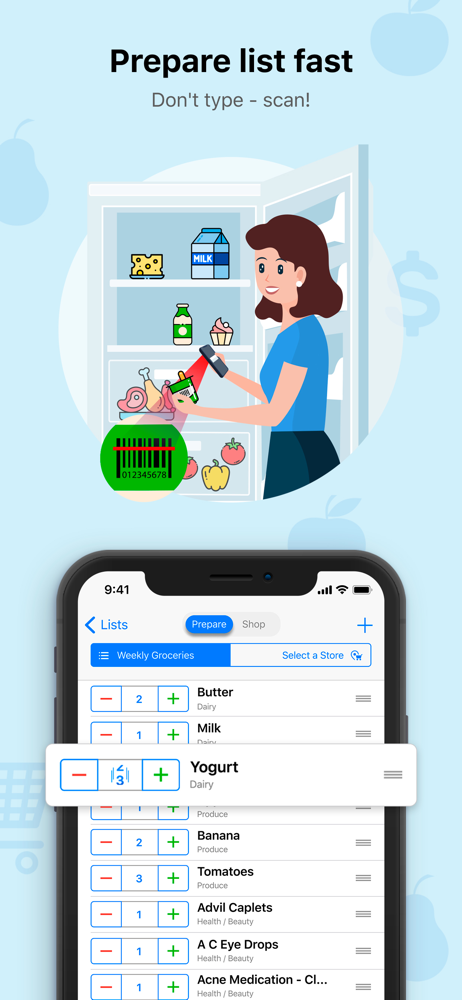
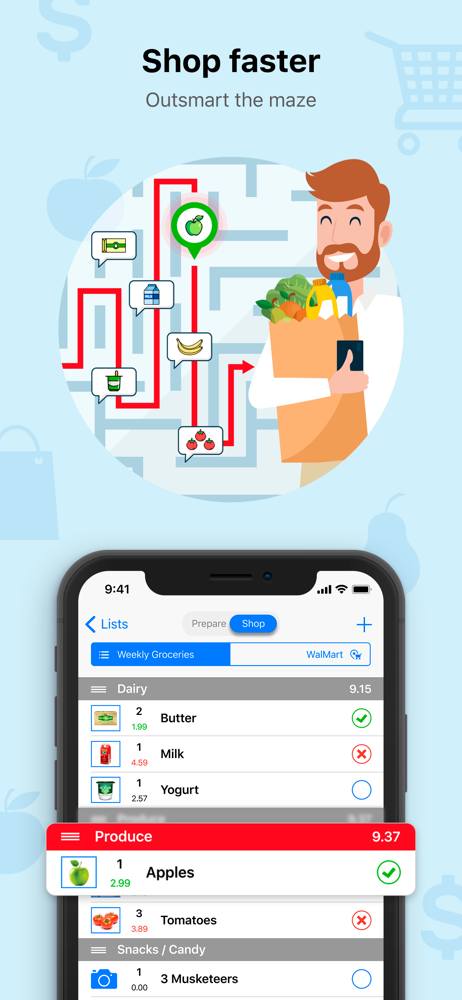
Read the store headline, screenshots and description. What problem is the app promising to solve?
Study the storefront ↗
Simple Automations, Inc. · iOS
Explore the ad evidence, study the storefront, and build your next acquisition hypothesis.
01 / Creative research
Read the store headline, screenshots and description. What problem is the app promising to solve?
Study the storefront ↗Explore apps with direct store-link matches. Compare their hooks and formats without assuming the same approach works here.
Browse observed advertisers ↗Store rankings and revenue estimates describe market context. They do not establish ad spend, conversions or ROAS.
Review the market context ↗02 / Storefront & product
Study the product story and store experience behind the acquisition funnel.




03 / Market context
Keep revenue, downloads and store rankings separate from advertising performance.
I have been using this app for many years, possibly a decade. As I run out of items at home, I can grab my phone and add what I need to the Grocery Gadget app. My husband is always in and out of the grocery store, so I synchronize the list with his phone as well. If he’s at the store and I suddenly realize we need something, I can add it to the list while he’s at the store and it will populate on his phone. From home, I can see the items as he checks them off. I can set up a separate list for the grocery store, Costco, Home Depot, or any other store we shop at. I have even set up recipes by name and added ingredients for those specific recipes. I love that we can see items in a multiple line view in the app in case it is a detailed description. After shopping is completed, I click on the “shopping done” button. All items that were purchased will be removed from that list, and items that could not be found will remain on the list for the next shopping trip. We personally don’t use the aisle feature, but I can imagine it would be a great time saver. Highly recommend this app. It’s been a fantastic convenience for us.
The new (well, years now) owners of this company, PingWell, bought the program from the original developer, and reneged on all contracts that had built the company in the first place. I am one of those who paid BIG bucks (I forget if it was $5 or $10) in the early days, when most apps were free or at most 99¢, because I wanted to support a good developer and have advertisement-free list-sharing for life. Pingwell is your typical Hong Kong/Chinese company that will take all it can steal, and deliver as little as it is forced to. Apparently Apple doesn’t enforce contracts between developers and customers. Pingwell will ignore you, tell you to just subscribe, shrug, and if you push hard enough, it will just tell you to ask Apple for a refund. Atrocious business practices! So, apparently, all of my previous reviews have just been deleted. I guess when you rate something ONE STAR it just gets thrown in the trash by Apple. Great way to serve your customers. :-( TL;DR: Just use Apple’s built-in Notes app, creating tick-box lists, and share that among your friends and family to create your own shopping list program. Do NOT to give criminals money. Stop putting up with advertising stealing your precious time and attention. We only have ~38m minutes in a lifetime! ;-)
I don’t mind paying $10/yearly for something that works well, and to avoid ads. However, I asked repeatedly how to get rid of the ads and was met with silence. It wasn’t until I wrote a second irate review that I received a response with a vague explanation for how to upgrade. It took me half a day, many tears, and outside help finding access to an ancient email account, but I finally managed to get the pro version working. There is no other app like this out there. I know because I’ve tried them all. The fact that each item can be in different aisles in different stores is what really sets this app apart. And that the aisles for each store can be sorted is the other piece that no other developer seems to understand. That you can manipulate things like taxes, add notes, sort the stores on the main screen, and include photos is just icing on the cake. The enormous difficulty in syncing the app could definitely be fixed. You can’t change the email address, so if you haven’t accessed that email, good luck resetting your password. Also good luck resetting your password once you do finally get in because the link to reset it isn’t valid. Despite all of this, I still highly recommend it and am really excited to be able to see my list without half of it blocked by ads and not have ads pop up as soon as I try to do anything.
The most powerful but simple shared grocery list organizer! 10 years on the market, recognized by major media, journalists, bloggers, and reputable r...
| Name | Price | Type |
|---|---|---|
| Monthly subscription | $0.99 | Monthly |
| Yearly subscription | $9.99 | Yearly |
| Family subscription (Annual) | $14.99 | Yearly |


